
When protecting route segments in React Router, a common pattern is to add an authentication check inside the layout route’s loader, such as in dashboard.tsx. This loader typically checks for a user session and throws redirect('/login') if none is found.

However, this approach introduces two architectural problems due to React Router’s parallel data-loading model:
- Leaky redirects: Child loaders (e.g.,
/dashboard/overview) execute in parallel with the parent loader. A redirect in the parent does not short-circuit the child loaders, causing them to run even when unauthenticated. - Redundant data fetching: Because loaders run in parallel, child routes cannot access data returned by parent loaders. A parent loader may fetch the
user, but each child must re-fetch it independently.
These behaviors create unnecessary server load, duplicated fetches, and potential errors. The new Middleware API in React Router 7.9+ (via the future.v8_middleware flag) solves these issues by introducing a sequential step before loaders execute.
In this article, we’ll build a simple dashboard that demonstrates the “old way” problems, then refactor it step by step using middleware for clean authentication and safe data passing.
The problem: Our broken dashboard
We’ll start by building a dashboard using traditional loader patterns to surface the issues. First, create a project:
npx create-react-router@latest
Inside app/, create a mock authentication file:
// app/auth.ts
export interface User {
  id: string;
  name: string;
  email: string;
}

let FAKE_LOGGED_IN_USER: User | null = null;
// let FAKE_LOGGED_IN_USER = { id: "123", name: "Jane Doe", email: "[email protected]" };

export async function getUserFromRequest(request: Request): Promise<User | null> {
  await new Promise((res) => setTimeout(res, 100));
  return FAKE_LOGGED_IN_USER;
}
Our route structure will look like:
app/
├── auth.ts
├── root.tsx
├── routes/
│   ├── login.tsx
│   ├── dashboard.tsx
│   └── dashboard.overview.tsx
Now let’s implement the protected dashboard layout:
// app/routes/dashboard.tsx
import { Outlet, useLoaderData } from "react-router";
import type { LoaderFunctionArgs } from "react-router";
import { getUserFromRequest } from "~/auth";
import type { User } from "~/auth";

export async function loader({ request }: LoaderFunctionArgs) {
  console.log("Checking auth in dashboard layout loader...");
  const user = await getUserFromRequest(request);

  if (!user) {
    console.log("No user, redirecting to /login");
    throw Response.redirect(new URL("/login", request.url));
  }

  return new Response(JSON.stringify({ user }), {
    headers: { "Content-Type": "application/json" },
  });
}

export default function DashboardLayout() {
  const { user } = useLoaderData() as { user: User };
  return (
); }
Next, the child route:
// app/routes/dashboard.overview.tsx
import { useLoaderData } from "react-router";
import type { LoaderFunctionArgs } from "react-router";
import { getUserFromRequest } from "~/auth";
async function getOverviewData(userId: string) {
console.log(`Fetching overview data for user ${userId}...`);
return { totalRevenue: 5000 };
}
export async function loader({ request }: LoaderFunctionArgs) {
console.log(" Child loader IS RUNNING!");
const user = await getUserFromRequest(request);
if (!user) {
return new Response(JSON.stringify({ error: "User not found" }), {
status: 401,
headers: { "Content-Type": "application/json" },
});
}
const overviewData = await getOverviewData(user.id);
return new Response(JSON.stringify(overviewData), {
headers: { "Content-Type": "application/json" },
});
}
export default function DashboardOverview() {
return
Child loader IS RUNNING!");
const user = await getUserFromRequest(request);
if (!user) {
return new Response(JSON.stringify({ error: "User not found" }), {
status: 401,
headers: { "Content-Type": "application/json" },
});
}
const overviewData = await getOverviewData(user.id);
return new Response(JSON.stringify(overviewData), {
headers: { "Content-Type": "application/json" },
});
}
export default function DashboardOverview() {
return Child loader IS RUNNING!");
const user = await getUserFromRequest(request);
if (!user) {
return new Response(JSON.stringify({ error: "User not found" }), {
status: 401,
headers: { "Content-Type": "application/json" },
});
}
const overviewData = await getOverviewData(user.id);
return new Response(JSON.stringify(overviewData), {
headers: { "Content-Type": "application/json" },
});
}
export default function DashboardOverview() {
return
Child loader IS RUNNING!");
const user = await getUserFromRequest(request);
if (!user) {
return new Response(JSON.stringify({ error: "User not found" }), {
status: 401,
headers: { "Content-Type": "application/json" },
});
}
const overviewData = await getOverviewData(user.id);
return new Response(JSON.stringify(overviewData), {
headers: { "Content-Type": "application/json" },
});
}
export default function DashboardOverview() {
returnOverview Page Content
; }
Now reproduce the issues:
- Set
FAKE_LOGGED_IN_USERtonull. - Navigate to
/dashboard/overview.
You’ll see:
Checking auth in dashboard...
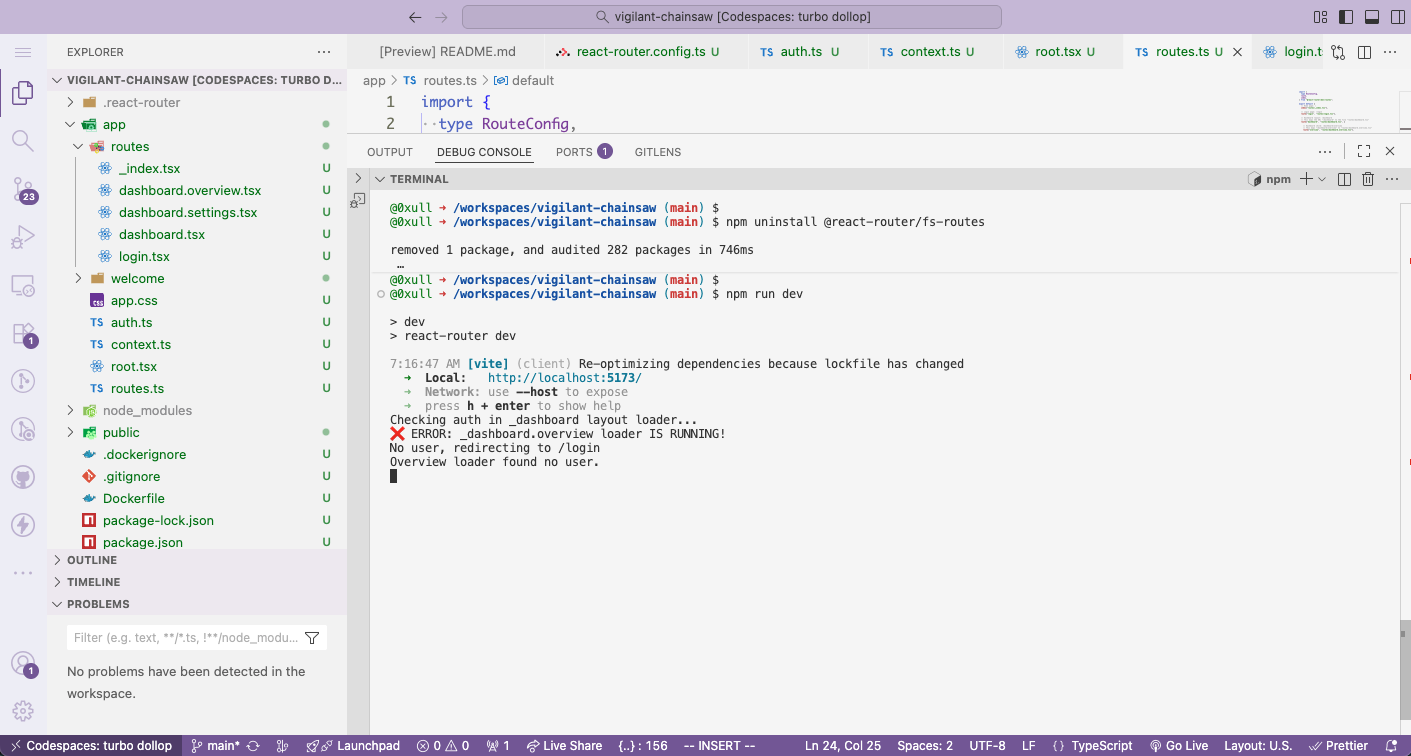
This confirms:
- Redirects leak: the child loader still runs.
- Data is fetched twice when logged in.
React Router middleware is designed to fix both issues.
The fix: Using React Router Middleware
Step 1: Enable the middleware flag
// react-router.config.ts
export default {
  future: {
    v8_middleware: true,
  },
};
Step 2: Create a type-safe context
Middleware doesn’t return data directly. It stores shared values in context:
// app/context.ts
import { createContext } from "react-router";
import type { User } from "~/auth";

export const userContext = createContext<User | null>(null);
Step 3: Refactor the protected dashboard
// app/routes/dashboard.tsx
import { Outlet, useLoaderData } from "react-router";
import type { LoaderFunctionArgs, MiddlewareFunction } from "react-router";
import { getUserFromRequest } from "~/auth";
import { userContext } from "~/context";

const authMiddleware: MiddlewareFunction = async ({ request, context }) => {
  console.log("Running auth middleware...");
  const user = await getUserFromRequest(request);

  if (!user) {
    throw new Response(null, {
      status: 302,
      headers: { Location: "/login" },
    });
  }

  context.set(userContext, user);
};

export const middleware = [authMiddleware];

export async function loader({ context }: LoaderFunctionArgs) {
  const user = context.get(userContext);
  return new Response(JSON.stringify({ user }), {
    headers: { "Content-Type": "application/json" },
  });
}

export default function DashboardLayout() {
  const { user } = useLoaderData();
  return (
); }
Step 4: Verify short-circuiting
With FAKE_LOGGED_IN_USER = null:
Running auth middleware...
Redirecting to /login
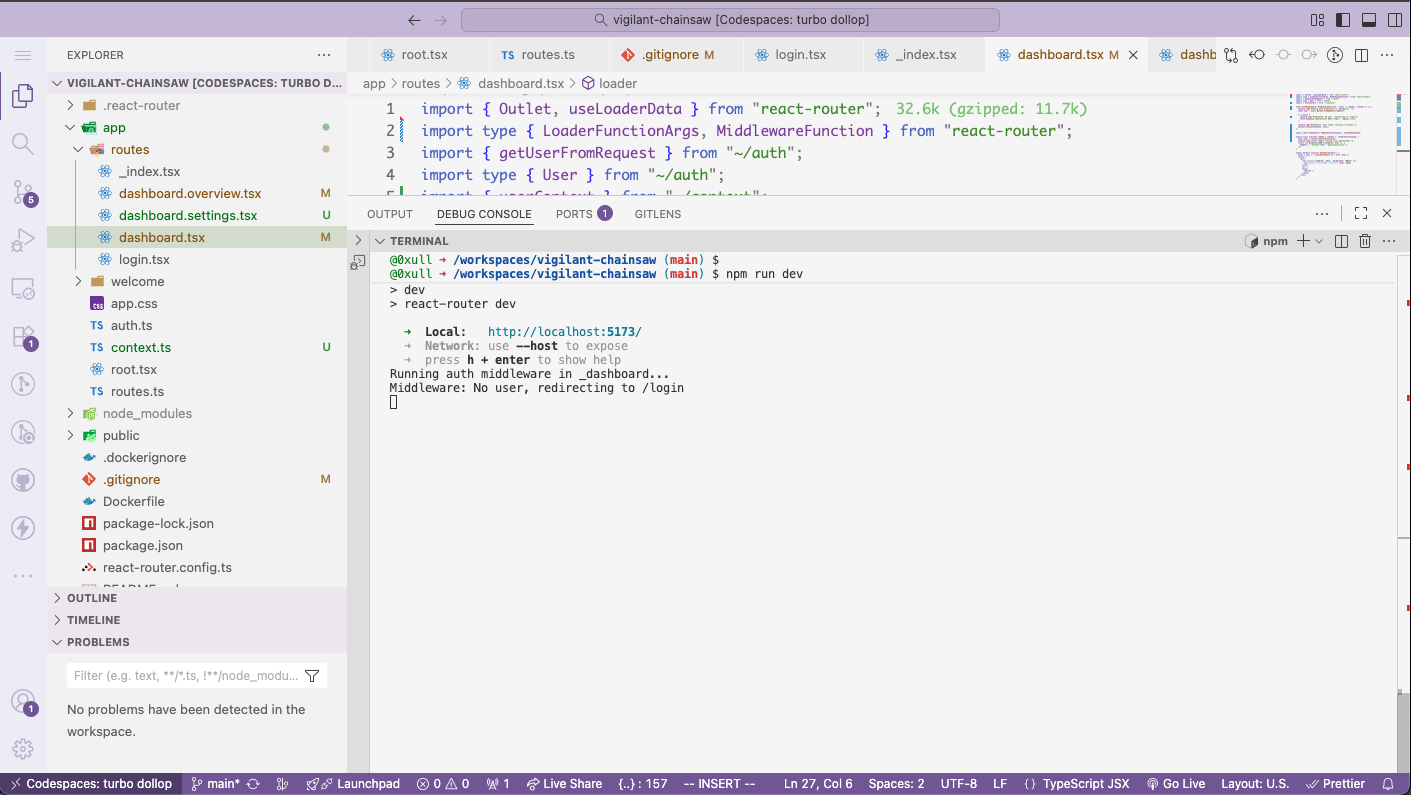
No child loaders ran. Problem #1 solved.
Step 5: Refactor the child loader
// app/routes/dashboard.overview.tsx
import type { LoaderFunctionArgs } from "react-router";
import { userContext } from "~/context";

async function getOverviewData(userId: string) {
  console.log(`Fetching overview data for user ${userId}...`);
  return { totalRevenue: 5000 };
}

export async function loader({ context }: LoaderFunctionArgs) {
  const user = context.get(userContext);
  const overviewData = await getOverviewData(user.id);
  return new Response(JSON.stringify(overviewData), {
    headers: { "Content-Type": "application/json" },
  });
}

export default function DashboardOverview() {
  return
Overview Page Content
; }
The output now shows the correct sequence:
Running auth middleware...
User found, setting context.
Layout loader running...
Child loader running...
Fetching overview data...
Conclusion
We started with a common pattern in React Router that easily leads to leaky redirects and redundant data fetching due to parallel loader execution. These issues make route protection inefficient and error-prone.
The new Middleware API introduces a sequential step before loaders, enabling:
- Short-circuited redirects before child loaders run
- Safe, centralized authentication
- Shared context that eliminates duplicate fetches
Middleware finally aligns React Router with real-world security and data-loading needs, enabling practical, maintainable protected routes.
The post How to fix React routing loopholes with the React Router Middleware appeared first on LogRocket Blog.
This post first appeared on Read More