
My favorite courses to learn and master GitHub Copilot in 2026

Hello folks, GitHub Copilot has become one of the most powerful tools in a developer’s arsenal, especially if you are working in big companies where tools like ChatGPT and Claude Code is not allowed.
I’ve been using it for over a year now, mostly inside IntelliJ IDEA, and honestly, it feels like having a senior developer sitting next to me — one who never gets tired of answering questions 🙂
From auto-completing functions to generating boilerplate and even writing tests, Copilot is transforming how we write and think about code.
When I first started using GitHub Copilot, I only used it to generate simple test cases to increase code coverage. But after a year — and several major upgrades — it has become significantly more powerful. I keep discovering new features every few weeks.
That curiosity led me to explore more deeply and enroll in 20+ courses to understand how developers are actually using Copilot in real workflows.
In this article, I’ll share the top 5 GitHub Copilot courses that stood out and genuinely improved my productivity. It also one of the 10 essential AI tools for Developers and mentioned GitHub Copilot. In this post, we’ll go deeper and explore how you can master Copilot in 2026.
If you’re in a hurry and just want one solid recommendation, you can go straight to: GitHub Copilot Beginner to Pro — AI for Coding & Development
This is the most complete and practical course I’ve found so far, and it often goes on sale for around $10.
What Is GitHub Copilot?
GitHub Copilot is an AI-powered code completion tool developed by GitHub and OpenAI. It integrates directly into popular editors like VS Code, JetBrains IDEs, and Neovim.
It suggests code in real time based on:
- comments
- existing code context
- project structure
Think of it as a pair programmer that never sleeps.
It’s trained on massive code datasets and can:
- generate functions
- fix bugs
- write tests
- explain complex logic
- suggest refactoring improvements
Most developers use it inside IDEs like IDEA or VSCode.
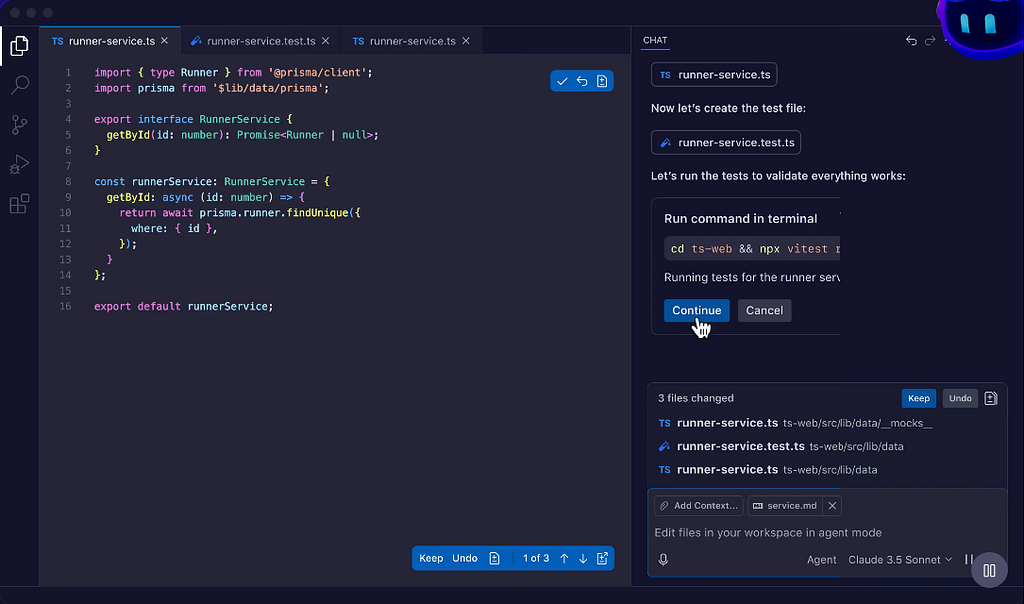
Why Software Developers Should Master GitHub Copilot in 2026
Software development is shifting toward AI-assisted workflows. Developers who learn how to collaborate with AI will have a massive productivity advantage.
Here’s why Copilot is worth mastering now:
- Time saving: Generate scaffolding, tests, and repetitive logic instantly
- Better code quality: Suggestions often follow best practices
- Faster learning: You see alternative ways to implement logic in real time
- Seamless workflow: It works directly inside your editor
- Multi-language support: Java, Python, JavaScript, Go, C#, and more
Top 5 GitHub Copilot Courses I Recommend
After trying more than 20 courses, these are the ones that actually delivered value.
1. GitHub Copilot Beginner to Pro — AI for Coding & Development
Students: 82,000+
This is the most complete GitHub Copilot course available right now. It covers everything from setup to building real projects using Copilot.
You’ll learn:
- Generating unit tests and documentation
- Using Copilot Chat effectively
- Writing secure code with AI assistance
- Prompting techniques for better suggestions
If you want one course that covers everything, this is the one to take.
Here is the link to join this course — GitHub Copilot Beginner to Pro — AI for Coding & Development
2. GitHub Copilot — The Complete Guide
Students: 21,000+
This course focuses more on web development workflows, making it ideal for developers working with:
- HTML, CSS
- JavaScript
- React
- Node.js
You’ll learn how to:
- generate and test code faster
- use Copilot in complex projects
- document and explain code using AI

3. AI For Developers With GitHub Copilot, Cursor AI & ChatGPT
Students: 5,000+
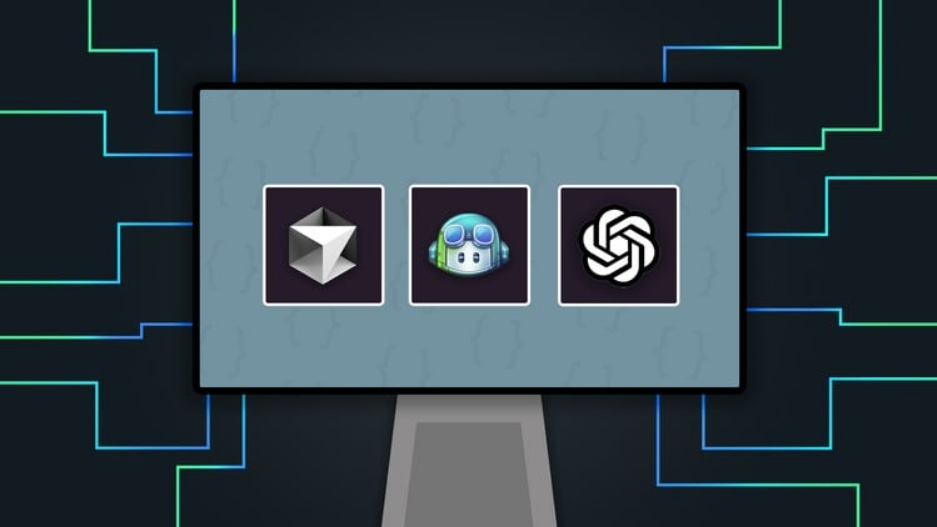
This course stands out because it doesn’t treat Copilot in isolation. Instead, it teaches how to combine:
- GitHub Copilot
- Cursor AI
- ChatGPT
to create a full AI-assisted development workflow.
You’ll learn:
- prompt engineering for code generation
- integrating AI tools into VS Code
- building a complete REST API using AI
Here is the link to join this course — AI For Developers With GitHub Copilot, Cursor AI & ChatGPT
4. AI with GitHub Copilot for Java & Spring Boot Developers
Students: 6,500+
If you are primarily a Java developer, this course is tailored for you. It demonstrates how Copilot can be used in real enterprise-style Spring Boot applications.
You’ll learn:
- generating controllers and services faster
- refactoring legacy Java code
- improving code quality with AI suggestions
Here is the link to join this course — AI with GitHub Copilot for Java & Spring Boot Developers
5. GitHub Copilot for Developer: Accelerate Your Coding with AI
Students: 1,200+
This course focuses on using Copilot across multiple technologies, including:
- Python
- Java
- React
- PL/SQL
- Selenium automation
It’s particularly useful if you want to use Copilot beyond simple coding and into testing, database scripts, and automation.
Here is the link to join this course — GitHub Copilot for Developer: Accelerate Your Coding with AI

5 Tips to Use GitHub Copilot Effectively
Even after taking multiple courses, I realized that productivity gains come from how you use Copilot — not just installing it.
Here are practical tips:
- Write descriptive comments — Copilot performs better with clear intent
- Always review generated code — AI is helpful but not perfect
- Generate tests alongside code — this improves reliability
- Tune suggestion settings in your IDE for better flow
- Combine with linters and formatters to maintain clean code
Conclusion
That’s all about the best GitHub copilot courses you can join in 2026 to master this essential tool in this AI era. GitHub Copilot is not just another developer tool — it represents a fundamental shift in how software is written.
Developers who learn how to collaborate with AI will:
- write code faster
- experiment more freely
- and focus on higher-level design instead of boilerplate
Whether you’re a beginner or an experienced engineer, these courses can help you unlock the real potential of AI-assisted development.
Now is the best time to experiment, learn, and adapt to this new way of coding.
P.S. — You can also prepare for GitHub Copilot certification which not only give you recognition but also help you to learn better. If you need resources, you can also check this GitHub Copilot Certification Practice Test

I Tried 20+ GitHub Copilot Courses — Here Are My Top 5 Recommendations for 2026 was originally published in Javarevisited on Medium, where people are continuing the conversation by highlighting and responding to this story.
This post first appeared on Read More