

Exploring the Simple Color Mixer Chrome Extension: Your Go-To Tool for Color Creativity
Color plays a pivotal role in design, art, and even our daily lives. Whether you’re working on a graphic design project, trying to create the perfect color palette for a website, or simply experimenting with shades for personal use, having the right tools is essential. Enter the Simple Color Mixer Chrome extension, a lightweight and intuitive tool that can transform the way you approach color blending and selection.
What is Simple Color Mixer? 🤔
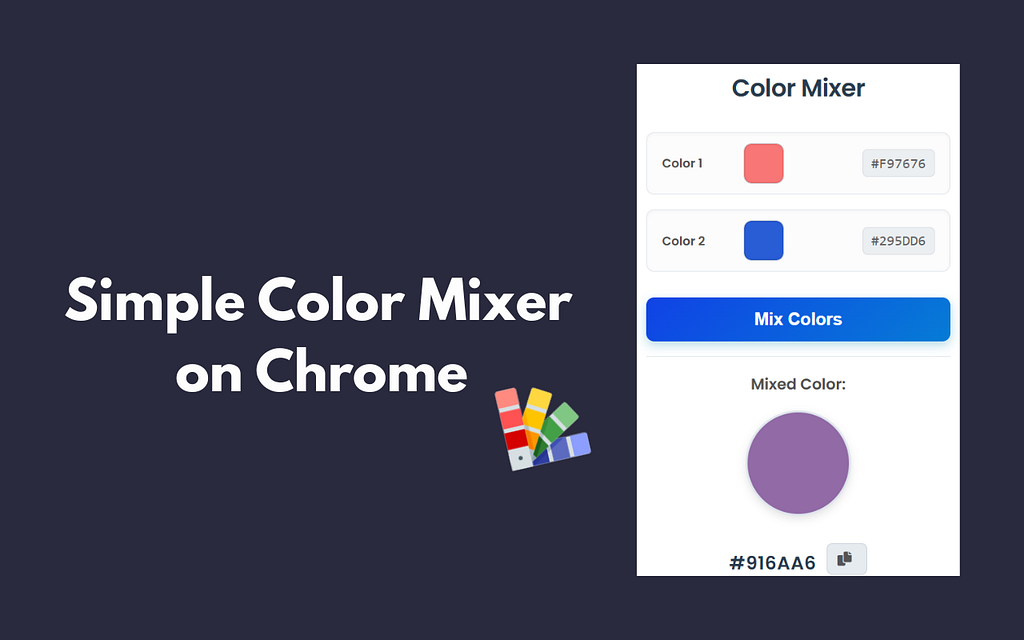
Simple Color Mixer is a Chrome extension that allows users to easily mix different colors to create custom color combinations. It’s designed to be straightforward, so both beginners and experienced designers can quickly generate the perfect color mix for any project. With just a few clicks, you can explore the world of color theory, experiment with new shades, or get inspiration for your next design project. 🎨✨
Key Features of Simple Color Mixer 🔑
- User-Friendly Interface
The interface is clean and minimalistic, making it easy to use even if you’ve never worked with color tools before. You can quickly adjust the mix of primary colors and see how they combine in real-time. This makes it a great tool for those who want to focus on creativity without dealing with a complex design tool. 👌🖌️ - Real-Time Color Mixing
The color mixing is live, meaning you can instantly see the effects of adjusting sliders and selecting colors. This feature saves time, allowing you to quickly see how your colors blend together before making any decisions. Whether you’re looking for pastel tones, vibrant hues, or something in between, Simple Color Mixer lets you experiment without delay. 🟠🟡🟢 - RGB and HEX Value Display
For those working in digital design, knowing the RGB (Red, Green, Blue) and HEX values of colors is crucial. Simple Color Mixer provides these values as you mix your colors, so you can easily transfer them to your design project. Whether you’re working in Photoshop, Illustrator, or any other design software, this tool ensures your colors are consistent across platforms. 🔢🎨 - Customizable Color Presets
Once you find a color combination that works, you can save it as a preset for future use. This feature is especially useful if you’re creating a brand or website and need to maintain consistent color schemes. It eliminates the need to manually search for color codes again, speeding up your workflow. ⚡💡 - Free and Accessible
As a free Chrome extension, Simple Color Mixer is accessible to anyone with the Google Chrome browser. It’s a lightweight tool that doesn’t require installation of complex software, making it perfect for those who need a quick solution for color mixing without committing to a full design suite. 💻🔓
How to Use Simple Color Mixer 🚀
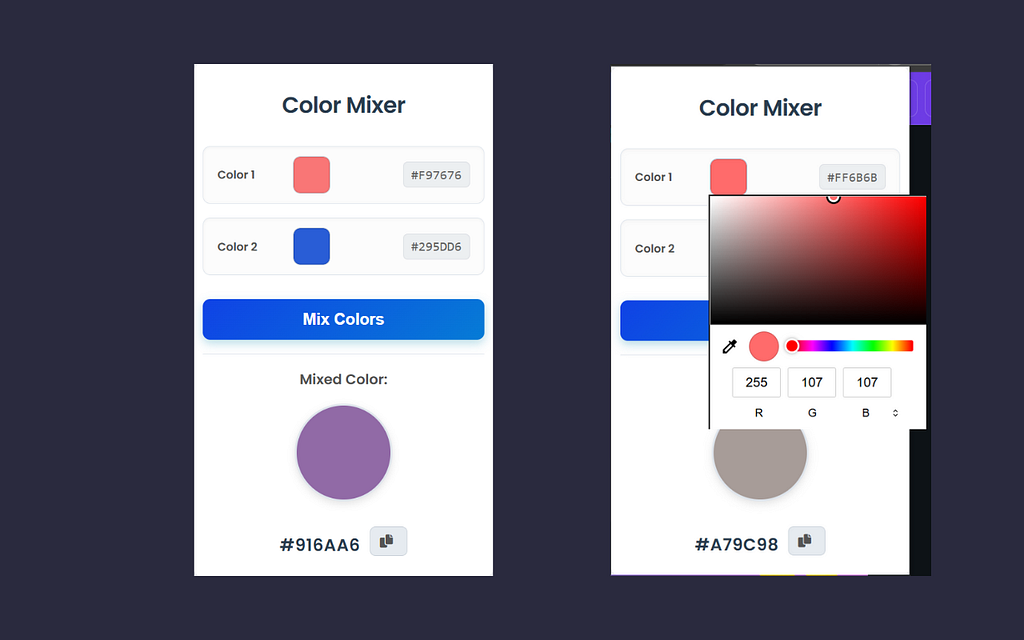
Using Simple Color Mixer is as easy as 1–2–3. Here’s a quick guide:
- Install the Extension
Start by heading to the Chrome Web Store and clicking “Add to Chrome.” Once installed, you’ll see the icon in your browser toolbar. 🔽🔧 - Launch the Tool
Click on the icon to open the color mixing interface. You’ll be presented with a blank canvas where you can start experimenting with colors. 🖼️🎨 - Mix Colors
Adjust the primary color sliders to mix and match colors. You can choose the exact shade you want by modifying the sliders or manually entering HEX or RGB values. 🔴🟢🔵 - Save Your Color
When you find a color combination you like, you can save it for future use. This way, you don’t have to redo your work each time you need the same shade. 📌💾 - Use the Color Codes
Once you’re satisfied with the color, simply copy the RGB or HEX value and use it in your design project. 📋💻
Why You Should Try Simple Color Mixer 🤩
If you’re someone who frequently works with colors — whether you’re designing a website, making art, or even just putting together a cool Instagram feed — Simple Color Mixer is a must-have tool. It saves time, boosts creativity, and helps you experiment without the need for complex software. 🖥️💡
Not only is it free, but its simple interface makes it approachable for beginners while still offering useful features for advanced users. It’s an ideal tool for anyone who wants to take their color knowledge to the next level and build beautiful, cohesive palettes. 🌟
Final Thoughts ✨
In the world of design, color is everything. With the Simple Color Mixer Chrome extension, you can explore new shades, find the perfect combinations, and make your creative projects shine. It’s a simple yet powerful tool that ensures color mixing is a fun and effortless process. 🖍️🖌️
Give it a try and unlock a world of color possibilities — your designs will thank you for it! 💖

🎨 Exploring the Simple Color Mixer Chrome Extension: Your Go-To Tool for Color Creativity 🌈 was originally published in Javarevisited on Medium, where people are continuing the conversation by highlighting and responding to this story.
This post first appeared on Read More