

Our Database Migration Took 11 Hours. We Had a 2-Hour Window.”
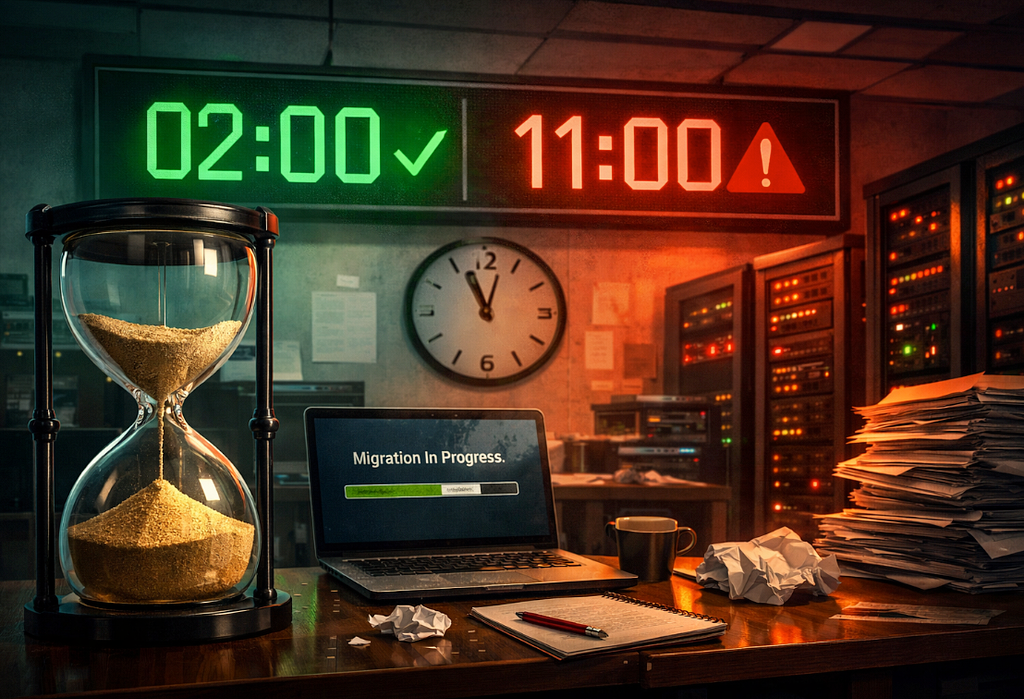
Saturday 2 AM. Migration started. Hour 3: still running. Hour 5: panic. Hour 9: CEO on the phone. Hour 11: we made it. Barely. This is the story of the worst database migration in our company’s history.
The Plan That Looked Perfect on Paper
Friday, 4:37 PM. Our lead architect wrapped up the migration planning meeting.
“Two hours, max,” he said, closing his laptop with confidence. “We’ve tested this three times in staging. Saturday 2 AM to 4 AM. Nobody will even notice.”
The plan was simple:
- Take a final backup (30 minutes)
- Run migration scripts (45 minutes)
- Verify data integrity (30 minutes)
- Bring the app back online (15 minutes)
Total: 2 hours.
We had a maintenance window from 2 AM to 6 AM. Four hours of buffer. Plenty of time.
I went home feeling good. Got dinner with my wife. Watched a movie. Set my alarm for 1:30 AM.
This was going to be easy.
Saturday 2:04 AM: “We’re Starting”
I logged into Slack from my home office. The team was online:
- Mark (DBA)
- Sarah (Backend lead)
- Tom (DevOps)
- Me (anxiously watching)
- CEO (why is he here?)
2:04 AM — Mark: “Starting backup now. ETA 30 minutes.”
2:06 AM — Tom: “Database replica synced. Ready to failover if needed.”
2:08 AM — Me: “Coffee acquired. Let’s do this.”
Everything was going according to plan. We had practiced this. We knew what we were doing.
Hour 1: The First Red Flag
2:47 AM — Mark: “Backup complete. Starting migration.”
2:49 AM — Sarah: “Migration script running…”
3:02 AM — Mark: “Hmm.”
That “hmm” made my stomach drop.
“Hmm” is never good at 3 AM during a production migration.
3:03 AM — Me: “What’s hmm?”
3:04 AM — Mark: “Migration is running slower than staging. Like… 5x slower.”
3:06 AM — Sarah: “How is that possible? Same database size, same server specs.”
3:08 AM — Mark: “I don’t know. But we’re at 12% progress. This isn’t going to finish in 45 minutes.”
3:10 AM — CEO: “Should we abort?”
We had a decision to make. We were 1 hour in. The backup was done. The migration was running.
Aborting meant:
- Restore from backup (30 minutes)
- Reschedule everything
- Explain to customers why we’re down next weekend too
Continuing meant:
- Maybe we finish in time
- Maybe we don’t
- We’re committed either way
3:14 AM — Mark: “I say we continue. We can always restore if we run out of time.”
3:15 AM — Sarah: “Agreed. Let’s give it until 5 AM. If we’re not close, we abort.”
3:16 AM — CEO: “Okay. Keep me posted.”
Famous last words.
Hour 3: Reality Sets In
4:23 AM — Mark: “Progress: 31%”
We were supposed to be done by now. Instead, we weren’t even halfway.
4:26 AM — Tom: “At this rate, we’re looking at… 8-hour completion time.”
4:28 AM — Me: “We go live at 8 AM. People will wake up. The app will be down.”
4:30 AM — Sarah: “We need to figure out why this is so slow.”
Mark started digging through logs. Database query performance. Index rebuilding. Lock waits.
4:47 AM — Mark: “Found it. Production has table locks from a background job we forgot about.”
4:49 AM — Sarah: “Can we kill it?”
4:51 AM — Mark: “Already did. Migration speed is picking up.”
4:55 AM — Mark: “New ETA: 6 hours from now.”
4:56 AM — Me: “So… 11 AM.”
4:57 AM — CEO: “That’s not acceptable. Half our users are awake by then.”
4:58 AM — Sarah: “We don’t have a choice. We’re committed. Rollback will take just as long.”
5:00 AM — CEO: “Okay. I’m writing the customer email. Tom, get the status page updated.”
This was really happening. We were going to be down for 9+ hours.
Hour 5: The CEO Joins the War Room
6:14 AM — CEO: “I’m coming to the office.”
6:16 AM — Me: “It’s Saturday. You don’t need to — “
6:17 AM — CEO: “I know. I’ll be there in 20.”
6:38 AM — CEO: “I’m here. Conference room 3. Who wants coffee?”
None of us expected this. Our CEO, sitting in the office at 6:38 AM on a Saturday, making coffee runs while we watched progress bars.
6:45 AM — Mark: “Progress: 58%”
6:50 AM — Sarah: “Customer support is getting emails. People are waking up.”
6:55 AM — CEO: “I’m responding personally to every email. Keep going.”
I don’t know if this was inspiring or terrifying. Probably both.
Hour 7: The Vendor Call
8:22 AM — Mark: “I’m calling our database vendor. This is not normal.”
8:45 AM — Mark: “Okay, I’m on with their senior engineer.”
9:03 AM — Mark: “He says our migration approach is… ‘not recommended for databases over 500GB.’”
9:05 AM — Sarah: “We’re at 1.2TB.”
9:06 AM — Mark: “Yeah. He’s aware.”
9:08 AM — Vendor Engineer: “You’re doing a full table rewrite. That’s why it’s slow.”
9:10 AM — Mark: “Can we speed it up?”
9:12 AM — Vendor Engineer: “Not really. You’re committed now. Let it finish.”
9:15 AM — Me: “So we just… wait?”
9:16 AM — Vendor Engineer: “Pretty much. Should be done by 1 PM.”
9:17 AM — CEO: “Perfect. Lunch will be interesting.”
Hour 9: The Breaking Point
11:04 AM — Mark: “Progress: 82%”
11:08 AM — Sarah: “We’re getting negative reviews on the App Store.”
11:12 AM — CEO: “I’m doing a Twitter thread explaining what happened. Radical transparency.”
11:20 AM — Tom: “Hacker News picked it up.”
11:23 AM — Me: “Oh god. What are they saying?”
11:25 AM — Tom: “Half are sympathetic. Half are saying we’re incompetent.”
11:26 AM — CEO: “Both are correct.”
11:30 AM — Sarah: “I need to take a walk. Someone tag me when we hit 90%.”
We’d been awake for 10 hours straight. Staring at terminals. Watching progress bars. Answering angry emails.
This was not how I planned my Saturday.
Hour 11: The Finish Line
12:47 PM — Mark: “Progress: 97%”
12:51 PM — Everyone: “…”
12:56 PM — Mark: “98%”
1:02 PM — Mark: “99%”
1:04 PM — Mark: “Migration complete.”
Nobody celebrated. We were too tired.
1:06 PM — Sarah: “Running verification scripts.”
1:14 PM — Sarah: “All tables present. Row counts match.”
1:18 PM — Sarah: “Foreign keys intact. Indexes rebuilt.”
1:22 PM — Sarah: “We’re good. Bringing the app online.”
1:25 PM — Tom: “App is up. Monitoring looks normal.”
1:26 PM — Me: “We did it.”
1:27 PM — CEO: “Okay. Everyone go home. Sleep. Don’t come back until Monday.”
1:28 PM — Mark: “I’m ordering pizza first.”
We sat in that conference room for another hour. Eating pizza. Not talking. Just existing.
What We Should Have Done
Looking back, our mistakes were obvious:
1. We Didn’t Test at Production Scale
Staging had 100GB. Production had 1.2TB. We assumed it would scale linearly.
It didn’t.
Lesson: Test with production-sized data, or don’t test at all.
2. We Forgot About Background Jobs
That table lock from a background job? We never ran background jobs in staging.
Staging wasn’t production. It was a toy environment.
Lesson: Production has surprises. Always check for things you might have forgotten.
3. We Underestimated Everything
2-hour window for an 11-hour job. We weren’t even close.
Lesson: Whatever you estimate, triple it. Then add 2 hours for bad luck.
4. We Didn’t Have a Real Rollback Plan
“Just restore from backup” isn’t a rollback plan when your backup takes 2 hours to restore.
Lesson: If you can’t rollback in 15 minutes, you don’t have a rollback plan.
5. We Should Have Done It Incrementally
Migrating 1.2TB in one shot was stupid. We should have migrated tables one at a time over multiple weeks.
Lesson: Big bang migrations are almost always a mistake.
The Aftermath
Monday morning:
- 200+ customer support tickets
- 47 App Store reviews (average: 2.1 stars)
- 1 Hacker News post (468 points, 312 comments)
- 3,000+ angry tweets
- $12,000 in refund requests
But also:
- Zero data loss
- App running faster than before (migration did work)
- CEO’s transparency Twitter thread got 50K likes
- We learned more in 11 hours than in the previous year
The Changes We Made
After this disaster, we completely rewrote our migration process:
New Rule 1: No More Big Bang Migrations
We now migrate tables incrementally. One table per week. Boring, slow, safe.
New Rule 2: Always Have a Fast Rollback
If we can’t rollback in 10 minutes, we don’t ship it.
New Rule 3: Test at Scale
We invested in production-sized staging environments. Cost us $2K/month. Worth every penny.
New Rule 4: Maintenance Windows Are Lies
We plan for 3x the estimated time. If we think it’s 2 hours, we block 6 hours.
New Rule 5: Someone Must Sleep
We rotate on-call during migrations. If it goes past hour 4, fresh eyes take over.
What I’d Tell My Past Self
If I could go back to that Friday afternoon planning meeting, I’d say:
“Your 2-hour estimate is fantasy. This will take 12 hours. Do it differently.”
But honestly? I wouldn’t have listened. I was too confident. We all were.
Sometimes you need to fail spectacularly to learn the lesson.
Our 11-hour migration was that lesson.
One Year Later
We’ve done 47 migrations since then. Here’s the scoreboard:
- Longest migration: 4 hours
- Average migration: 45 minutes
- Failed migrations: 0
- Data loss incidents: 0
- Angry customer emails: 0
That 11-hour nightmare taught us everything we needed to know.
Was it worth it? Hell no. Would I do it again? Absolutely not. But did it make us better engineers?
Yeah. It did.
The Real Cost
Let’s do the math on what our “2-hour migration” actually cost:
Direct Costs:
- 5 engineers × 11 hours = $8,250 in overtime
- Customer refunds: $12,000
- AWS costs (staging environment upgrades): $24,000/year
- Lost revenue (downtime): ~$15,000
Total: $59,250
Indirect Costs:
- App Store rating dropped 1.2 stars
- 300+ customer churn
- Team morale hit rock bottom
- CEO didn’t sleep for 2 days
Was it worth it? The new database schema gave us 3x better performance. Customer complaints about slow queries dropped 90%.
But man, there had to be a better way.
Want to Avoid These Database Disasters?
I’ve seen too many teams make the same migration mistakes we did. I collected every lesson learned (the expensive way) into practical guides:
🔥 When databases break in production:
👉 Database Incident Playbook — Real production database failures and exactly how to fix them (FREE)
Database Incident Playbook – How Production Databases Actually Fail
👉 SQL Performance Cheatsheet — The query mistakes that kill databases in production
SQL Performance Cheatsheet The Query Mistakes That Kill Databases in Production
🚨 For backend systems that need to stay up:
👉 Backend Performance Rescue Kit — Find and fix the 20 bottlenecks actually killing your app
Backend Performance Rescue Kit – Find and Fix the 20 Bottlenecks Killing Your App
👉 Production Readiness Checklist — The exact checklist we use before any migration (FREE)
⚡ And because we all make Git mistakes at 3 AM:
👉 Master Git in Minutes — 35 essential commands that actually saved our migration
Master Git in Minutes – 35 Essential Commands & Real-World Workflows
These aren’t theory. They’re battle-tested playbooks from real incidents. Use them if you want to avoid learning these lessons the expensive way.
I Write About What Actually Breaks in Production
No fluff. No tutorials. Just real engineering disasters and how we survived them.
👉 Free here:
Devrim’s Engineering Notes | Substack
You’ll get:
- Real production failures (and fixes)
- Lessons learned at 3 AM
- Tools and cheatsheets I actually use
- No BS, no sponsored content, no AI-generated fluff
Join 5,000+ engineers who read my weekly war stories.
Got a migration horror story? Drop it in the comments. Misery loves company, and we’ve all been there.
If this saved you from a 11-hour Saturday nightmare, bookmark this page. When your team proposes a “quick 2-hour migration,” you’ll want to remember why that’s a lie.
Now go triple your time estimates. Your future self will thank you.

Our Database Migration Took 11 Hours. We Had a 2-Hour Window.” was originally published in Javarevisited on Medium, where people are continuing the conversation by highlighting and responding to this story.
This post first appeared on Read More