

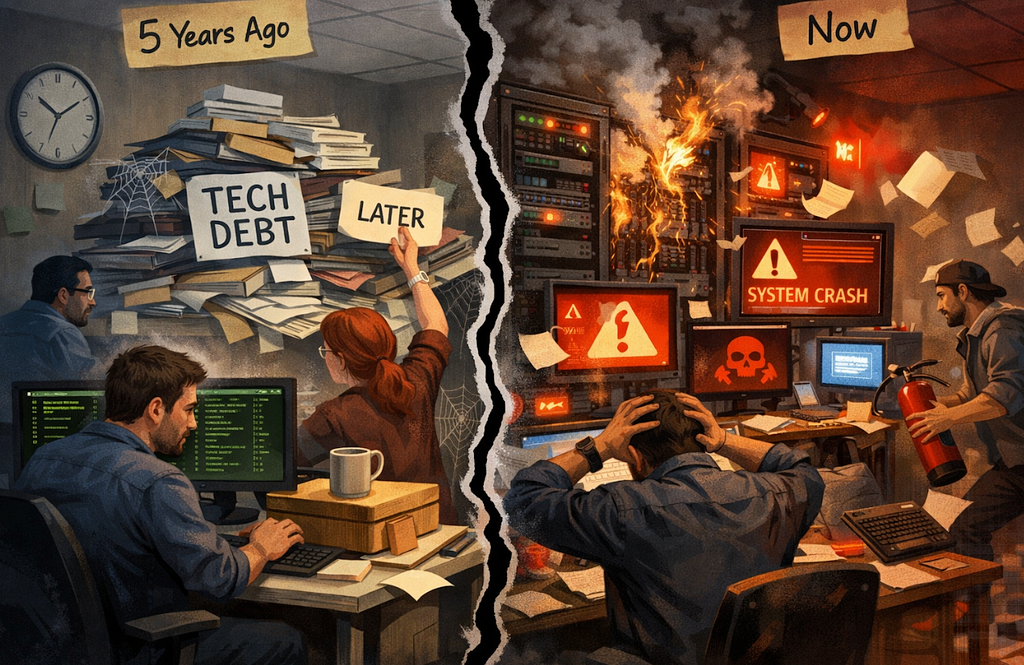
Tech Debt “For Later” Crashed Production 5 Years Later
Not every AI tool in the DevOps space delivers. Here’s an honest breakdown of where AI genuinely helps in incident response — and where it makes things worse.
Every DevOps conference in the last 18 months has had at least three talks about AI.
“AI-powered incident detection.” “Autonomous remediation.” “Self-healing infrastructure.” The slides are impressive. The demos are clean. The case studies are from companies with 500-person engineering teams and infrastructure budgets most of us will never see.
Then you go back to work. You get paged at 2 AM. You’re scrolling through 400 Slack messages trying to figure out what’s on fire and why. And you think: where exactly is this AI that was supposed to help me?
I’ve spent the last two years watching this space closely — using tools, breaking tools, and talking to engineers who were promised AI would change their incident response and ended up more frustrated than before.
Here’s what I actually found.
The Hype: What AI Promises But Doesn’t Deliver
Let’s start with the things that sound transformative in a demo and fall apart in production.
“Autonomous Remediation”
The pitch: AI detects an anomaly, identifies the cause, and automatically fixes it — no human required.
The reality: In tightly controlled, well-understood failure modes, this works. A specific alert fires, a specific script runs, the specific thing it was designed to fix gets fixed.
That’s not AI. That’s an if-statement with better marketing.
True autonomous remediation — where AI diagnoses a novel failure and takes corrective action it wasn’t explicitly programmed for — doesn’t exist at production reliability yet. And most engineers who’ve been in the industry long enough are deeply skeptical of it, for good reason.
Automated remediation in complex systems has a long history of making things worse. The classic failure mode: the automation detects a symptom, applies the fix it was trained on, the fix doesn’t apply to this particular situation, and now you have the original problem plus the automation’s side effects. At 3 AM. While the automation is still running.
The engineers I know who sleep best at night are not the ones who automated the most. They’re the ones who automated carefully, with circuit breakers, with human checkpoints, and with deep skepticism about anything that touches production without a human in the loop.
“Predictive Incident Detection”
The pitch: AI learns your system’s normal patterns and alerts you before things go wrong.
The reality: Anomaly detection is genuinely useful. AI-powered anomaly detection is marginally better than threshold-based alerting in some contexts. But “we’ll predict your incidents before they happen” is a different claim entirely.
Complex system failures are, by definition, hard to predict. They emerge from the interaction of multiple components in ways that don’t show up cleanly in historical patterns. If your system fails because a deployment introduced a subtle N+1 query that only becomes a problem when a specific cache expires during a traffic spike — no anomaly detection model trained on your historical data saw that coming.
Prediction is hard. Pattern matching is easier. Most tools that claim to do the first are actually doing the second.
“ChatGPT Will Debug Your Incidents”
This one I’ve tested extensively, because I’ve seen it suggested constantly.
Paste your logs into ChatGPT. Ask it what’s wrong. Get an answer.
Here’s the problem: generic AI is trained to sound confident. It will give you a root cause. It will sound plausible. It will cite patterns from its training data that superficially resemble your logs.
It has no way to tell you whether its answer is based on your actual logs or on a vaguely similar incident from a Stack Overflow post from 2019.
I’ve watched engineers waste 45 minutes following a ChatGPT-generated root cause hypothesis that had nothing to do with their actual failure. The logs didn’t support it. The AI just pattern-matched to something plausible and presented it as analysis.
During an active incident, confident-but-wrong is worse than uncertain-but-honest.
The Real: Where AI Is Genuinely Helping
Now for the part that doesn’t get enough attention — the places where AI is quietly, undramatically saving engineering teams real hours every week.
Log Noise Reduction
Production systems generate enormous amounts of log data during an incident. The signal-to-noise ratio is brutal. An engineer manually scanning logs during an active P1 is doing pattern matching under cognitive load, sleep deprivation, and time pressure.
AI-assisted log filtering — stripping repeated errors, grouping similar events, surfacing the first occurrence of new error types — is genuinely useful here. Not because it’s doing sophisticated reasoning, but because it’s doing mechanical work faster than a human can.
The time saved isn’t dramatic per incident. But multiplied across 50 incidents a year, it adds up.
Timeline Reconstruction
This is where I’ve seen the clearest ROI.
After an incident is resolved, someone has to reconstruct the sequence of events. When did the first alert fire? When did the error rate spike? When was the fix deployed? What happened between those moments?
Manually, this means scrolling through Slack, cross-referencing with Datadog or CloudWatch, reconciling timestamps across systems. For a complex incident, this takes 2–4 hours.
AI can do this in minutes — pulling events from multiple sources, ordering them chronologically, flagging the moments where things changed. Not perfectly, but well enough to give the engineer a working timeline to verify and refine rather than a blank page to fill.
The difference between “verify and refine” and “start from scratch” is enormous when you’re doing this at 6 AM after a night on-call.
Postmortem Drafting
This is the highest-leverage application I’ve seen, and the one most teams haven’t adopted yet.
The raw material for a postmortem — the Slack thread, the logs, the alert history — is almost always complete. What takes hours is turning that raw material into a coherent, structured document that holds up to scrutiny.
AI can draft that document. Not write it — draft it. The timeline from the logs. The impact summary from the metrics. The contributing factors from the error patterns. A first version that’s 70% right and needs human review, rather than a blank page that needs 6 hours of human work.
The engineers who’ve adopted this workflow aren’t producing worse postmortems. They’re producing better ones — because they have time to focus on the parts that require judgment (root cause interpretation, action item prioritization, organizational follow-through) instead of spending that time on assembly.
Summarizing Slack War Rooms
A P1 incident channel with 200+ messages is nearly impossible to process quickly.
AI can summarize it. Not perfectly — it will miss context, it will sometimes misread tone, it will occasionally hallucinate details. But a rough summary of “here’s what people were investigating, here’s what they tried, here’s what seemed to work” is genuinely useful for an engineer joining the incident late, or for someone writing the postmortem the next morning.
This is low-stakes AI assistance — the output gets reviewed before anyone acts on it — and that’s exactly where AI works best in incident response.
The Line Between Useful and Dangerous
The pattern I’ve noticed across every useful AI application in incident response is this:
Useful AI handles assembly. Dangerous AI handles judgment.
Assembly: pulling data from multiple sources, ordering events chronologically, formatting information into a structure, reducing noise, generating a first draft.
Judgment: deciding what the root cause actually is, determining whether a fix is safe to deploy, assessing whether a pattern is significant or coincidental, deciding who needs to be paged.
AI is genuinely good at assembly. It is not reliable for judgment — not in high-stakes, time-sensitive situations where the cost of being confidently wrong is high.
The tools that respect this line are the ones that actually help. The tools that blur it are the ones that make incidents worse.
What’s Actually Saving Teams Hours Right Now
Let me be specific, because “AI helps with postmortems” is too vague to be useful.
The workflow that I’ve seen produce the clearest time savings:
During the incident: AI-assisted log filtering to reduce noise. Human judgment on everything else.
Immediately after: AI reconstructs the timeline from Slack + logs. Engineer reviews, corrects, and annotates.
Postmortem drafting: AI generates a structured first draft — timeline, impact, contributing factors. Engineer rewrites the root cause section entirely (this is the part that requires real understanding), reviews the rest, and adds action items with context only they have.
Result: A postmortem that would have taken 6 hours takes 45 minutes. The quality is higher because the engineer spent their time on interpretation rather than transcription.
This isn’t hypothetical. It’s the workflow behind ProdRescue AI — which I built specifically because I kept watching engineers spend hours on the assembly part of postmortems while the judgment part got rushed.
The architecture matters here: a single general-purpose AI model asked to “analyze this incident” will hallucinate, confabulate, and present guesses as findings. A pipeline where one model denoises the logs, another does structured RCA, a third maps every claim to a specific log line, and a fourth assembles the final report — that produces something you can actually trust.
The difference isn’t the model. It’s the design.
The Honest Assessment
AI is not going to replace your on-call engineer. It’s not going to predict your incidents. It’s not going to autonomously fix your production systems while you sleep.
What it can do — right now, reliably, in ways that are already saving teams real hours — is handle the mechanical, assembly-oriented parts of incident response that eat engineering time without requiring engineering judgment.
Timeline reconstruction. Log noise reduction. Postmortem drafting. War room summarization.
These are not glamorous applications. They don’t make for impressive conference talks. But they’re the difference between a 6-hour postmortem and a 45-minute one. Between an engineer who comes in Monday morning still exhausted from Friday’s incident, and one who actually recovered over the weekend.
That’s not hype. That’s just useful.
Resources Worth Your Time
If you’re thinking seriously about improving your incident response process:
Free:
🔥 Production Incident Prevention Kit — Pre-deploy and during-outage checklists. The kind of process documentation that makes AI assistance actually useful.
📘 Python for Production — The Cheatsheet — For the scripting and automation layer that sits underneath good incident tooling. Free.
Go deeper:
⚙️ Production Engineering Toolkit — Real production failures, documented. The pattern recognition you build from reading these is what lets you evaluate AI output critically.
🔧 Production Engineering Master Bundle — The complete system for surviving real production failures. If you’re serious about incident response, this is where to start.
More on incident response, production engineering, and what actually works at scale — weekly:
What’s the most overhyped AI tool you’ve seen pitched for incident response? Drop it in the comments — I’m genuinely collecting these.

Tech Debt “For Later” Crashed Production 5 Years Later was originally published in Javarevisited on Medium, where people are continuing the conversation by highlighting and responding to this story.
This post first appeared on Read More