

The Bare Minimum POC: MCP for the Impatient in a Minute

I quickly tried out the scope of exploring MCP server with cursor and the following is the step by step way to get up to speed with that. There are lot of articles available but there is no single place where I could find which explains to setting it up using python both locally and remotely with simple steps. So I would like to have a stab at this in this post with less fluffs.
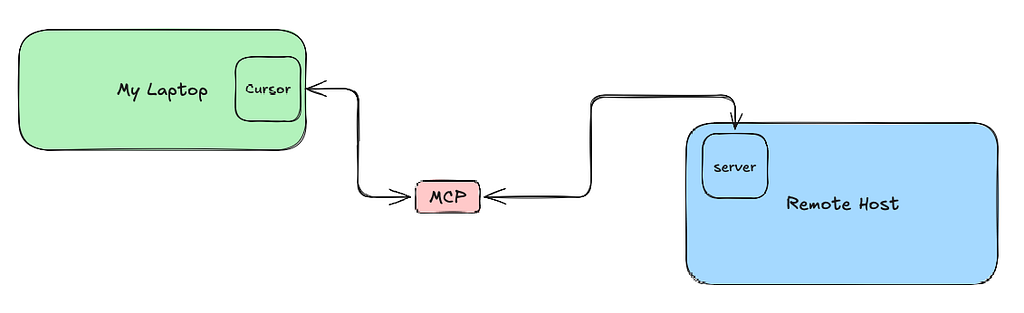
Prerequisites
- Cursor (https://cursor.com/download)
brew install cursor
- Python 3.11
sudo apt install python3.11
sudo yum install python3.11
Setting the MCP Server locally
- Create a folder in your local, in my case its at ~/GITRepository/cursor/cursor
26-03-17 10:30:02 ~/GITRepository/cursor/cursor
$ ls -lart
-rw-r--r--@  1 vinod.krishnan  staff    9 Mar 17 16:22 README.md
drwxr-xr-x   5 vinod.krishnan  staff  160 Mar 17 17:07 ..
drwxr-xr-x@  6 vinod.krishnan  staff  192 Mar 17 17:28 my_mcp_server
-rw-r--r--@  1 vinod.krishnan  staff   51 Mar 17 18:37 .gitignore
drwxr-xr-x@  6 vinod.krishnan  staff  192 Mar 17 18:37 .
drwxr-xr-x@ 12 vinod.krishnan  staff  384 Mar 17 18:37 .git
- From this location create a server folder called my_mcp_server
- And create a virtual environment using
cd my_mcp_server
python3.11 -m venv .venv
source .venv/bin/activate
- Install the fastmcp package using pip directly or using requirements.txt
pip install 'fastmcp>=3.0.0'
pip install -r requirements.txt
- The content of your requirements.txt will be just fastmcp>=3.0.0
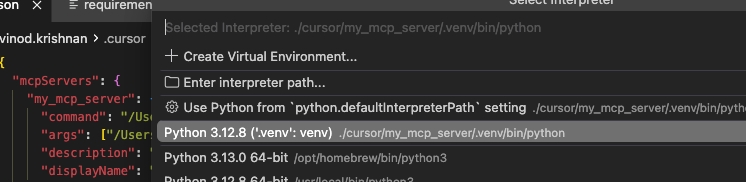
- You may want to map the View → Command Palette -> Python: Select Interpretor to map to the .venv/bin/python
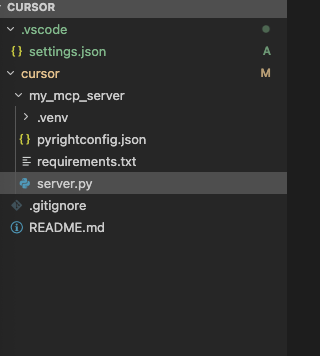
- After all this setup, my cursor explorer looks like this after the changes
- Now go to setting at the top right gear wheel and navigate to Tool & MCP section
- Clicking on the + New MCP Server, will open a mcp.json file
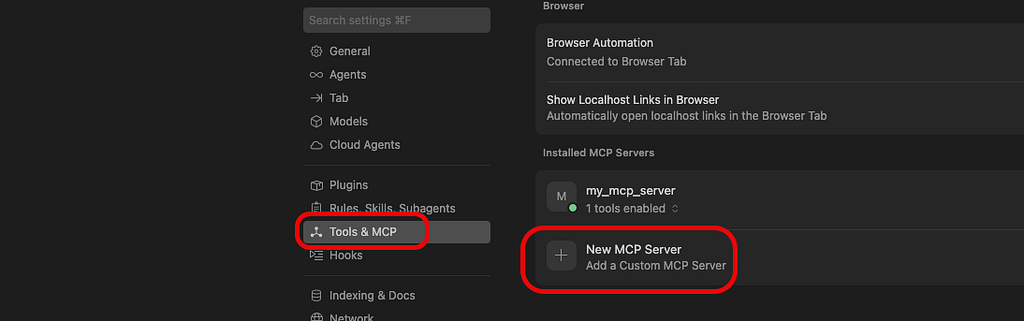
- The content of the mcp.json will have a reference to our server my_mcp_server and the python command to run the server.py file
{
  "mcpServers": {
    "my_mcp_server": {
      "command": "/Users/vinod.krishnan/GITRepository/cursor/cursor/my_mcp_server/.venv/bin/python",
      "args": ["/Users/vinod.krishnan/GITRepository/cursor/cursor/my_mcp_server/server.py"],
    }
  }
}
- The server.py file will have a simple tool check_current_user_name where we pass in the user_id and compare with the current username and return if it matches or not
from datetime import datetime
import json
import getpass
from fastmcp import FastMCP

mcp = FastMCP("my_mcp_server")

@mcp.tool()
def check_current_user_name(user_id: str) -> str:
    username = getpass.getuser()
    if user_id == username:
        return f"Current UserName :: {username} is the current user"
    else:
        return f"User {user_id} is not the current user"

if __name__ == "__main__":
    mcp.run(transport="stdio")
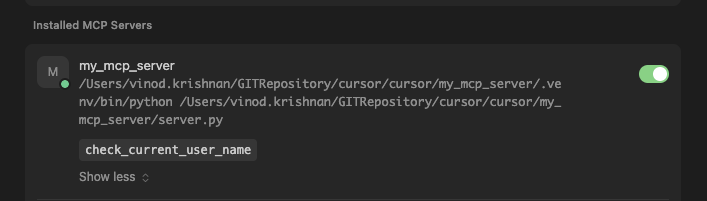
once we have this the MCP server in the Cursor Settings will look like below with a green marker, meaning its up and running
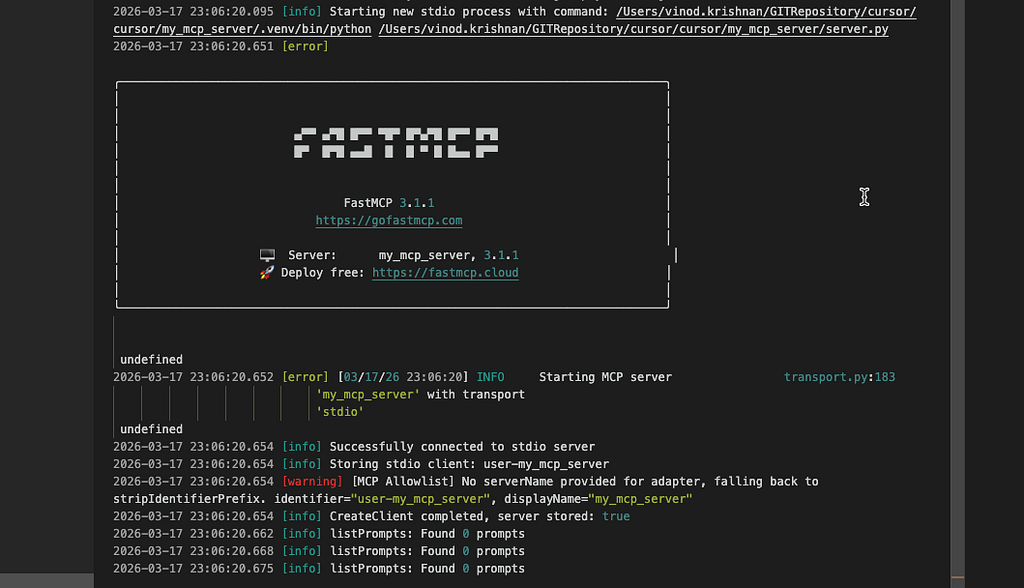
And in the output section you will have this
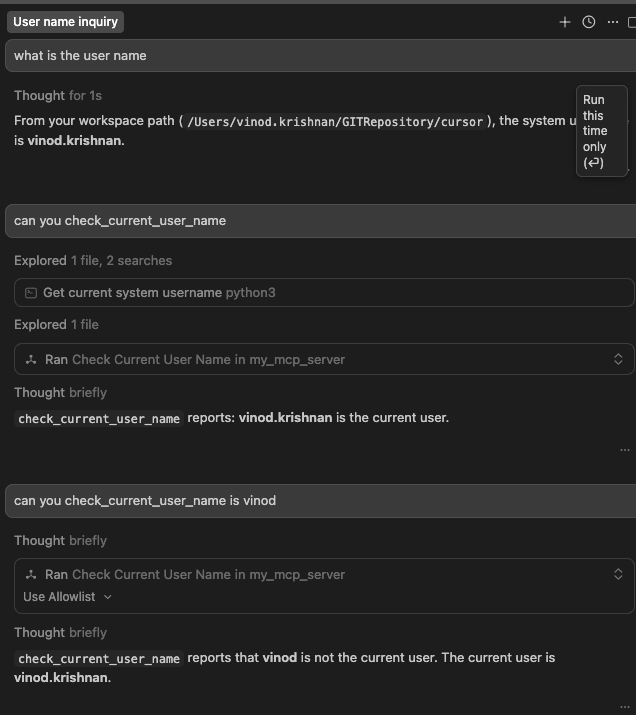
- The interaction with the agent looks like this
Setting the MCP Server remotely
Setting the server remotely is more or less the same with some minor changes
- you have to change the following in the mcp.json to connect to the mcp server which is running in the host = 10.93.18.43
 "my_mcp_server": {
      "url": "http://10.93.18.43:9000/mcp",
      "transport": "streamable-http"
  }
- In the server.py you need to add the following
if __name__ == "__main__":
    mcp.run(transport="streamable-http",host="10.93.18.43", port=9000)
- In the remote server start it using
10.93.18.43:~/mcp-server
$ /home/vinod.krishnan/mcp-server/.venv/bin/python server.py &
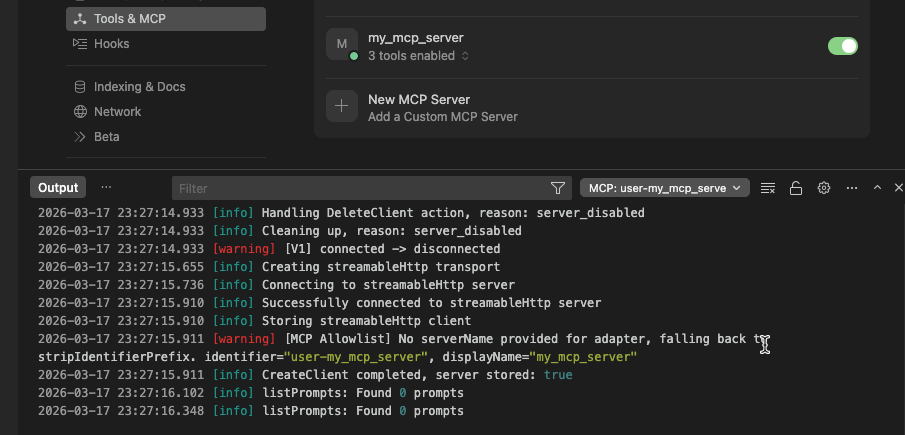
- When its connected properly the client looks like this
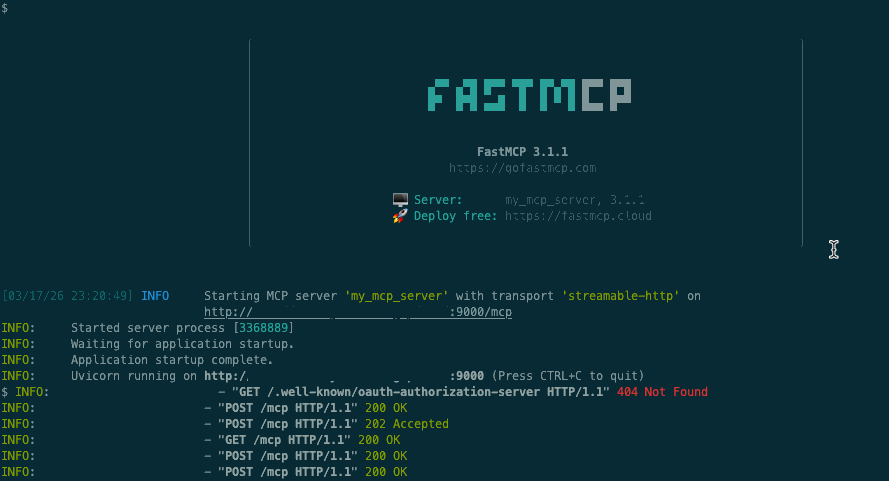
- and in the server it looks like this
- The interaction with the chat connecting to the server will be
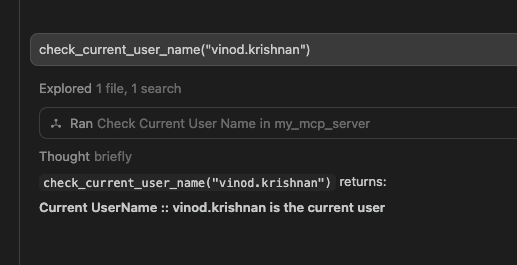
- and the corresponding tool call will be

some hick-ups while installing python in the remote server was that you need to create a pip.conf file and mention the index_urls or otherwise run the pip command with the following options
2026-03-17 20:03:10: python3.11 -m pip install --upgrade --index-url=http://host:port/artifactory/api/pypi/python-release-virtual/simple/ --trusted-host host 'authlib'
2026-03-17 20:03:15: python3.11 -m pip install --upgrade --index-url=http://host:port/artifactory/api/pypi/python-release-virtual/simple/ --trusted-host host 'fastmcp'

The Bare Minimum POC: MCP for the Impatient in a Minute was originally published in Javarevisited on Medium, where people are continuing the conversation by highlighting and responding to this story.
This post first appeared on Read More