

Troubleshooting "AppImages require FUSE to run" on Linux
In my scenario, I had downloaded VidBee video downloader in AppImage format on my Fedora Linux. It was integrated well with the system with GearLeaver.
However, one day, it suddenly stopped opening. I could see the icon in GNOME search but clicking on it did not do anything. The app was not opening.
My instinct was to jump in the terminal, go to the directory where AppImage file for this application was located and run it like a bash file. Yes, that’s a legit way to run AppImages from the terminal.
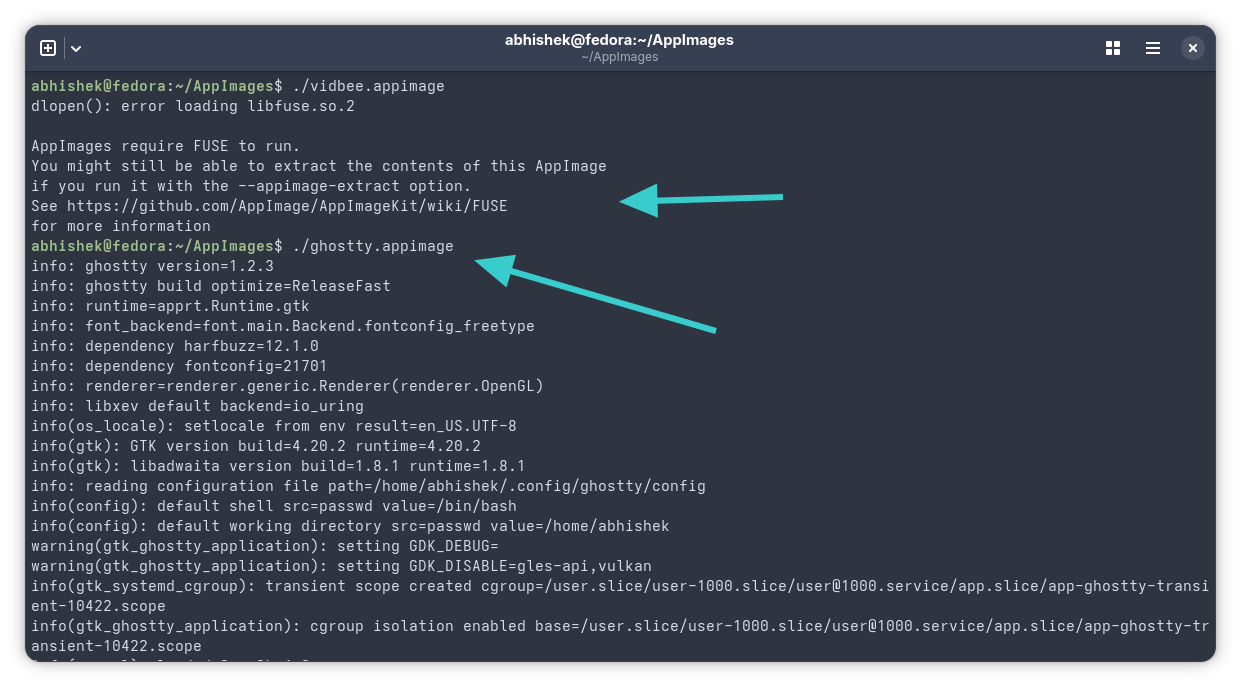
And when I did that, it showed me “AppImages require FUSE to run”.
abhishek@fedora:~/AppImages$ ./vidbee.appimage
dlopen(): error loading libfuse.so.2

AppImages require FUSE to run.
You might still be able to extract the contents of this AppImage
if you run it with the --appimage-extract option.
See https://github.com/AppImage/AppImageKit/wiki/FUSE
for more information
The key part in my case was this line:
error loading libfuse.so.2It was missing libfuse version 2. The solution that worked for me was to install fuse2 lib and dev package. If you are facing this issue on your system, that’s what you have to do.
And you must pay attention to the libfuse version it is complaining about. As it turns out there is libfuse2 and libfuse3 and some AppImages use version 2 while some version 3.
I’ll come to the installation instructions in a moment.
Understanding the “fuse” confusion
The AppImage applications require a software library called Filesystem in Userspace (or FUSE in short).
Now, the thing is that most Linux distributions already come with FUSE support. But the version becomes a problem.
Recent distro versions have fuse3 installed. And many developers package their applications in AppImage using fuse3. In my case, Ghostty terminal worked fine as its AppImage needed fuse3 and it was already installed on my Fedora:
I checked the list of installed applications on Fedora and I was surprised to see that fuse2 was also installed already. As you can see below, package fuse.x86_64 has version 2.9.9.
abhishek@fedora:~/AppImages$ dnf list --installed | grep -i fuse
fuse.x86_64                                          2.9.9-24.fc43                        <unknown>
fuse-common.x86_64                                   3.16.2-5.fc42                        624cbc92582d4ecfae4c58749abde4f8
fuse-overlayfs.x86_64                                1.13-4.fc43                          <unknown>
fuse3.x86_64                                         3.16.2-5.fc42                        624cbc92582d4ecfae4c58749abde4f8
fuse3-libs.x86_64                                    3.16.2-5.fc42                        624cbc92582d4ecfae4c58749abde4f8
glusterfs-fuse.x86_64                                11.2-4.fc43                          <unknown>
gvfs-fuse.x86_64                                     1.58.4-1.fc43                        updates
So, my system had both fuse2 and fuse3 installed and still one AppImage worked (Ghostty) and other (Vidbee) did not.
What’s even more strange is that the same Videbee AppImage was working a few weeks ago.
Anyways, when something like this happens, my gut feel which comes from years of experience is to either reinstall the software library or install the associated development package.
And that’s what I did here as well and it worked for me.
Installing fuse2 and fuse2-dev
If your system was complaining about libfuse2, you should install libfuse2. You must know which Linux distro and version you are using here.
🚧
If you are using an Ubuntu-based distribution, your package is named as libfuse2 or libfuse2t64 or libfuse3. You must never attempt to install a package named fuse which is a different software altogether and installing it may result in a broken system.
On Fedora, I installed the following packages that fixed the issue for me:
sudo dnf install fuse fuse-d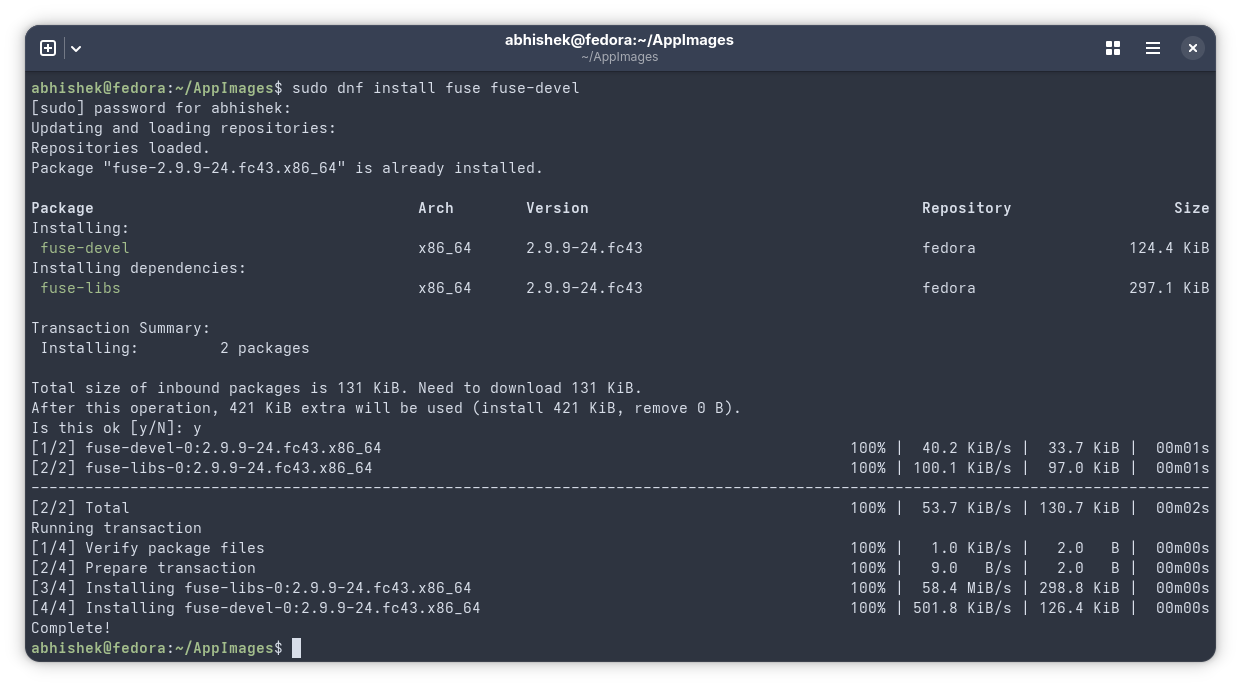
As you can see in the screenshot above, it said fuse-2.9.9 was already installed but it also installed fuse-devel and fuse-libs in the process.
On Ubuntu 22.04, it should be available as libfuse2:
sudo apt install libfuse2On Ubuntu 24.04 and newer, use:
sudo apt install libfuse2t64Did it help you?
I would like to know that. Basically, all you have to do is to pay attention to what missing library and version it is complaining about and install it.
There is a troubleshooting page in the official AppImage documentation that you may want to check out.
If you are still facing issues with AppImage, please let me know in the comments and I’ll try to help you out.

This article first appeared on Read More