
Knowing what a user wants is only half the problem. The other half is knowing how, and how much, to respond.
This is the third piece in a small series on product design in AI-driven systems. The first article explored how our role as designers is evolving, and the second looked at how signals tied to user intent shape AI-powered experiences. This one builds on that foundation, moving from understanding intent to deciding how a system should show up in response to it.
If you haven’t read them, no worries. I’ll bring you along.

In the last piece, I talked about how signals help us understand what users are trying to accomplish, grounded in their Jobs to Be Done (JTBD). Even as generative capabilities expand, users still have real outcomes they’re working toward. Getting the signals right lets systems not only figure out what to generate, but when to adjust or pull back.
That thinking assumes something, though. It assumes we’re working with familiar patterns: structured interfaces, clear entry points, predictable flows.
As AI gets more embedded in the experience, that assumption starts to break down.
What happens between those touchpoints? How should a system respond once it understands what someone wants? When should it generate something new, guide a user through a structured experience, or quietly work in the background?
Without clear answers, it becomes easy to over-index on AI. Everything becomes generative or conversational, often at the expense of clarity, cost, and control. AI-native design systems need to move beyond reusable components toward reusable decision logic.
This is where the conversation shifts from understanding intent to shaping response.
Clippy wasn’t wrong. He was just bad at reading the room.
Most of us remember Microsoft’s cartoon paperclip, the well-intentioned writing assistant that became a punchline. He’d pop up mid-sentence to ask if you needed help with a letter, whether you did or not. Sound familiar?

Companies are circling back to that idea now, with considerably more sophisticated tools. The promises range from “it’ll save you hours” to “it’ll replace you entirely”, but that’s a conversation for another article. What most people can agree on is that an AI that shows up wrong, at the wrong moment, in the wrong way, is worse than no AI at all.
So how do you balance a system full of signals, mapped to real user goals, without bombarding the people you’re trying to help?
An AI presence framework
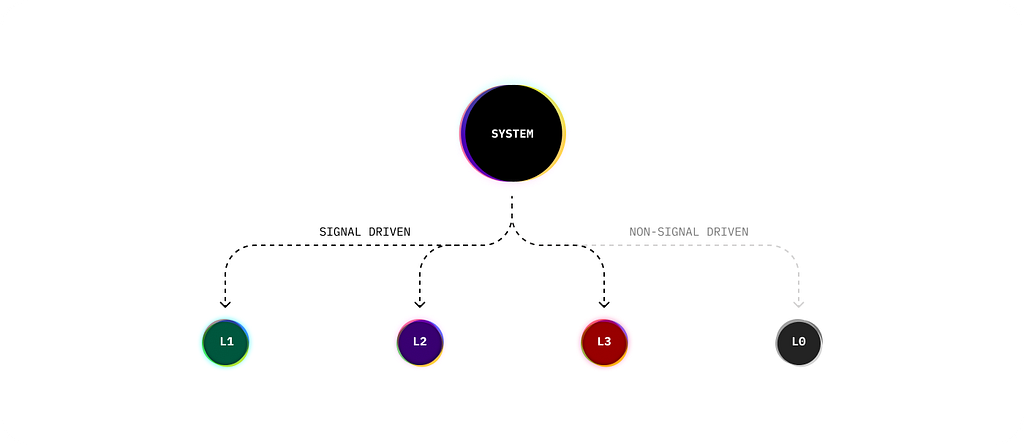
AI doesn’t have one way of showing up in a product. It has modes or distinct levels of involvement that determine how much the system steps in, and when. This is a personal framing for what each of those feels like from the user’s side. It builds on thinking from both Google’s PAIR Guidebook and Microsoft’s Guidelines for Human-AI Interaction, two of the more rigorous frameworks practitioners have available today.
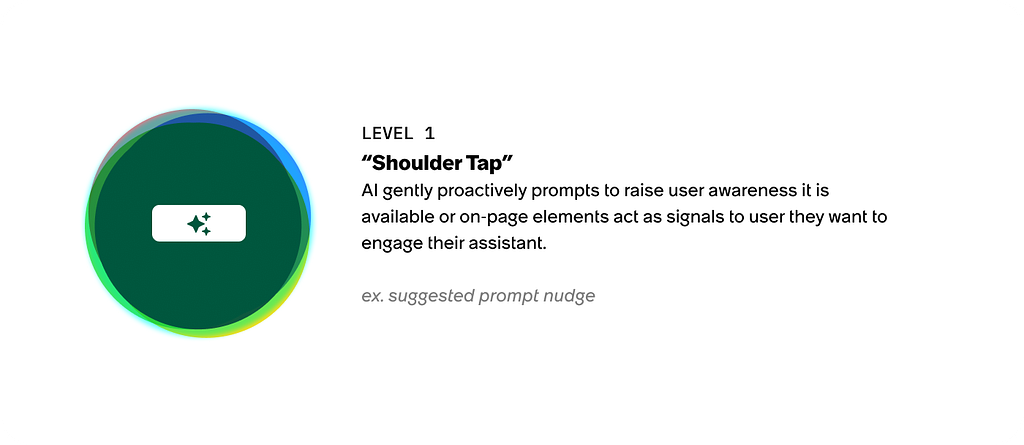
Level 1: “Shoulder tap” The gentle nudge. Either a user reaches out or the system notices something and checks in. Think of someone tapping you on the shoulder at a store to ask if you need help, or you walking up with a quick question. Light interaction, low commitment on both sides.
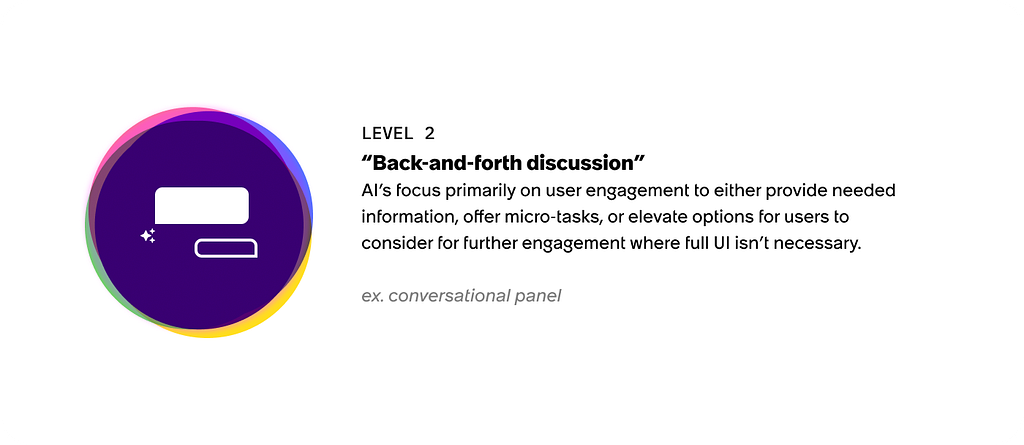
Level 2: “Back and forth discussion” This is where most AI integrations live today, and for good reason. The interaction is conversational; the system responds, clarifies, and occasionally surfaces small visual snippets to support the dialogue. Think of it like working with a sales clerk: you describe what you need, they respond, and together you work toward something.
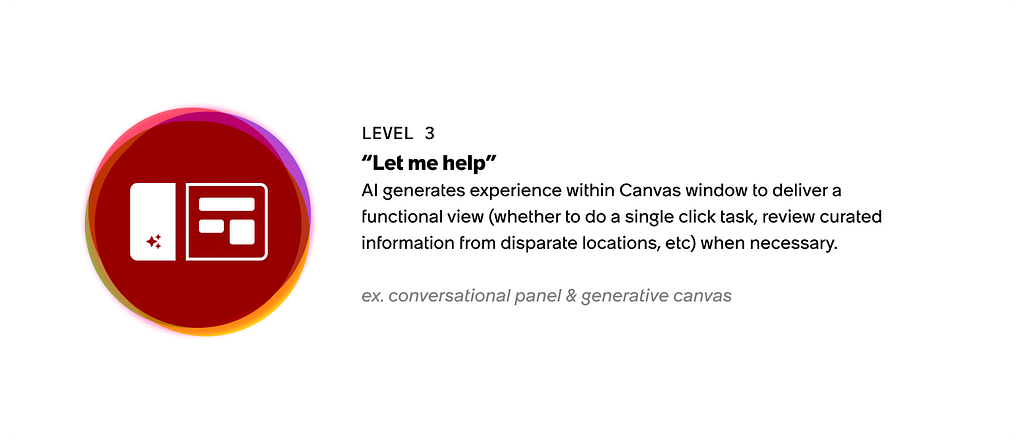
Level 3: “Let me help” This is where conversation produces something you can step into. Think of a teammate who doesn’t just respond but pulls something together and hands it to you. The AI is generating within a canvas, a shared space for deeper collaboration. That might be a generated workflow, an experience built to gather specific input, or something that simply doesn’t exist as a fixed interface yet.
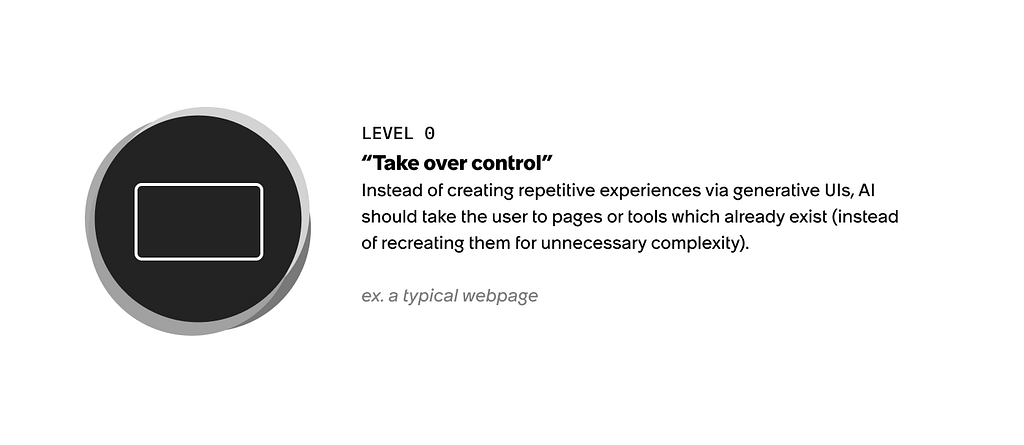
Level 0: “Take over control” This level sits outside the standard progression deliberately. It’s not a starting point it’s a constraint that governs the whole system. Unnecessary generation duplicates what already exists, adds real cost at scale, and breaks the mental model users have built around where things live. A generated version of a page that already exists doesn’t give users a stable place to return to, bookmark, or share. As Gartner notes, inference costs at scale remain a significant operational consideration even as they decline. There are also things AI simply shouldn’t produce, such asformal legal information being an obvious example. Level 0 keeps the system honest.
AI-native does not mean everything becomes generative. It means the system knows when generation is useful, when conversation is enough, when a nudge is appropriate, and when existing UI should just take over.
These levels aren’t silos; users move between them naturally within a single experience. A simple example:
A user is browsing a complex dashboard and hasn’t found what they need. The system notices the pattern and surfaces a suggested prompt, a shoulder tap (L1). The user clicks it and a conversational panel opens. They describe what they’re looking for and the system asks a clarifying question (L2). Based on that exchange, the system generates a summary pulling together relevant data from across the product, something that doesn’t exist as a fixed screen (L3). The user spots a linked resource in the summary, clicks it, and lands directly on the existing page rather than a generated version of it (L0). The system saved itself the cost. The user got where they needed to go.
That’s one flow. The levels shift based on what the user needs, not what the system is capable of.
Leveraging intent to respond
As AI evolves, companies will find more ways to personalize experiences based on what they know about users; profile data, explicit clicks, and aggregate behavioral signals. The bar keeps rising. It won’t be enough to have the right interaction patterns. Users will expect those patterns to show up in ways that feel timely, appropriate, and earned.
That’s a harder problem than it sounds. When a language model responds to a user, it’s working from probability; inferring meaning from training data and the signals in front of it. Our job as designers is similar. We’re reading signals and making informed bets about what a user needs. The question is how confident we can be in those bets, and what we should do when we’re not.
This is where Jobs to Be Done becomes a useful anchor. Even as signals multiply and generative capabilities expand, users still have real outcomes they’re working toward. Grounding confidence in those underlying goals, not just surface behavior, keeps the system from chasing noise.
Users signal what they need in two ways: explicitly, through direct actions like button clicks and typed prompts, and implicitly, through behavioral patterns like repeated errors or pogo-sticking between pages. The clearer the signal, the more confidently the system can act. Map that confidence across a continuum and you get a practical framework for governing AI response.
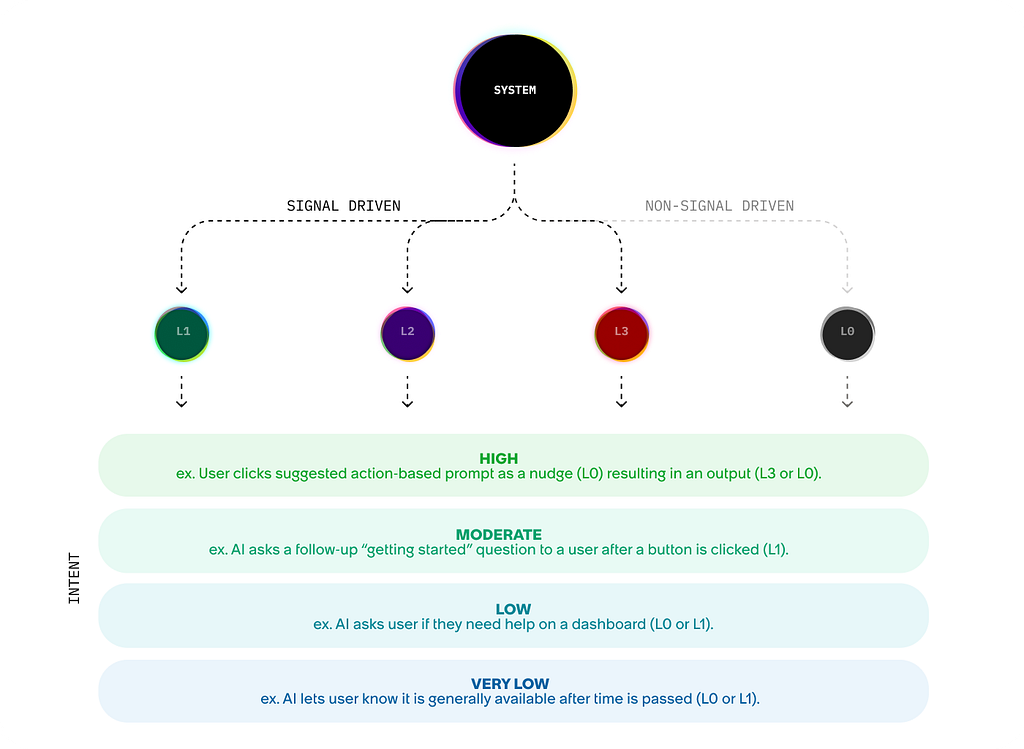
High confidence: act directly You know what the user needs. They clicked a specific action, made an explicit request, or triggered the same error repeatedly. This is the moment for precision: a direct response, a specific answer, a pointed action. No clarifying questions, no hedging. Just help.
Moderate confidence: clarify or refine You know a lot, but not quite enough to act without risk of getting it wrong. The user has started a conversation but the ask is broad, or they’ve searched for something with more than one reasonable answer. A clarifying question or a generated draft with room to refine is the right move here — it keeps momentum without overcommitting.
Low confidence: ask before generating The signal is weak. You have a general sense of what the user might want but not enough to spend resources generating something they’ll reject. This is the moment to ask, not assume. A well-placed question is cheaper than a wrong answer for the system and for the user’s patience.
Very low confidence: lightly nudge You’re reading behavior more than intent. A user pogo-sticking between pages, scrolling up and down without clicking, spending unusual time on a single screen; these are implicit signals that something isn’t working. The right response isn’t to generate anything. It’s to make help visible and let the user decide whether to reach for it.
One thing worth noting: as confidence drops, the goal of every interaction is to move back up the continuum as efficiently as possible. And when multiple signals compete; say, a user is pogo-sticking and triggering repeated errors, you need tiebreaker rules. Immediacy is a good default: address the most disruptive friction first. The point isn’t to respond to every signal. It’s to respond to the right one.
Working across teams
A few years ago, design system adoption was its own battle. I sat in enough meetings where the unsaid motto was “detach components and die” and the problem was always the same: consistency across designers, projects, and teams is hard to maintain without shared rules, not just shared components.
AI makes that harder and more important at the same time. The framework here needs to travel. That means separating two things: the core logic, the levels, the confidence continuum, the component mappings from the project-specific layer, which is where the actual JTBD, signal definitions, and confidence thresholds live. The core stays stable. The project layer adapts. Figma’s thinking on semantic design systems points in a similar direction; that components need meaning and rules, not just visuals, to be useful in a generative world.
I’ve been building this out in practice and put together a GitHub project that tries to make that separation concrete while containing an example structure your team(s) may leverage.
Explore the framework on GitHub
The repo separates the core framework logic and component mappings from a sample project showing how signals, confidence thresholds, and interaction rules come together for a specific use case. It’s meant to be a starting point, something you can pull apart, adapt, and build on for your own work. If you’re experimenting with how AI shows up in your products, I’d love to see where you take it. Check it out on GitHub →
In the next piece, I’ll walk through a hypothetical project that ties these threads together; signal mapping, confidence thresholds, and the presence framework working as a system. Less theory, more show your work.
The most important design decision in an AI-powered product isn’t which model to use or how to prompt it. It’s knowing when the system should step back. Getting that right consistently across teams and across use cases is one of the things separating AI that earns trust from AI that just shows up. That’s the work. And it’s very much ours to do.

The right touch: mapping AI presence to user intent was originally published in UX Collective on Medium, where people are continuing the conversation by highlighting and responding to this story.
This post first appeared on Read More