
Collabora is a UK-based company that builds open source office suite solutions based on LibreOffice. These are designed to run both on a browser and locally, integrating directly into an organization’s infrastructure.
Their flagship offering is Collabora Online (COOL), the paid, enterprise-grade version that ships with support agreements, long-term maintenance, and thoroughly tested updates.
Complementing that is Collabora Office, a desktop app for Linux, Windows, and macOS that mirrors the same interface. However, there’s a third edition called Collabora Online Development Edition (CODE) that runs the same codebase as COOL but gets new features first and doesn’t cost a dime.
It has now received a new release that delivers a range of upgrades, including some AI ones that are quite interesting.
A Packed Release
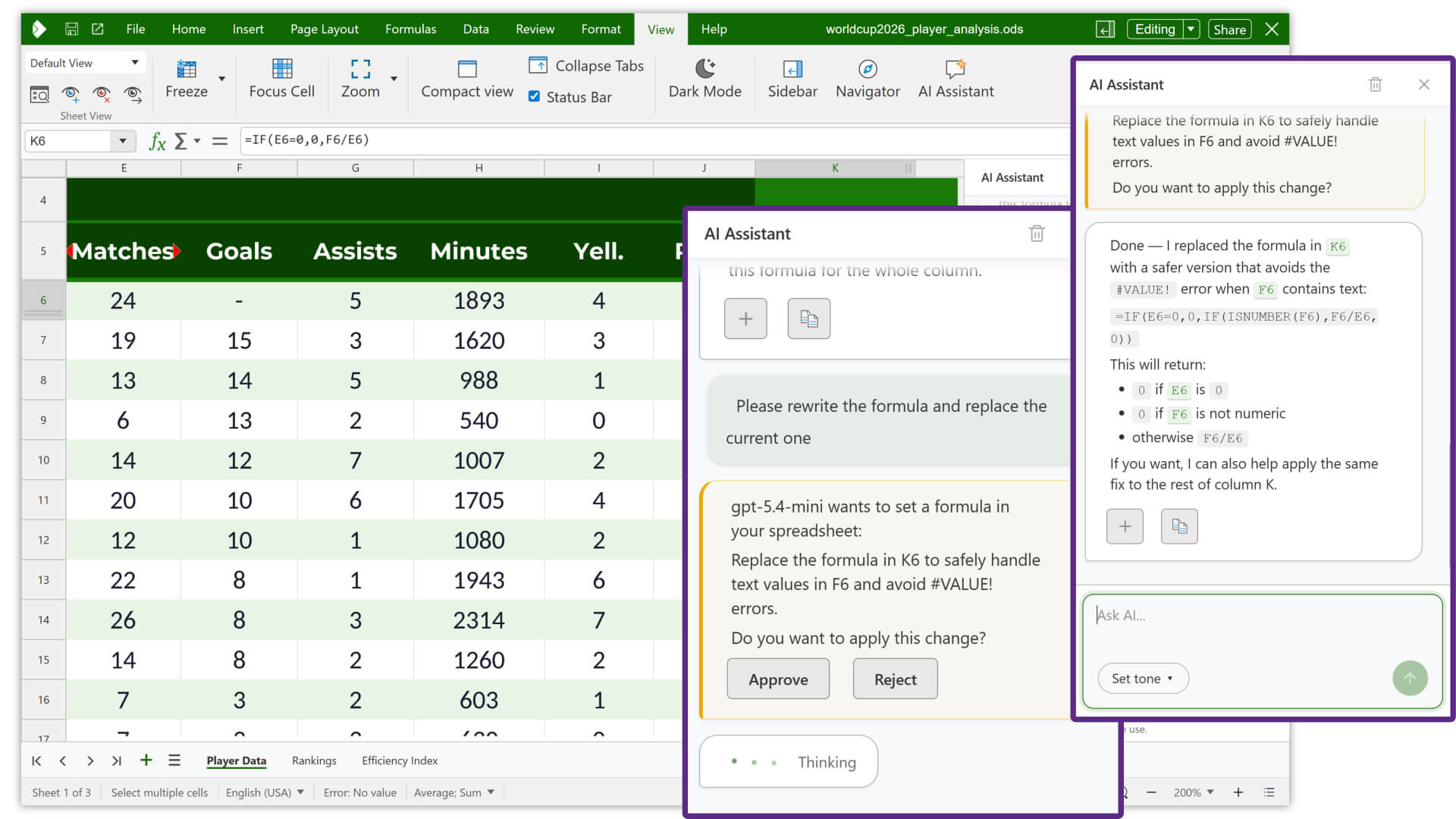
Calc gets AI integration aimed at data analysis and formula debugging. A floating indicator now appears on cells with errors, opening a quick menu to inspect and fix the issue in place.
Per-user sheet views are another useful addition for teams, where each person working on a shared spreadsheet can now set up their own filters and column or row arrangements without touching anyone else’s view.
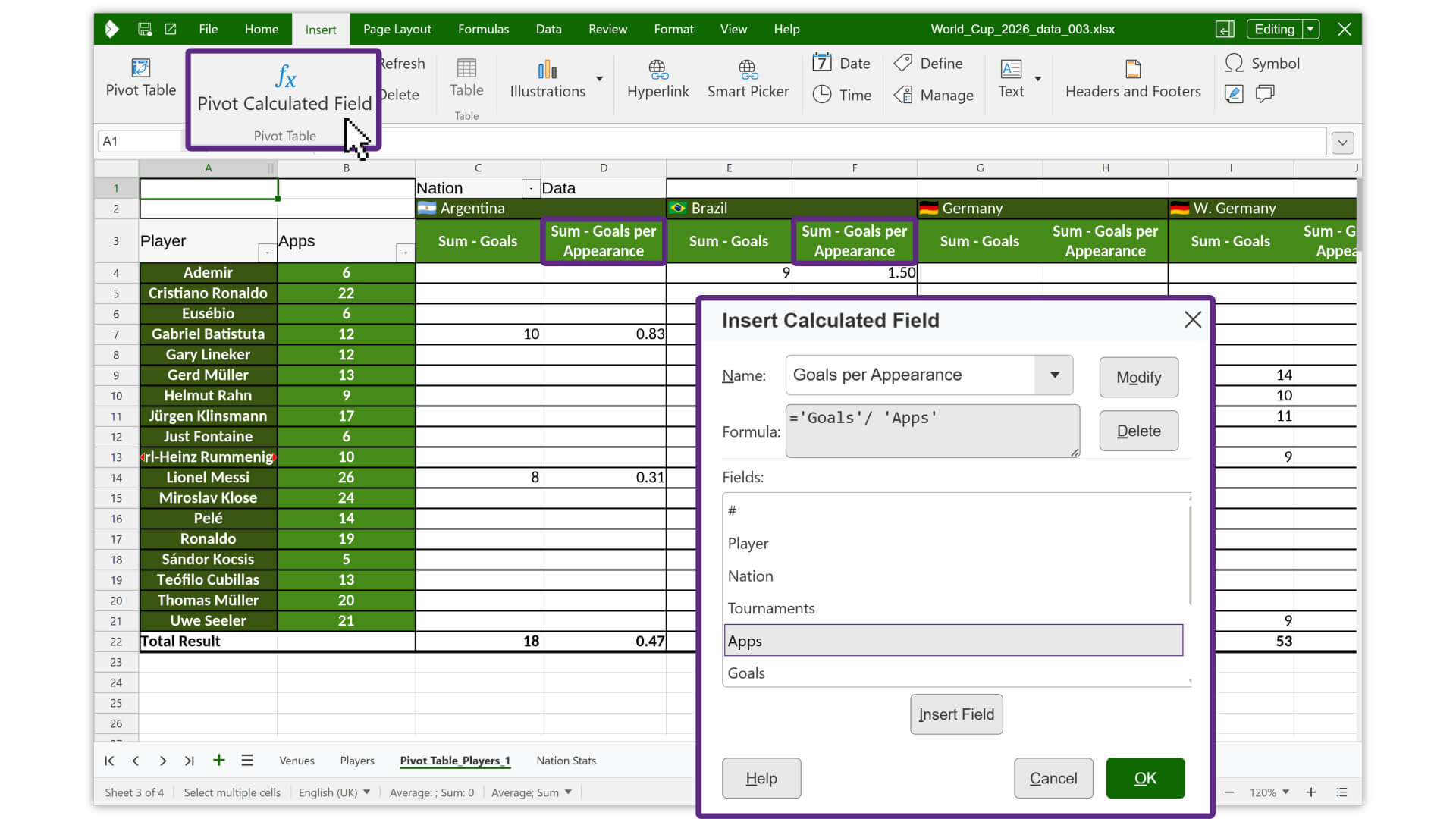
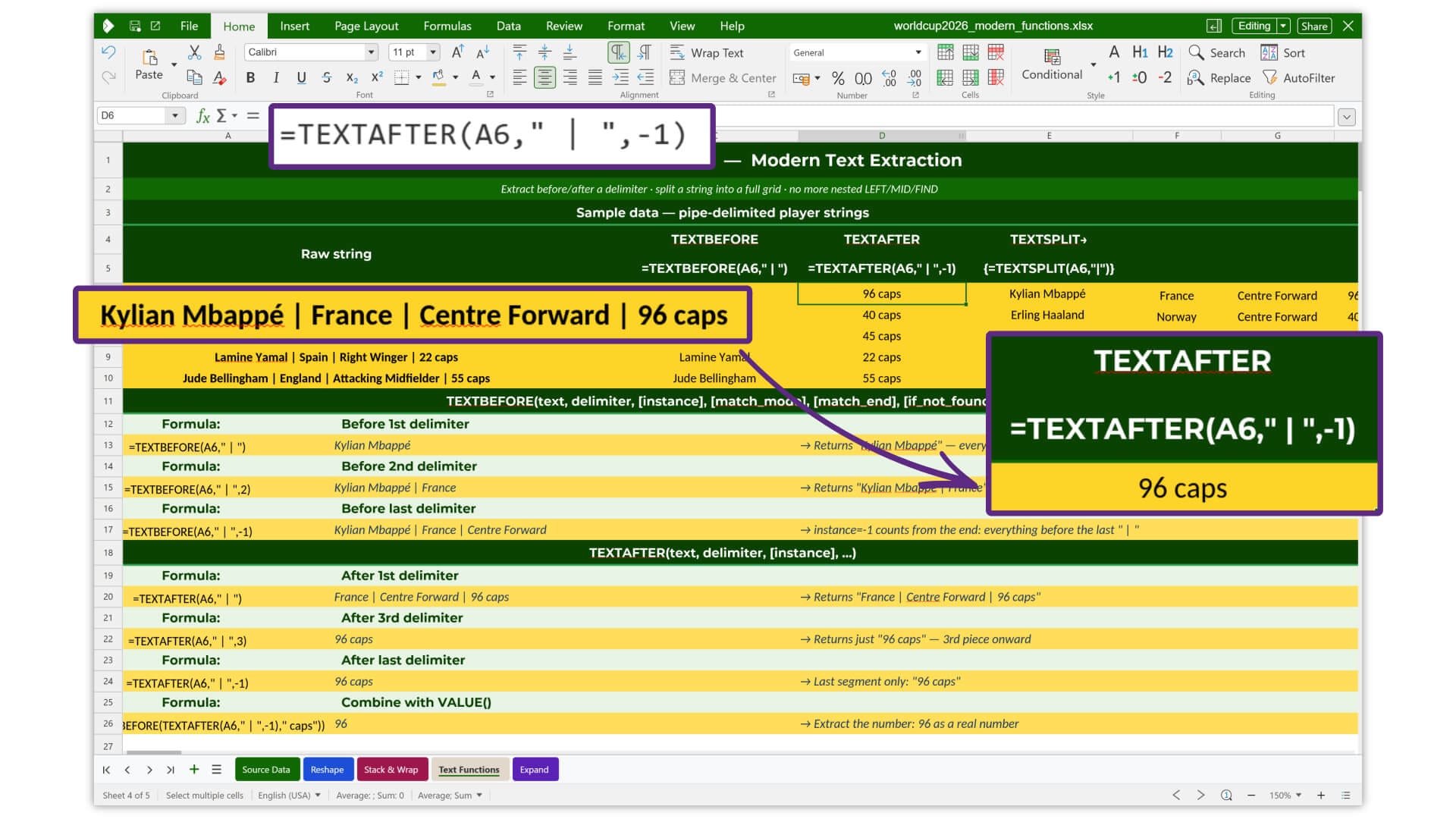
Calculated values (left) and new functions (right) on Calc.
Similarly, pivot tables now support calculated values, so you can build calculated columns from existing spreadsheet data, and table styles arrive with preset themes covering light, medium, dark, and custom options.
A batch of new functions is also included; they are CHOOSECOLS, CHOOSEROWS, DROP, EXPAND, HSTACK, TAKE, TEXTAFTER, TEXTBEFORE, TEXTSPLIT, TOCOL, TOROW, VSTACK, WRAPCOLS, and WRAPROWS.
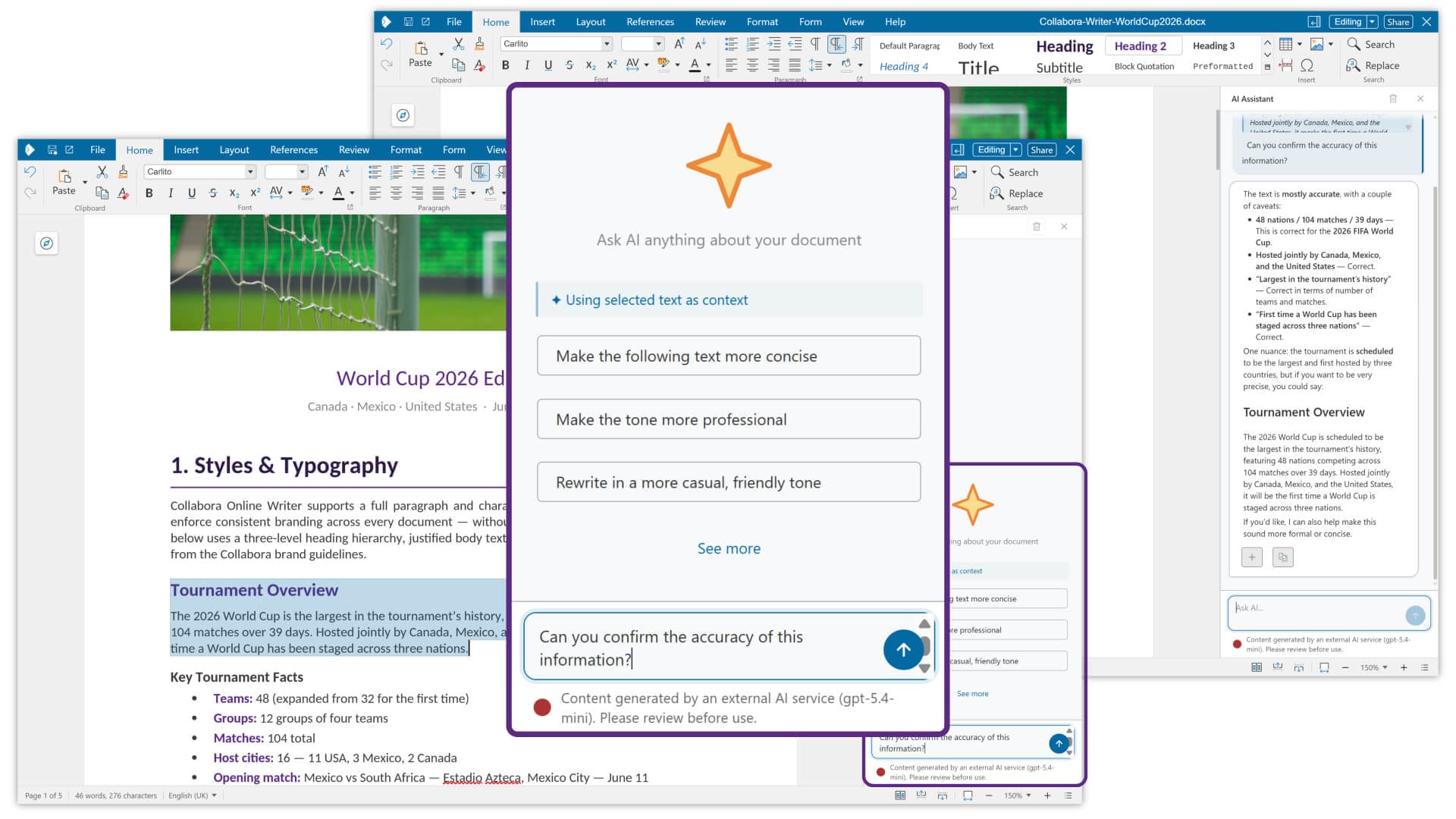
AI assistance is now available in Writer as well, helping with text suggestions, rewrites, and general writing tasks without leaving the document. Document comparison receives an overhaul too.
You can now bring up an older version of a file, either from the server or a local copy, and see exactly what changed. Insertions, deletions, moved text, images, and tables are all marked up with color-coded indicators showing who made each change and when.
The comparison can be viewed side by side or through the tracked changes panel.
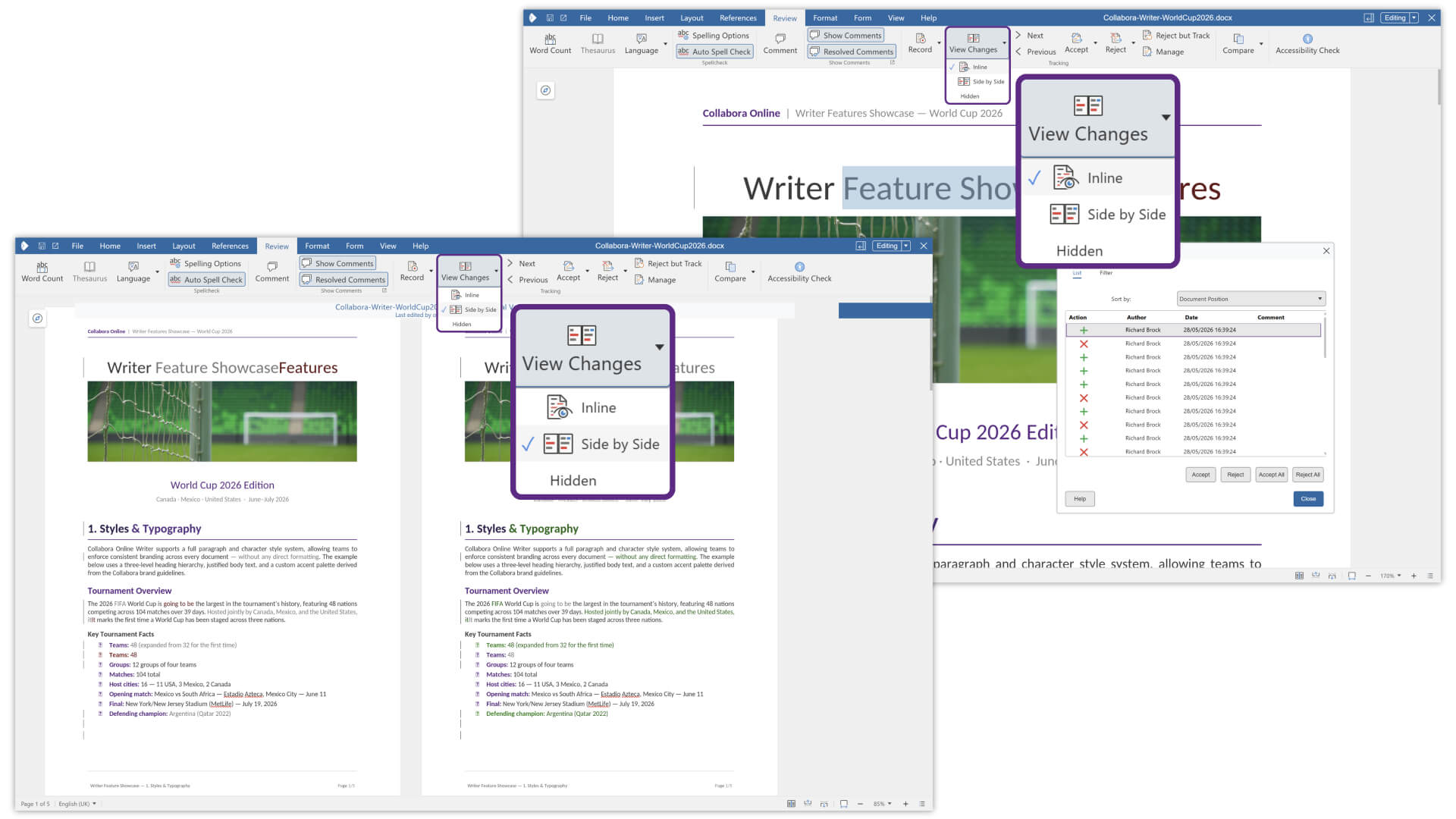
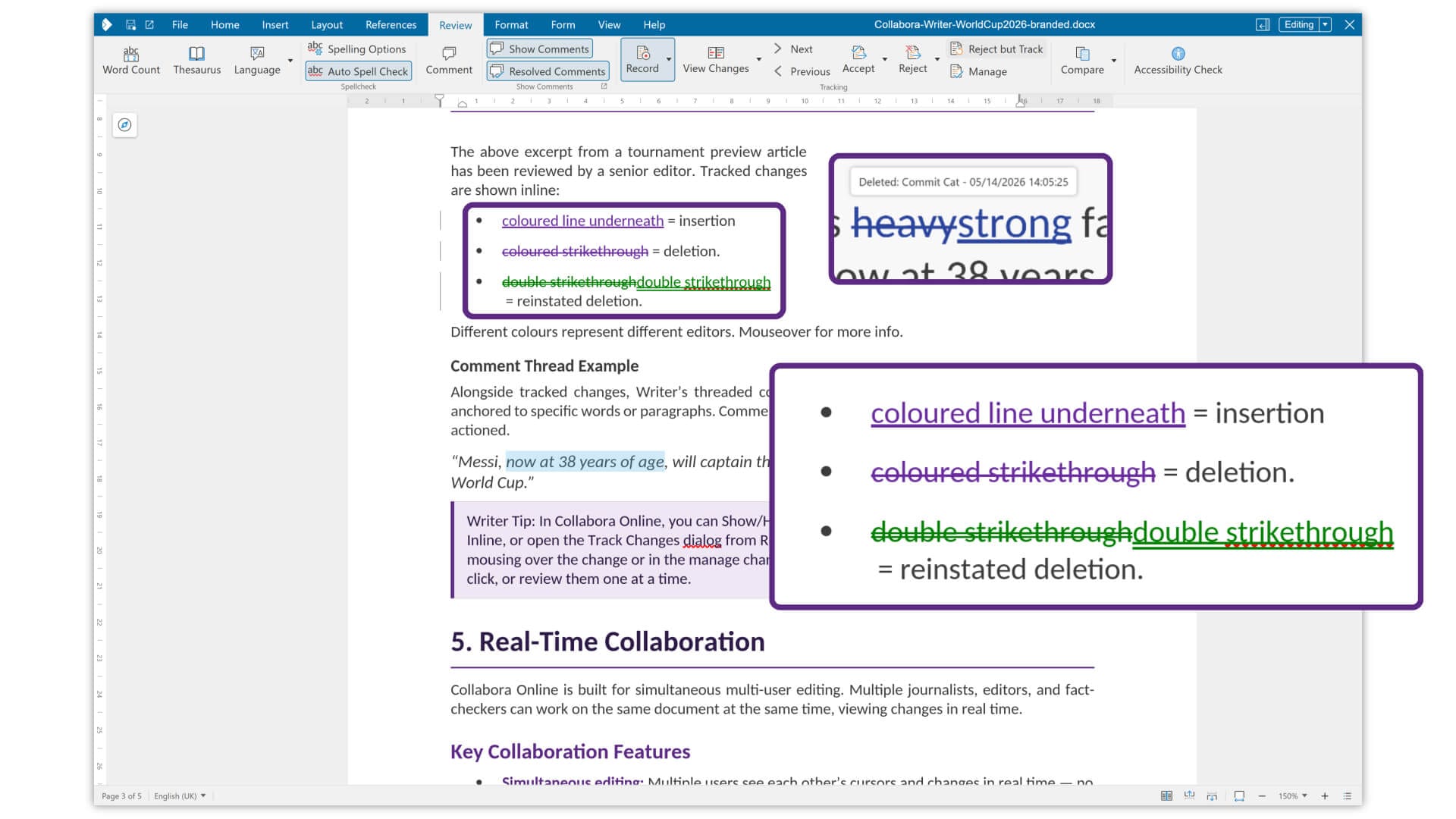
Document comparison (left) and tracked changes reinstation (right) on Writer.
The editor also handles conflicting changes more gracefully. When one change overlaps with or depends on another, accepting or rejecting it no longer risks wrecking the surrounding content.
Combined with reinstate improvements, going back and forth through a review cycle is a lot less tedious than it used to be.
Before I forget, markdown files can now be imported into Writer and exported back out. This can be helpful for anyone whose work crosses between a traditional document editor and a text-based or developer-oriented workflow.
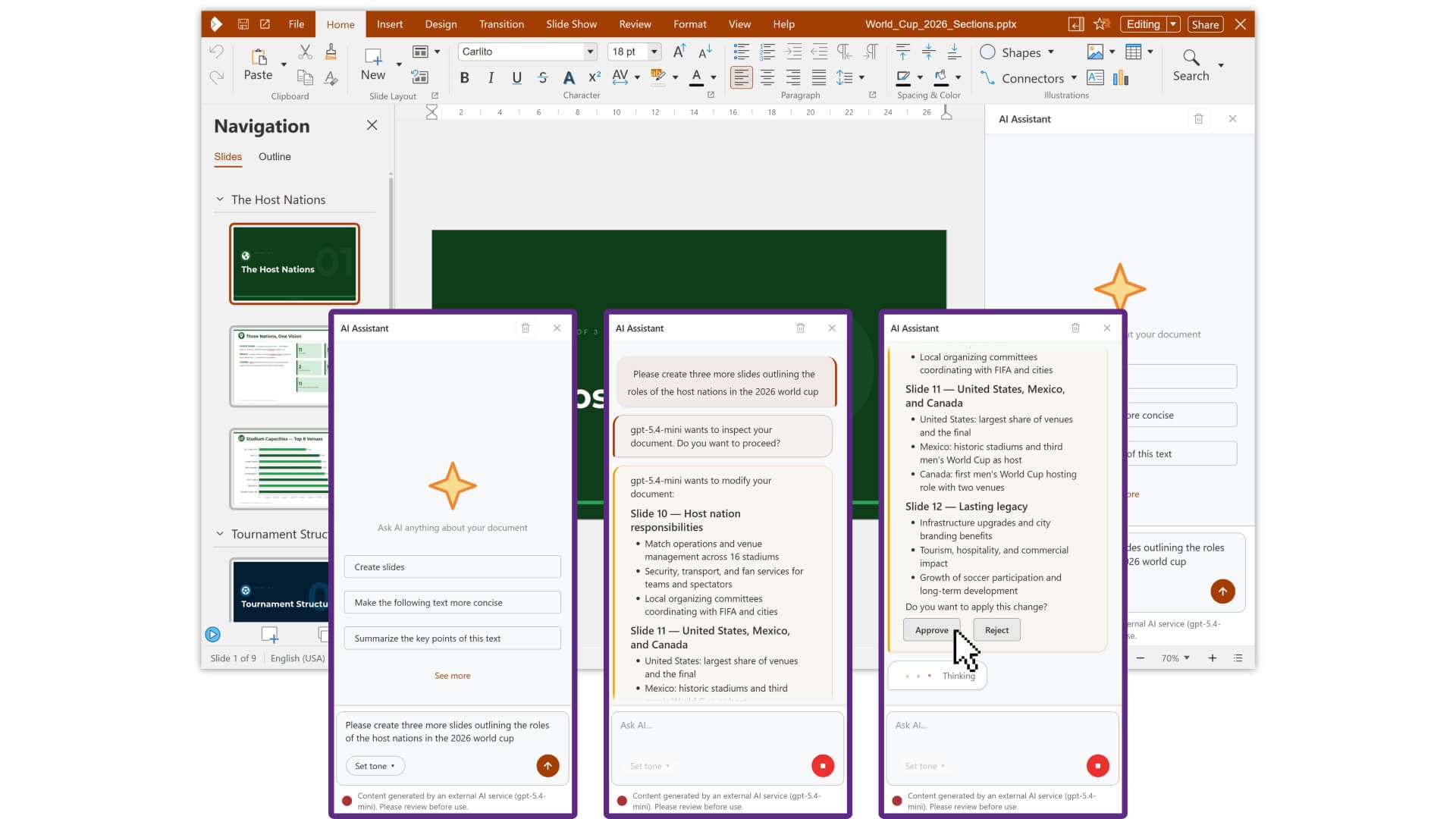
No surprises here, but Impress gets some AI powers too! It can assist with early research and slide preparation, helping summarize information and turn dense content into something that works better on a slide deck.
A new follow-me presentation mode lets viewers sync to the presenter’s current slide automatically. Someone who missed an earlier point can pause, go back to review it, and rejoin the live session without interrupting the presenter.
The present to all feature works like a buff to the above, allowing the presenter to kick off the slideshow for all viewers at once rather than waiting for everyone to manually start it themselves.
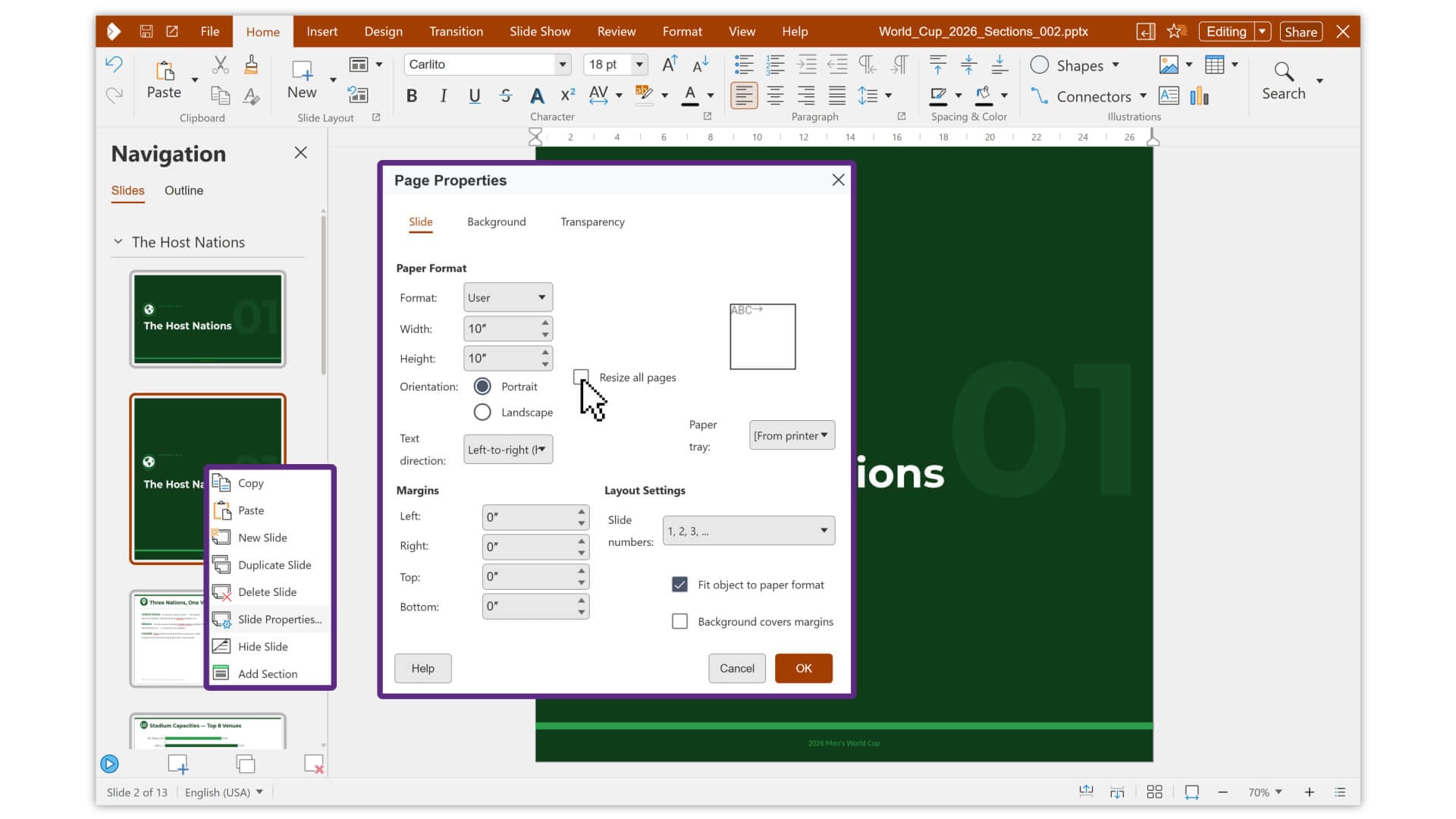
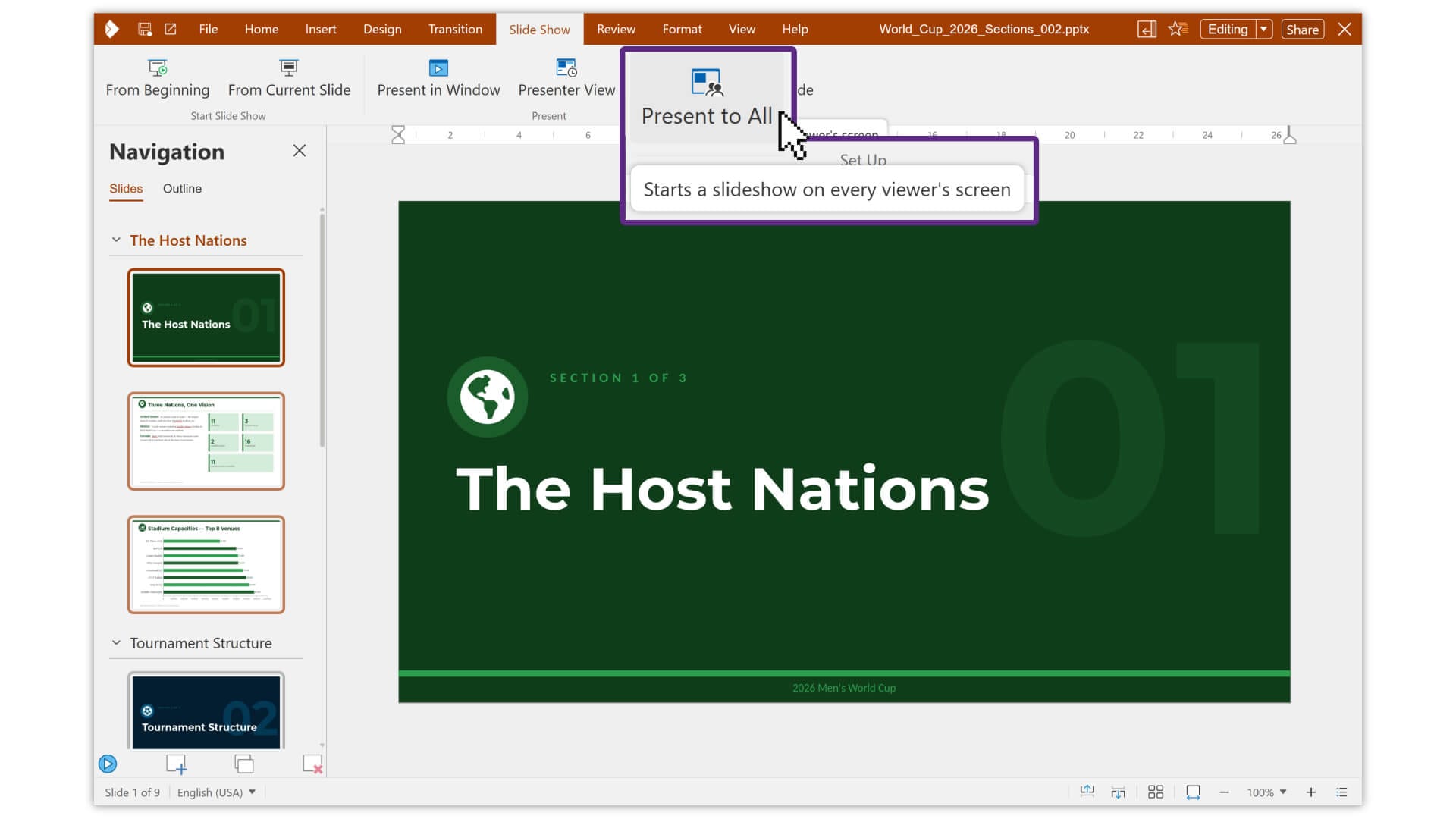
Mixing slide sizes (left) and presenting to all (right) on Impress.
Presentations can now mix slides of different sizes within the same file, and ODP files gain section support, allowing longer decks to be organized into grouped sections with overview pages.
Interoperability with Microsoft’s OOXML family of file formats continues to improve in this release. Collabora has been running a validation effort across 200,000+ documents, spreadsheets, and presentations, working toward zero conversion errors when files move between Collabora and Microsoft Office.
This release also introduces significant accessibility improvements, with screen readers now able to properly detect color pickers, line style selectors, numbering options, bullet choosers, and special character dialogs.
Form controls across interface elements in Writer, Calc, and Impress now carry correct labels that assistive technology can read aloud, and keyboard-only navigation is now more consistent across toolbars, sidebars, and panels.
All of that has earned Collabora a BITV 2.0 (in Deutsche) certification from the German accessibility regulator.
Try CODE 26.04
Don’t let the warning note earlier fool you, though. While this is a fast-moving class of document editors, Collabora thinks it is ideal for home users, small teams, and early adopters.
If you want to try it without setting anything up, Collabora offers a live hosted demo. Sign up with an email address, and you get access to both the Collabora Online and Collabora Office Classic demos.
For self-hosting, CODE is available as a Docker image for x86-64, ppc64, and arm64 hosts, and as native .deb and .rpm packages for Linux. The CODE portal has full setup instructions, including reverse proxy configuration for Apache and Nginx, and SSL setup via Let’s Encrypt.
Suggested Read 📖: TDF and Collabora Feud

This article first appeared on Read More