
Apps SDK, design principles, and the future of contextual UX.

Source: OpenAI — Introducing Apps in ChatGPT
Do you remember how Tony Stark talked to JARVIS in Iron Man?
He simply said what he wanted to do, and JARVIS got it done. There was no need to open menus, switch applications, or decide which interface to use next. Every option that could have slowed him down was already resolved for him, so his attention stayed on the task itself.
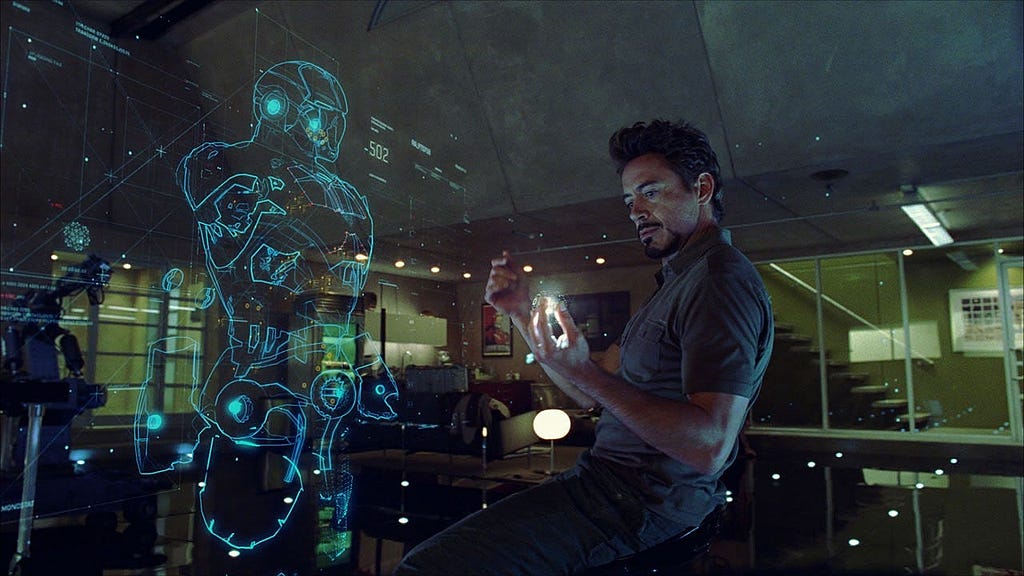
That kind of experience is exactly what OpenAI is now reaching for. In Brad Lightcap’s recent interview with Bloomberg, he shared a vision where third-party apps could work together seamlessly inside ChatGPT. Users would never have to leave a conversation to get something done.
“It’s the contextual aspect of ‘I’m doing X’ or ‘I need Y’ — I’m on a road trip and I want to know what playlist would go well with this… — that allows you to use ChatGPT to solve higher-level tasks and integrate apps contextually,” said Brad Lightcap in a Bloomberg interview.
For designers, the real challenge lies in understanding what this shift implies. When conversations become the new interface and tools can appear contextually, how should we design the flow, timing, and handoff between chat and visual elements?
Evolution from Plugin, MCP, to SDK
To understand what this shift truly means for design, we first need to look at how the system evolved.
In the early days of plugins, tools lived in separate spaces. Users had to switch between apps, browser extensions, or new tabs to complete even the simplest task.
Then came the Model Context Protocol, or MCP. It created a standard way for ChatGPT to talk with external tools and data sources. MCP allowed the model to call a tool and pass structured information through a single, consistent channel. It was an invisible bridge between the model and the outside world.
Building on that foundation, OpenAI introduced the Apps Software Development Kit (SDK), a toolkit that makes this bridge visible and interactive. It determines when a tool appears, how it looks, and how people can interact with it directly inside the chat. With the SDK, users can engage directly with apps through buttons, cards, or widgets without leaving the conversation.
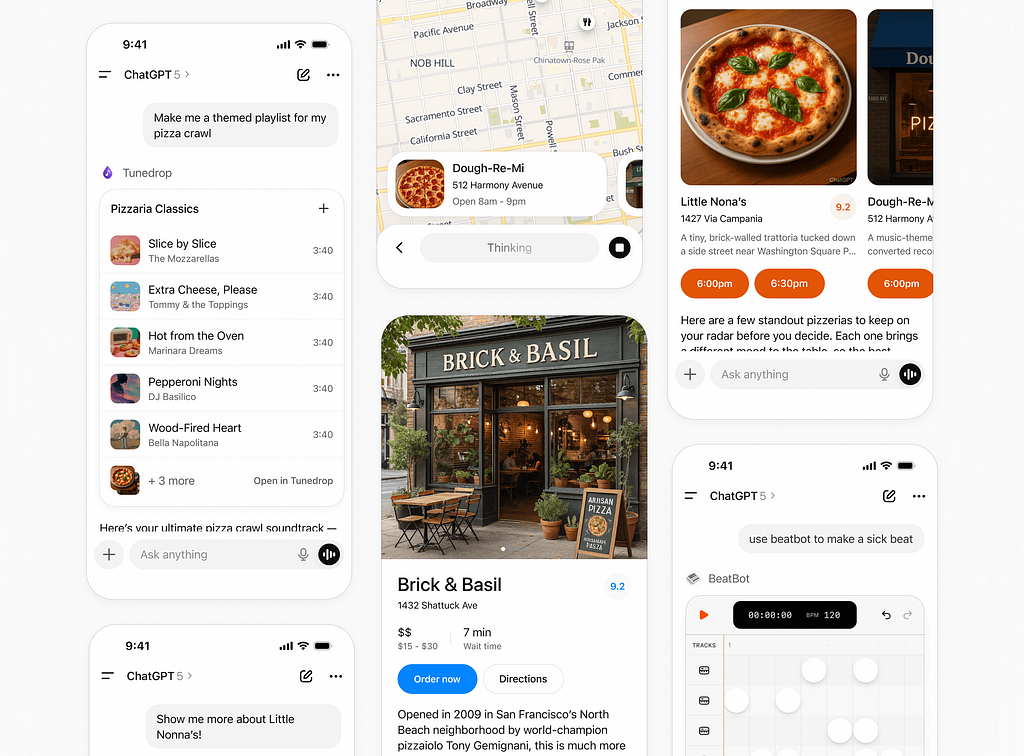
How the Apps SDK Boosts Efficiency and Product Growth
At this point, designers can probably already imagine how the Apps SDK begins to reshape the user experience. In essence, the SDK embodies the logic behind Hick’s Law and Fitts’s Law: it reduces the visual noise that slows decision-making and shortens the physical distance between intention and completion.
Take Coursera for example. Previously, a learner exploring UX courses might spend minutes choosing which platform to open, typing “UX design” into a search bar, scrolling through long lists, and clicking in and out of pages to check ratings or instructors. Every choice added a moment of hesitation, fragmenting attention and stretching the time it took to act.
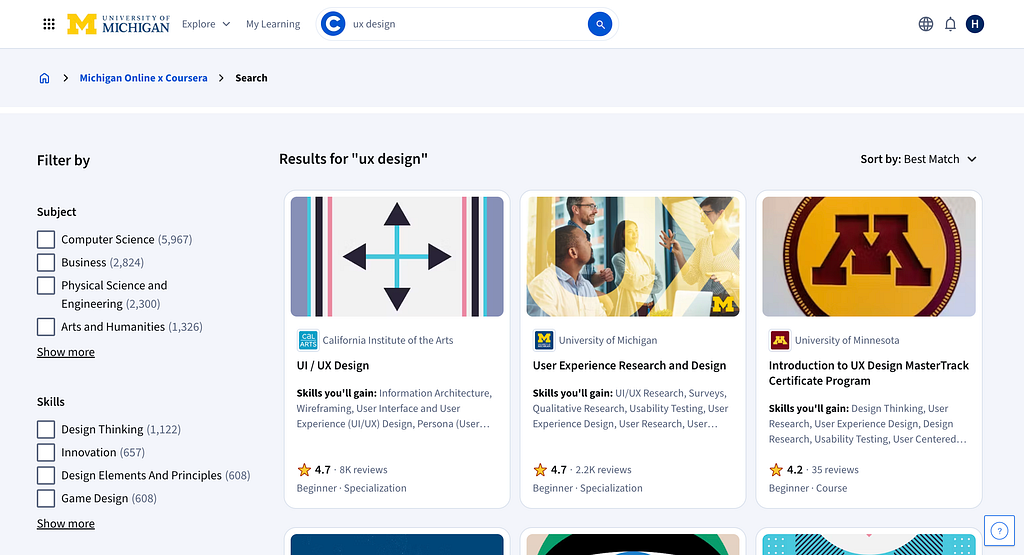
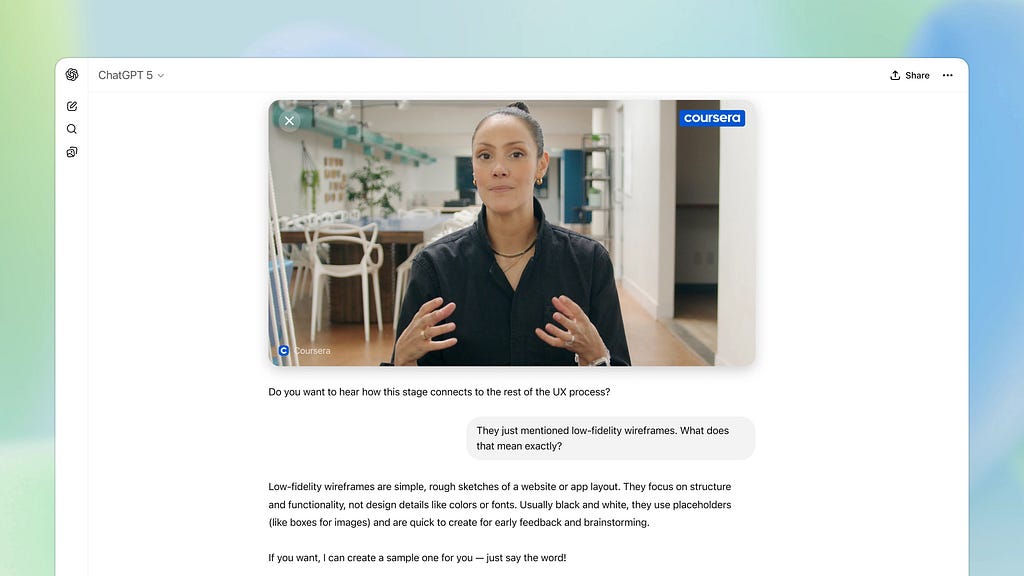
However, Coursera’s integration with ChatGPT illustrates a successful application of Hick’s Law principles, significantly reducing decision complexity. A learner can simply ask a question with natural language inside ChatGPT’s text field. A video preview of relevant courses then appears directly within the chat, reducing the number of immediate choices presented to the learner. Learners no longer needs to spend time filtering or comparing endless options in a long, scrolling list, thereby simplifying the selection process and dramatically decreasing the reaction time required to commit to a course.
Some in-house designers might wonder what is the impact on their products. If users can complete tasks entirely inside ChatGPT, would they still visit the original app?
This concern is reasonable because the SDK might reduce users’ page-level engagement within the native environment. Yet the same decreased friction of opening the app can also widen the app’s reach. By allowing users to call the app directly within ChatGPT, the SDK raises visit frequency among existing members and opens the door for non-members to try it for the first time.
The experience no longer depends on downloading, logging in, or navigating to a separate website. Each interaction inside ChatGPT becomes an entry point that can lead to higher engagement and new conversions, expanding the app’s reach without adding extra steps.
Designing Experiences That Belong in a Conversation
After understanding the broader impact of the Apps SDK, designers can start thinking about how to shape these experiences in practice.
Designing for the SDK means clearly defining who the users are, what their goals look like in context, and which parts of their workflow feel most natural to complete through conversation. The task must be specific enough for ChatGPT to assist, yet simple enough to avoid overwhelming the interaction.
OpenAI offers several guiding questions to help designers identify good use cases, each of which can also be viewed through the lens of Hick’s Law, showing how the SDK minimizes the number of decisions users need to make. Ask yourself:
- How do your user task fit naturally into a conversation? (for example, booking, ordering, scheduling, quick lookups)
- Is it time-bound or action-oriented? (short or medium duration tasks with a clear start and end)
- Is the information valuable in the moment? (users can act on it right away or get a concise preview before diving deeper)
- Can it be summarized visually and simply? (one card, a few key details, a clear CTA)
- Does it extend ChatGPT in a way that feels additive or differentiated?
Designers should also avoid designing interfaces that:
- Display long-form or static content better suited for a website or app.
- Require complex multi-step workflows that exceed the inline or fullscreen display modes.
- Use the space for ads, upsells, or irrelevant messaging.
- Surface sensitive or private information directly in a card where others might see it.
- Duplicate ChatGPT’s system functions (for example, recreating the input composer).
From most of these principles, we can notice that OpenAI encourages designers to avoid tasks that involve too many steps, or think about what information is valuable to show on the interface.
Take Figma SDK for example. The workflows like converting a short piece of text into a user flow represents a much stronger use case. It is easier for users to describe with natural language, and this information can immediate be summarized into visual feedback that users can act on right away.

In contrast, designing a complex design system with ChatGPT may not be a good user case. Because it require both users and computers to access complicate information on multiple design pages, and users have to constantly make fragmented decisions and repeatedly step in to guide the AI, which interrupts the flow of interaction and increases the overall time to complete a task.
For designers, building for the Apps SDK starts with defining a clear, focused task. ChatGPT favors apps that serve a single, well-scoped purpose, something users can complete in one short interaction. Try to describe your user’s key goal in plain language, outline its input and output, and make sure it fits naturally into a conversation.
Designing Interfaces That Belong in a Conversation
OpenAI also provides a set of UI guidelines that can be examined through the lens of Hick’s and Fitts’s Law.
For example, designers should display only the most relevant information and present it in a simple visual form, such as a clean card with a short list of three key items.
The guidelines also suggest limiting each card to a maximum of two primary actions: one main call to action and one optional secondary choice. These approach helps users find what they need without navigating through layers of menus or dense tables, allowing them to act more quickly.

Primary actions are usually placed at the bottom of the card, effectively reducing the distance the thumb-pointer must travel.
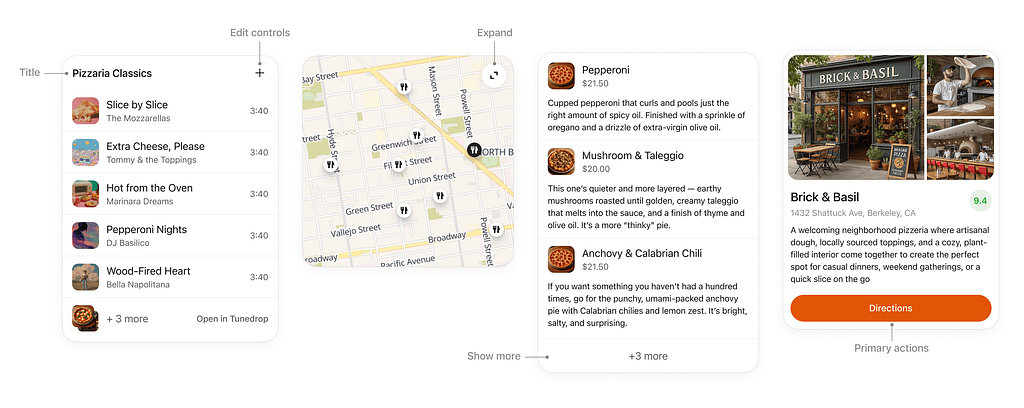
When a card contains richer media such as images, maps, or interactive diagrams, the expand option can open a fullscreen view. This action significantly increases the effective target width, allowing users to work within a larger, more precise area and improves control when interacting with detailed visual content.
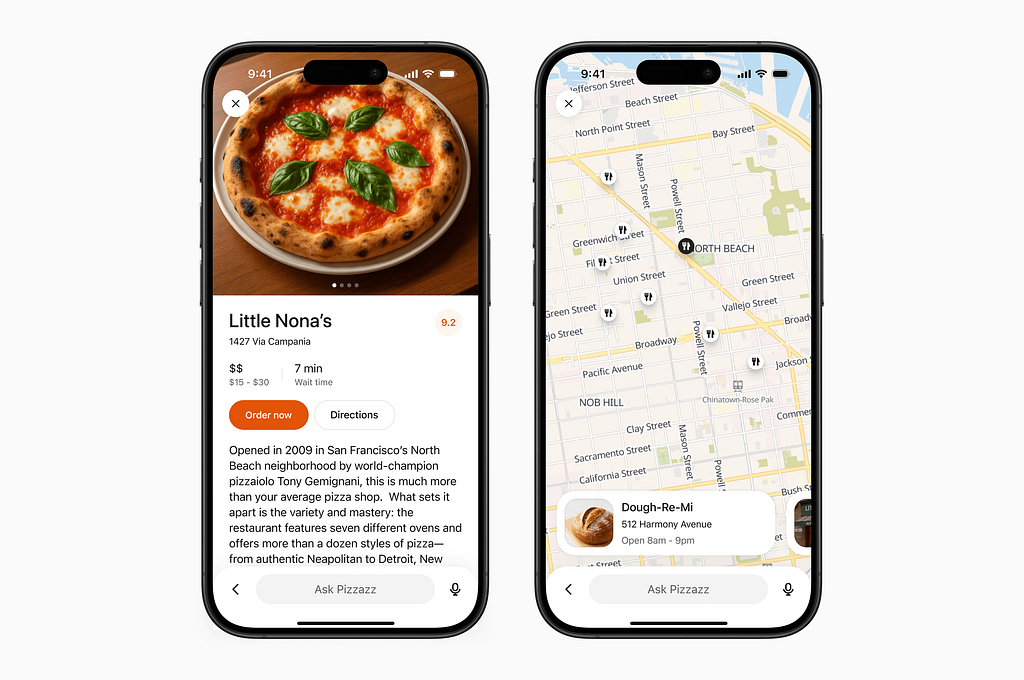
If you’re interested in the details of how to design user experiences and interfaces, please check out the Apps SDK Design Guidelines and the Figma component library.
The Future of Agents and UX Designer’s Role
As Brad Lightcap mentioned in his Bloomberg interview, the future of ChatGPT will begin to behave more like an operating system (or Jarvis, your personal agent).
It will not only execute commands but also integrate information across multiple apps, anticipate user needs, and determine when to act and when to ask for confirmation.
Similar directions are already being explored or developed in products like Gemini and Google Suite products, signaling a shift toward more unified, context-aware environments.
For UX designers, this evolution expands the scope of design beyond screens and buttons. The focus moves toward designing flows, contexts, and systems that help users think clearly and act confidently. Designers must learn to define how an AI communicates, makes decisions, and aligns with human goals.
Yet no matter how advanced the system becomes, there will always be a need to clarify what people truly need, and bringing that clarity to complexity to just simple interactions.
References:
Bloomberg Originals. (2025, May 14). OpenAI COO Brad Lightcap talks what’s next for OpenAI [Video]. Bloomberg Talks. https://www.youtube.com/watch?v=rNY2HVBIZ6I
Johnson, J. (2021). Designing with the mind in mind: Simple guide to understanding user interface design guidelines (3rd ed., Chapter 13: Our hand–eye coordination follows laws). Morgan Kaufmann.
OpenAI. (2024). App design guidelines: Design guidelines for developers building on the Apps SDK. https://developers.openai.com/apps-sdk/concepts/design-guidelines
OpenAI. (2024, September). Introducing apps in ChatGPT and the new Apps SDK: A new generation of apps you can chat with and the tools for developers to build them. https://openai.com/index/introducing-apps-in-chatgpt/
Soegaard, M. (2020, August 15). Hick’s Law: Making the choice easier for users. Interaction Design Foundation. https://www.interaction-design.org/literature/article/hick-s-law-making-the-choice-easier-for-users

Designing the Jarvis moment was originally published in UX Collective on Medium, where people are continuing the conversation by highlighting and responding to this story.
This post first appeared on Read More