
Designers hold the best qualities to get refine AI outputs that’s needed for building successful products
Traditionally we’ve shied away from building because the chasm to go from designing to shipping requires learning to code, test, and bug fix. All of it required massive time investment to learn syntax, that changes every few years while core principles stay the same. Most of us are designers because we’re visual thinkers in a way.
In 2025, AI-assisted building closed this chasm. Translating how software should work was never the hard part for designers. Translating that understanding into code was. AI didn’t lower the bar; it removed it.
I’ve built 15+ working prototypes using Claude Code and Cursor, and shipped 3 apps in 2025 with just a basic understanding of Swift I learned three years ago; and, I’ve used that knowledge maybe 5% of the time. This article covers the mindset I evolved over the past year. This shift changed how I approach design, how I collaborate with engineering, how I think through technical problems, and how I think about AI itself.

Why designers are natural orchestrators
The skill of orchestrating agents to write, test, debug and iterate code sits a level above implementation. Designers are already good at this higher-level thinking; we just need to apply it to a new medium.
The skills that make someone good at design are precisely what AI-assisted building requires:
- Defining outcomes clearly: We empathise and think of novel scenarios for our user, visualise what good looks like and use that in our artefacts.
- Anticipating failures: We map edge cases constantly
- Communicating intent without shared context: We do this in every handoff and during presentations to non-technical stakeholders
Prompting well isn’t about knowing to code. It’s about articulating the “what” and “why” clearly enough that the AI can handle the “how.”
What AI can’t do (and why that’s your job)
While AI handles code, it doesn’t have:
- Contextual understanding of your users
- Your vision for how the product should feel
- The ability to form hypotheses about edge cases
- Knowledge of which error states matter, regulatory concerns, or potential legal issues
AI-readable mockups, detailed prompts, error recovery scenarios, user hypotheses – these aren’t optional; They’re the actual work now.
Asking AI to “figure it out” produces generic, buggy prototypes. Defining the experience accurately produces opinionated, intentional products. Combine that with a solid design system, craft, communicating design intent through prompting — you get a strong MVP ready.
The progression: what I learnt shipping in 2025
Phase 1: Accepting everything the AI Makes
My earliest builds were clumsy. My prompts were basic: “Make X feature and add this.” Things broke mysteriously. When they worked, I wasn’t sure what I’d done right. I’d just hit enter once cursor was done and move on until the thing it had implemented will break something else.

The problem: AI can’t understand your intent or the experience you’re building toward. It solves problems rationally using the most common patterns; not the right patterns for your users.
The lesson: I was treating AI like a handoff (“make me this”) instead of a collaboration (“here’s what I’m trying to achieve and why”). The “what” and “why” snowball into every architectural decision the model makes.
This is the phase where you’re copy-pasting code, things break mysteriously, and when they work you’re not sure what you did right. The orchestration is clumsy and you’re over-describing some things, under-describing others.
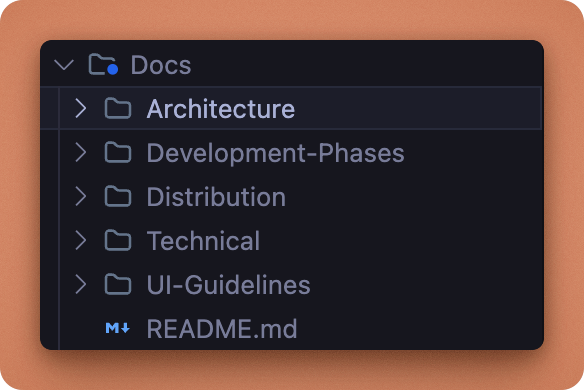
Tip: Document what you know: research, interaction patterns, user needs in a Claude.md or Agents.md file. The model references this context and builds architecture around it.

Phase 2: Learning to debug through conversation
My next mistake: when something broke, I’d say “here’s the error, fix it.” No context. The AI would hunt bugs and fix them. Code compiles, everything works; but, I’d lost the opportunity to think critically. Was it a technical bug, or an edge case I hadn’t considered that could break the user journey?
Debugging with AI is a skill. I stopped saying “it’s broken” and started saying “here’s what I expected, here’s what happened, here’s what I’ve tried, here’s my intention for this feature and how I want the user to use it”
The lesson: The shift from “fix this” to hypothesis-driven debugging. Describing the behaviour matters more than the error message.
In practice: Building a mac app, I hit a wall with Bluetooth connection sequencing. The device wouldn’t connect reliably. I described the bug, Claude generated fixes, I tested, still broken. We went in circles for hours.
What worked: I stopped asking for fixes and asked for explanation. “Walk me through what you expect to happen after each step.” I wrote each step in my notebook, drew the flow in figma, visualised what should happen versus what was happening.
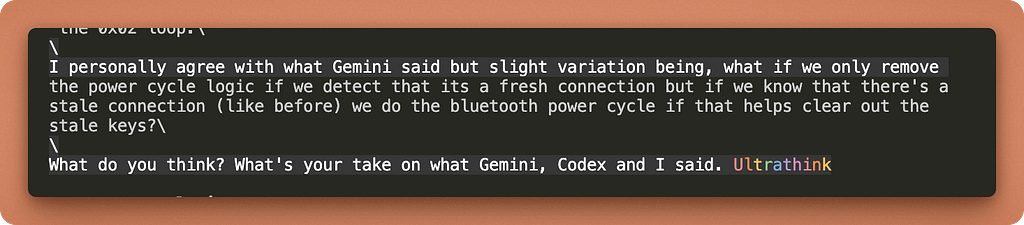
Then I came back differently. Not “fix this bug” but “here are three scenarios for how I want this connection sequence to feel from the user’s perspective. Align the code to scenario one and test.”
Scenario one failed. Scenario two failed. Scenario three worked.
Tip:
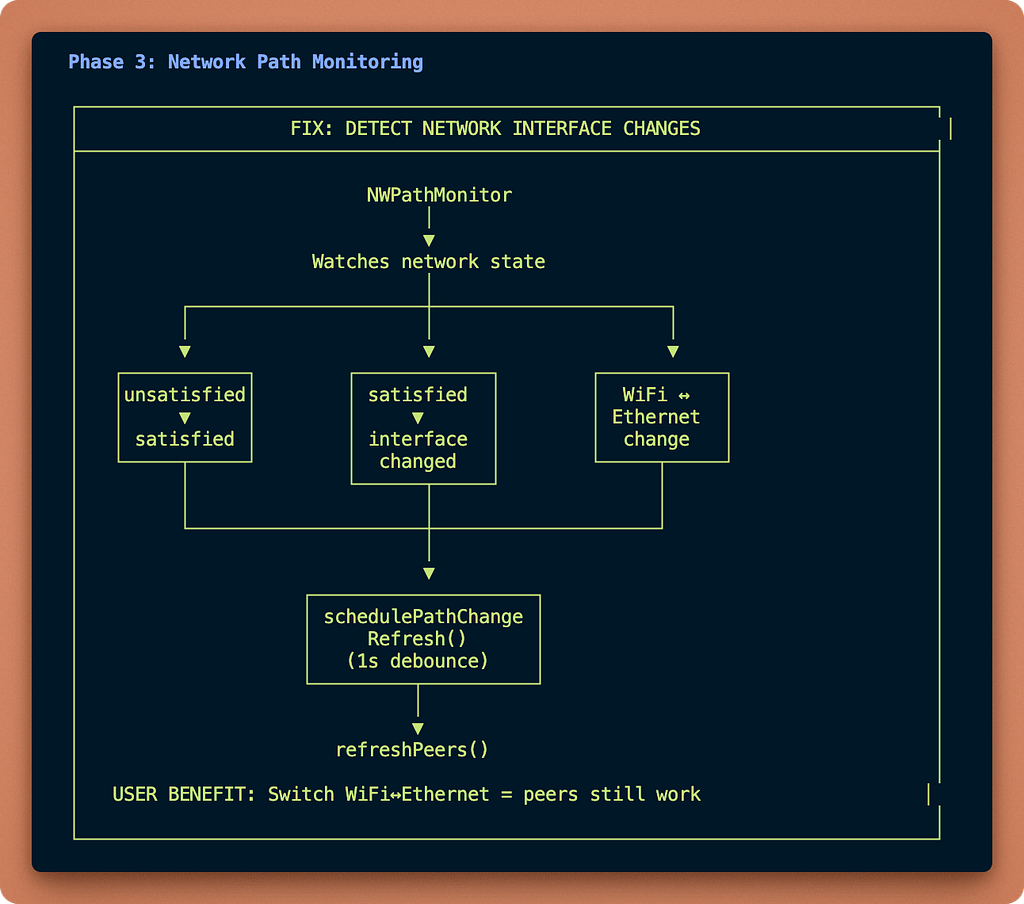
- Ask AI / Claude code to create ASCII diagrams of current architecture. This reveals issues and surfaces edge cases you need to design for
- Keep asking AI to explain things you don’t understand. Understanding how data models connect tells you what you need to design for
Phase 3: Systems thinking
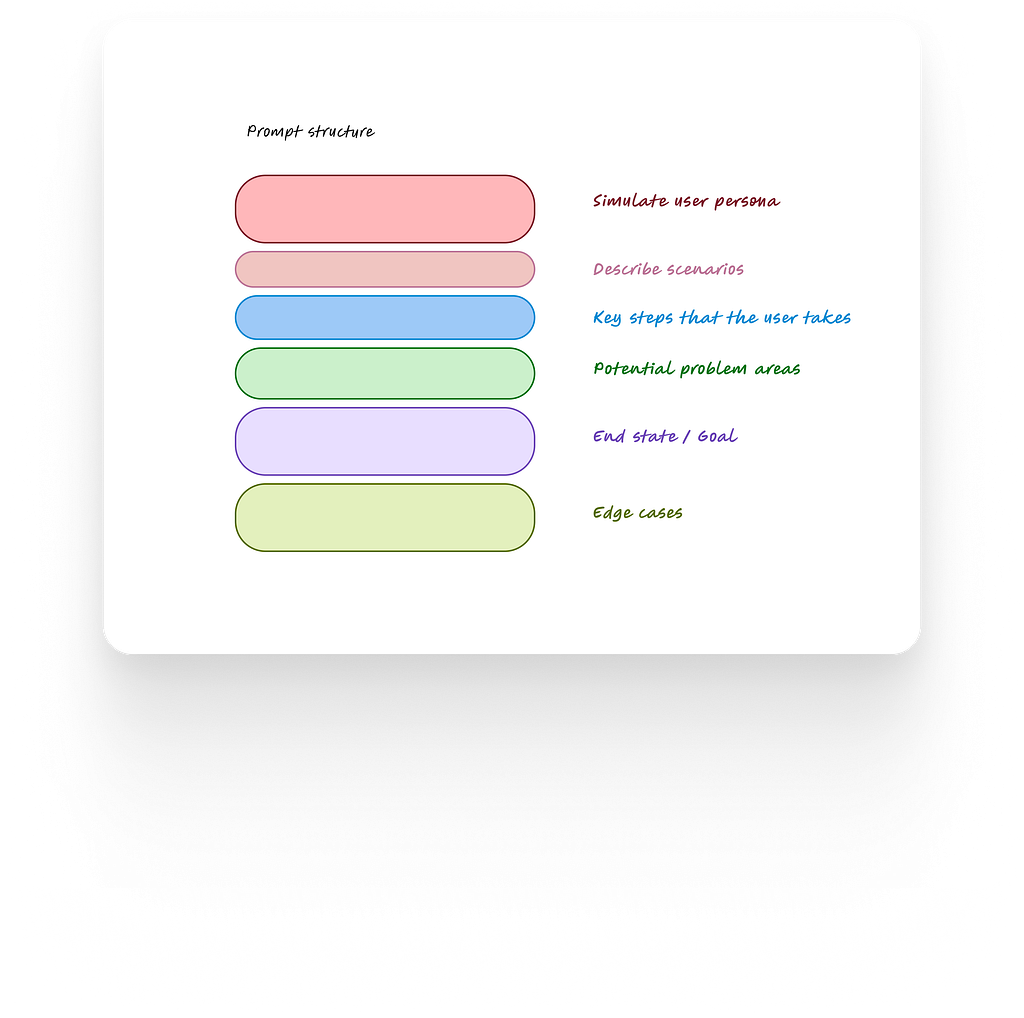
At this level, every time you start to prompt to fix a bug or write for a new feature, I’d recommend thinking in systems. Designers are naturally trained at this. Use the context you have from the documentation, technical constraints and user needs and elaborate the prompt to have all the necessary details.
Tips:
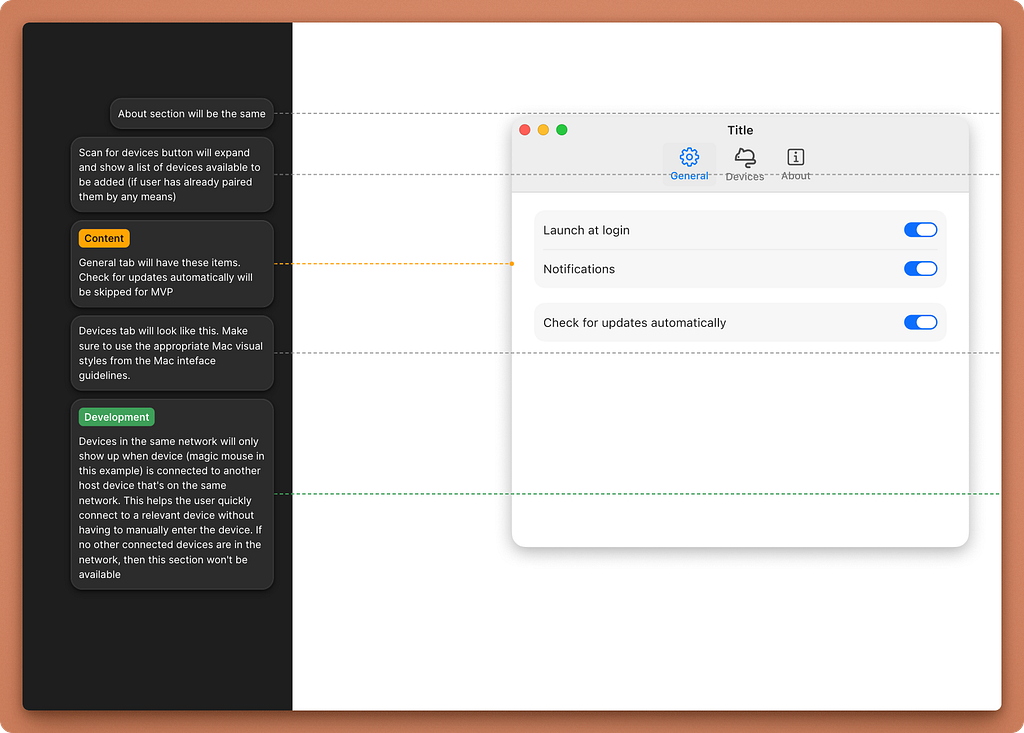
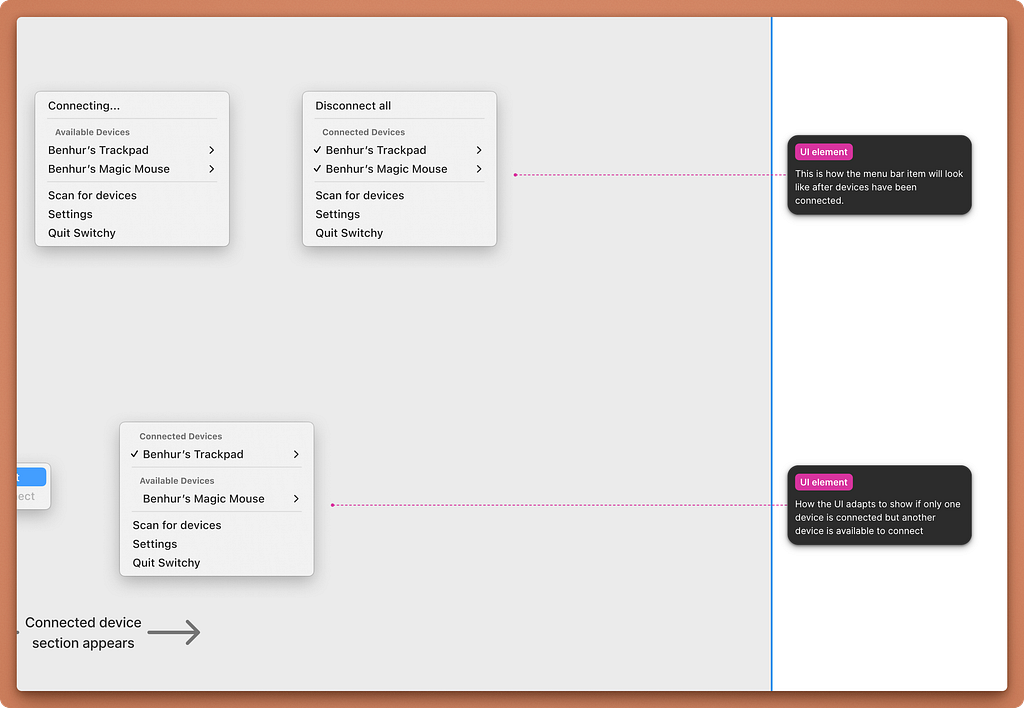
- Use Figma MCP, annotations, and design systems to communicate intent clearly
Phase 4: Knowing when to stop prompting
Recent learning: Once you’re doing architecture diagrams, asking AI for edge cases, optimising user scenarios, the refinement feels productive. It’s the same trap as designing for every possible case instead of running research sessions that answers what you’re trying to learn.
Prompting and optimising forever is a pitfall. Sometimes it’s good enough. Ship the MVP, learn from real usage, then return to design and prompt with actual context. I’ve learnt so much from shipping the MVP and learning about critical issues that helped me prompt better with the above techniques and to solve those bugs in a few minutes using Claude code or cursor.
The lesson: Design and prompt for critical edge cases, but ship once you hit the core value proposition. Real-world insights beat hypothetical optimisation.
What this means for design teams
Everything above describes a solo journey. But the implications extend to how design, functions within product teams.
The “how” conversation shifts. Traditionally, sometimes, designers have to adjust the “what” because technical constraints dictate scope.
“This requires an extensive refactor so how can we simplify the design scope here?”
That conversation remains valid. But AI-native teams can delay it or not have this situation at all. When the “how” can be achieved faster, the “what” and “why” become the primary constraints. Teams that clearly define intent, backed by research, usability studies with articulated and documented decisions will move faster. Teams that use design system documentation, annotations using dev mode mcp and bring contextual knowledge about the users, business goals to agents will move faster.
Design ROI increases. Product strategy no longer needs to be defined primarily by what’s easier, faster, or cheaper to build. AI can build technical capabilities around user and business needs and take away the boring bits, giving engineers more time to work strategically. This was traditionally the advantage of design-centric organisations like Airbnb and Apple where release cycle was much slower.
Now smaller teams can operate the same way. Setting up your design system for agents, file documentation and annotations for agents to parse through will help teams move faster and ship well polished products. Design moves upstream, giving more time to work strategically while still being able to stay hands on and implement.
The handoff changes. When designers can produce working prototypes and not just mockups, the conversation with engineering shifts. You’re not handing off a vision and hoping it survives. You’re handing off a functional proof of concept. The gap between design intent and shipped product shrinks.
I didn’t learn to code this year. I learned to orchestrate. The difference matters. Coding is about syntax. Orchestration is about intent, systems, and knowing what ‘done’ looks like. Designers have been doing that for years. The tools finally caught up.
To read more about AI-oriented workflows — I’d recommend checking out
https://x.com/mattpocockuk
https://x.com/steipete
https://x.com/Dimillian

Designers as agent orchestrators: what I learnt shipping with AI in 2025 was originally published in UX Collective on Medium, where people are continuing the conversation by highlighting and responding to this story.
This post first appeared on Read More