
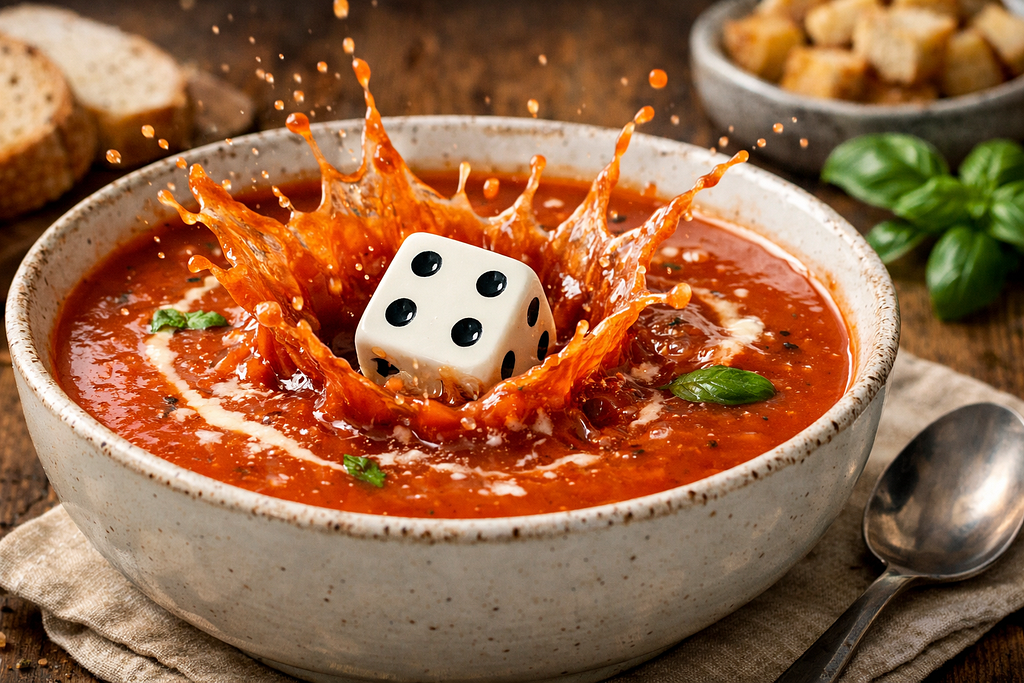
Predictable randomness
In my very first blog on AI and Neo4j I wrote that as a developer it was amazing to take the step from just chatting with ChatGPT to actually being able to use the power of AI in your own applications. Building your application with vector search and Graph RAG or AI Agents can be very powerful, but what you often get is some form of chat experience. If you want to go beyond that and have the AI support the functionality of the application you need a more structured response than just text.
In my previous blog I talked about how Neo4j is now adding more Cypher functions and procedures as wrappers around the API’s of the different AI providers to make AI integrations in Neo4j with Cypher easier:
One promise I made there was that we will continue to add more of those, and in version 2026.02.0 (available both in Aura and self-managed now) there is a new procedure that allows text completion with structured output:
ai.text.structuredCompletion(prompt, schema, provider, configuration = {}) :: MAPYou can read more about the syntax and parameters in the documentation.
Alea iacta est
Before going into a more interesting use case for this, let’s use an anecdote to show the usage in a very simple (though useless) way.
The key to this new function is the second argument, schema. This argument is a Cypher Map defining the structure of the output Map returned by the function. The format of this is like a standard JSON schema, but it varies a bit between the different providers. You can have a look at the documentation linked above, and also the documentation of the different providers. For this blog I will use the format of OpenAI, which seems to be the most strict one and thus becomes the most universal.
I thought the easiest way to test this new function would be by asking the AI to roll a die for me. To do this I specified the schema and made the call like this:
WITH
  {
    type: 'object',
    properties: {
      result: {type: "integer", minimum: 1, maximum: 6}
    },
    required: ['result'],
    additionalProperties: false
  } AS schema
RETURN ai.text.structuredCompletion(
  "Roll a die for me",
  schema,
  "OpenAI",
  {token: $apiKey, model: "gpt-5.2"}) AS diceRoll
I ran it and it replied with:
diceRoll
{
  result:4
}
All good there. It seems to work. Just to test the randomness I ran it again, and again it said 4. Not too unlikely, it is a 17% probability to get the same number again. But after running a number of times I found that it returned 4 every single time. I started testing the other providers and they all returned 4 as their die roll. I showed it to a colleague who had a theory…
Being computer nerds like me, I guess most of you read the xkcd comics. One of their more famous strips is this one:
It looks like this might have caused all LLM’s to be trained on the fact that a random number generator should return 4.
Nevertheless, our structured output function worked as expected. And I think the predictable randomness of this anecdote serves as a good metaphor for the predictability you get with structured output from the randomness of AI.
A recipe generator
Now for a slightly bigger, and hopefully more usable, example. An AI powered dinner planner and recipe generator.

Imagine that we’re building a dinner planner where one can make the weekly dinner plan by searching for existing recipes or generating new recipes based on the preferences of the user. Are they vegetarian? Allergic to nuts? Want fish on Tuesdays? Or just want vegetables that are in season?
We store the recipes generated in a graph together with their vector embeddings, which allows a lot of things like recommendations (what other dishes do people who like Pasta Carbonara tend to like), and Graph RAG enabled chatting (“What oven temperature should I use to get a piece of Salmon baked in 10 minutes?”). But I won’t focus on the bigger graph structure and all those features, just on the recipe generation itself (well, at least mostly…).
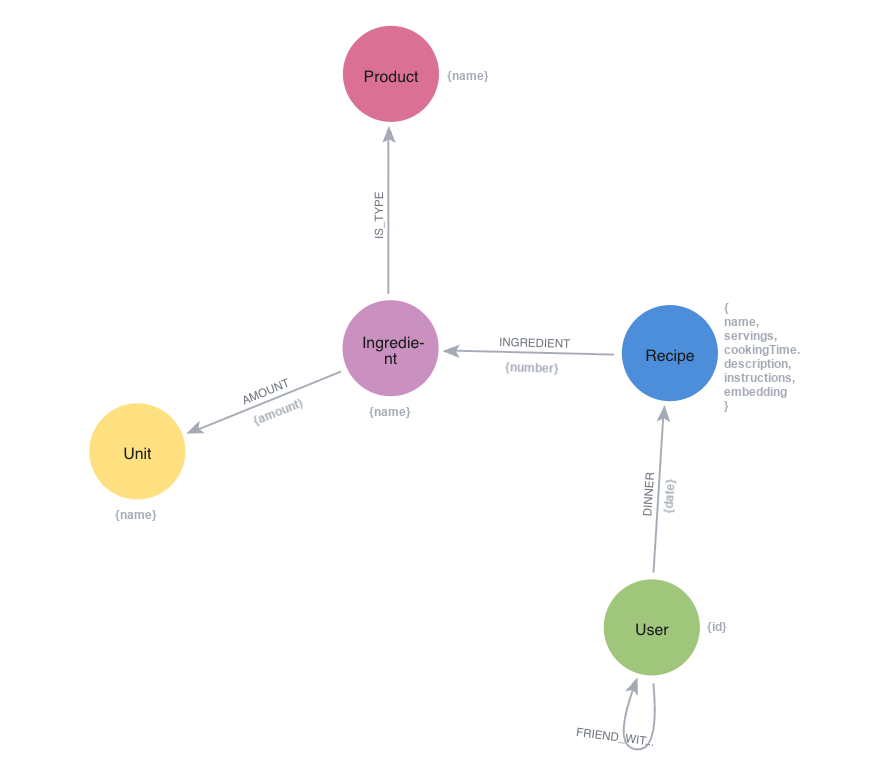
One feature of this application would be to let an LLM come up with a recipe based on some specification. I have done this with regular ChatGPT and it gives quite impressive suggestions. It is just a bit hilarious when it says things like “I normally add a pinch of sugar…”, or “What I do when that happens…”  .
.
When you ask ChatGPT for a recipe you get it as just a block of text, containing ingredients and instructions. However, for our graph we want it in a structured format where we can single out ingredients to be stored as separate nodes, and thus enable linking recipes, scaling them and also building shopping lists.
Let’s start by defining some parameters for our query. We already have $apiKey, which is the API key for OpenAI. But we will also need:
- $userId: The user generating the recipe
- $date: Date for when the recipe is for
- $household: The size of the household (how many it should be for)
- $allergies: List of ingredients to avoid
- $preferences: A list of preferences, such as “vegetarian”, “in season”, “low calories”
- $recent: A list of dishes that have been on the menu recently and should be avoided
- $wish: A free text explanation of what one is after
We have defined these parameters for our case:
:param {
  userId: 1234,
  date: date("2026-03-23"),
  household: 4,
  allergies: ["Shellfish", "Mushrooms"],
  preferences: ["in season", "low calories"],
  recent: ["Pasta Carbonara", "Tomato soup", "Cod with spinach and sundried tomatoes"],
  wish: "A convenient dish that can be done in 30 minutes when one gets home from work"
}
We also need the schema, which defines the structure of the data we want to have returned from our AI call. We can have that embedded inside the query itself, but to get a cleaner query we store that as well in a parameter (called $schema):
:param {
  schema: {
    type: 'object',
    properties: {
      name: {
        type: 'string',
        description: 'The name of the recipe. Avoid mentioning how many it is for in the name.'
      },
      description: {
        type: 'string',
        description: 'A textual description/summary of the recipe. Avoid mentioning how many it is for in the description.'
      },
      totalTimeMinutes: {
        type: 'integer',
        minimum: 1,
        description: 'Estimated total time to make the recipe, in minutes.'
      },
      ingredients: {
        type: 'array',
        description: 'List of ingredients with quantities.',
        minItems: 1,
        items: {
          type: 'object',
          properties: {
            displayName: {
              type: 'string',
              description: 'The full ingredient text exactly as it should appear in the recipe, including preparation notes or alternatives (e.g., "Pecorino Romano, finely grated (or half Parmesan)"). Avoid measurements in the display name.'
            },
            canonicalName: {
              type: 'string',
              description: 'The normalized base name of the ingredient without preparation details or alternatives. This should represent the core ingredient for shopping lists and ingredient matching (e.g., "Pecorino Romano").'
            },
            unit: {
              type: 'string',
              description: 'Measurement unit.',
              enum: [
                'g', 'kg',
                'ml', 'l',
                'tsp', 'tbsp',
                'cup',
                'pcs',
                'slice', 'clove',
                'pinch'
              ]
            },
            amount: {
              type: 'number',
              minimum: 0,
              description: 'Amount of the specified unit.'
            }
          },
          required: ['displayName', 'canonicalName', 'unit', 'amount'],
          additionalProperties: false
        }
      },
      instructions: {
        type: 'array',
        description: 'Step-by-step instructions in order.',
        minItems: 1,
        items: {
          type: 'object',
          properties: {
            stepNumber: {
              type: 'integer',
              minimum: 1,
              description: 'The sequential number of the step, starting from 1.'
            },
            text: {
              type: 'string',
              description: 'Description of this step.'
            }
          },
          required: ['stepNumber', 'text'],
          additionalProperties: false
        }
      }
    },
    required: [
      'name',
      'description',
      'totalTimeMinutes',
      'ingredients',
      'instructions'
    ],
    additionalProperties: false
  }
}
And this is the query we’ll use:
RETURN ai.text.structuredCompletion(
  "Can you give me a recipe to these specifications: " +
    "Date: " + toString($date) + "; " +
    "Number of servings: " + toString($household) + "; " +
    "Avoid ingredients: " + apoc.text.join($allergies, ", ") + "; " +
    "Preferences: " + apoc.text.join($preferences, ", ") + "; " +
    "Avoid dishes similar to: " + apoc.text.join($recent, ", ") + "; " +
    "Description of what I want: " + $wish,
  $schema,
  "OpenAI",
  {token: $apiKey, model: "gpt-5.2"}) AS Recipe
What we get back looks like this (in accordance with the supplied schema):
{
  name: "Lemon-Dill Salmon with Asparagus & Pea Couscous",
  description: "A fast, light spring dinner featuring pan-seared salmon, in-season asparagus and peas, and fluffy couscous brightened with lemon and dill. Ready in about 30 minutes and designed for an easy weeknight workflow.",
  ingredients: [
    {
      amount: 4,
      unit: "pcs",
      displayName: "Salmon fillets (skin-on or skinless)",
      canonicalName: "Salmon fillets"
    },
    {
      amount: 1,
      unit: "tsp",
      displayName: "Kosher salt (plus more to taste)",
      canonicalName: "Salt"
    },
    {
      amount: 0.5,
      unit: "tsp",
      displayName: "Black pepper",
      canonicalName: "Black pepper"
    },
    {
      amount: 1,
      unit: "tbsp",
      displayName: "Olive oil",
      canonicalName: "Olive oil"
    },
    {
      amount: 1,
      unit: "tbsp",
      displayName: "Dijon mustard",
      canonicalName: "Dijon mustard"
    },
    {
      amount: 1,
      unit: "tbsp",
      displayName: "Honey (or maple syrup)",
      canonicalName: "Honey"
    },
    {
      amount: 1,
      unit: "pcs",
      displayName: "Lemon (zest and juice)",
      canonicalName: "Lemon"
    },
    {
      amount: 300,
      unit: "g",
      displayName: "Asparagus, woody ends trimmed",
      canonicalName: "Asparagus"
    },
    {
      amount: 200,
      unit: "g",
      displayName: "Frozen peas",
      canonicalName: "Peas"
    },
    {
      amount: 180,
      unit: "g",
      displayName: "Couscous (dry)",
      canonicalName: "Couscous"
    },
    {
      amount: 300,
      unit: "ml",
      displayName: "Vegetable broth (or water)",
      canonicalName: "Vegetable broth"
    },
    {
      amount: 2,
      unit: "tbsp",
      displayName: "Fresh dill, chopped (or parsley)",
      canonicalName: "Dill"
    },
    {
      amount: 1,
      unit: "clove",
      displayName: "Garlic, finely grated or minced",
      canonicalName: "Garlic"
    },
    {
      amount: 1,
      unit: "pinch",
      displayName: "Chili flakes (optional)",
      canonicalName: "Chili flakes"
    }
  ],
  instructions: [
    {
      stepNumber: 1,
      text: "Prep quick sauce: In a small bowl, mix Dijon mustard, honey, half the lemon juice, and half the lemon zest. Set aside."
    },
    {
      stepNumber: 2,
      text: "Cook couscous: Bring the vegetable broth (or water) to a boil in a small saucepan. Stir in couscous, remove from heat, cover, and let stand 5 minutes."
    },
    {
      stepNumber: 3,
      text: "Start salmon: Pat salmon dry and season with salt and pepper. Heat olive oil in a large nonstick skillet over medium-high heat. Add salmon (skin-side down if using skin-on) and cook 3–4 minutes until nicely browned."
    },
    {
      stepNumber: 4,
      text: "Glaze and finish: Flip salmon, spoon the mustard-lemon mixture over the top, and cook 2–4 minutes more (until just cooked through). Transfer to plates; squeeze a little extra lemon over if desired."
    },
    {
      stepNumber: 5,
      text: "Cook vegetables (same pan): While salmon finishes or immediately after removing it, add asparagus to the skillet with a splash of water (2–3 tbsp). Cover and steam-sauté 2 minutes, then uncover and cook 2–3 minutes more until crisp-tender. Add peas for the last 1–2 minutes to warm through. Season with a pinch of salt, pepper, and optional chili flakes."
    },
    {
      stepNumber: 6,
      text: "Finish couscous: Fluff couscous with a fork. Stir in garlic, dill, remaining lemon zest, and remaining lemon juice. Taste and adjust seasoning."
    },
    {
      stepNumber: 7,
      text: "Serve: Spoon couscous onto plates, top with asparagus and peas, and add the glazed salmon."
    }
  ],
  totalTimeMinutes: 30
}
But we don’t just want the JSON output, we want to build our graph with that Map:
MATCH (user:User {id: $userId})

WITH user, ai.text.structuredCompletion(
  "Can you give me a recipe to these specifications: " +
    "Date: " + toString($date) + "; " +
    "Number of servings: " + toString($household) + "; " +
    "Avoid ingredients: " + apoc.text.join($allergies, ", ") + "; " +
    "Preferences: " + apoc.text.join($preferences, ", ") + "; " +
    "Avoid dishes similar to: " + apoc.text.join($recent, ", ") + "; " +
    "Description of what I want: " + $wish,
  $schema,
  "OpenAI",
  {token: $apiKey, model: "gpt-5.2"}) AS recipe

CREATE (r:Recipe {name: recipe.name, description: recipe.description, servings: $household, cookingTime: recipe.totalTimeMinutes})
SET r.embedding = ai.text.embed(r.description, "OpenAI", {token: $apiKey, model: "text-embedding-3-small"})
CREATE (user)-[:DINNER {date: $date}]->(r)

CALL(r, recipe) {
  UNWIND range(1,SIZE(recipe.ingredients)) AS idx
  WITH idx, recipe.ingredients[idx] AS ingredient
  WHERE ingredient.displayName IS NOT NULL AND ingredient.canonicalName IS NOT NULL
  MERGE (p:Product {name: ingredient.canonicalName})
  CREATE (i:Ingredient {name: ingredient.displayName})
  CREATE (r)-[:INGREDIENT {number: idx}]->(i)
  CREATE (i)-[:IS_TYPE]->(p)
  WITH ingredient, i
  WHERE ingredient.unit IS NOT NULL AND NOT isNaN(ingredient.amount)
  MERGE (u:Unit {name: ingredient.unit})
  CREATE (i)-[:AMOUNT {amount: ingredient.amount}]->(u)
}

CALL(r, recipe) {
  UNWIND recipe.instructions AS instruction
  WITH instruction ORDER BY instruction.stepNumber
  WITH collect(instruction.text) AS instructions
  SET r.instructions = instructions
}
Note that I added a vector embedding on the description of the recipes. This allows me to later do contextual searches for recipes based on how I describe them. But to do this we also need to add a vector index:
CREATE VECTOR INDEX recipe_embeddings IF NOT EXISTS
FOR (r:Recipe) ON (r.embedding)
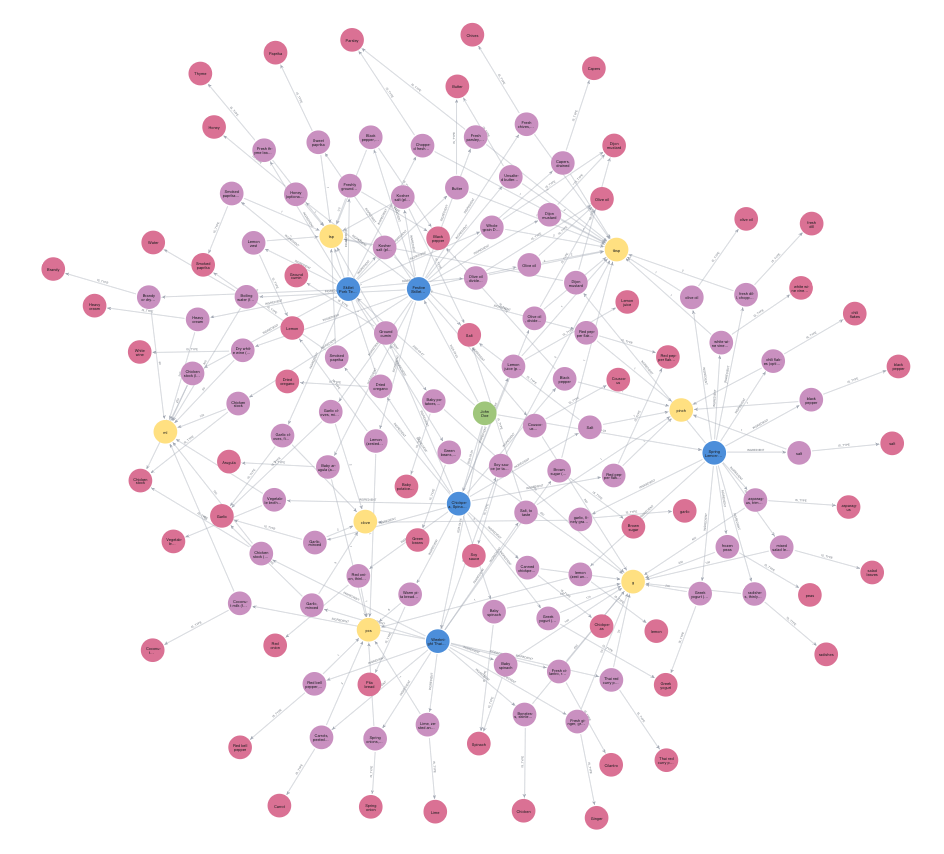
If I run this 5 times to create the week-day dinner plan for a week in March, with slightly different requests, and with the previous days added to the $recent property to make the dinners varying, I get a graph that looks like this:
Now we can view our weekly dinner plan:
MATCH (u:User {id: $userId})-[d:DINNER]->(r:Recipe)
WHERE date("2026-03-23") <= d.date <= date("2026-03-27")
WITH d, r ORDER BY d.date
RETURN d.date.weekday AS Day, r.name AS Dinner
Day Dinner 1 Spring Lemon-Dill Salmon with Asparagus & Pea Salad 2 Festive Skillet Chicken with Lemon-Caper Pan Sauce & Herby Couscous 3 Chickpea, Spinach & Halloumi Skillet with Lemon Yogurt 4 Weeknight Thai-Inspired Coconut Chicken Soup 5 Skillet Pork Tenderloin with Dijon-Brandy Cream Sauce, Roasted Green Beans & Crispy Potatoes
And with a bit of Javascript we can visualise our recipes in a human-friendly format. I am not a front-end developer so I asked ChatGPT to generate a one-file HTML/Javascript to load and display a recipe directly from Neo4j using QueryAPI (i.e. not needing a driver), and this is what I got:
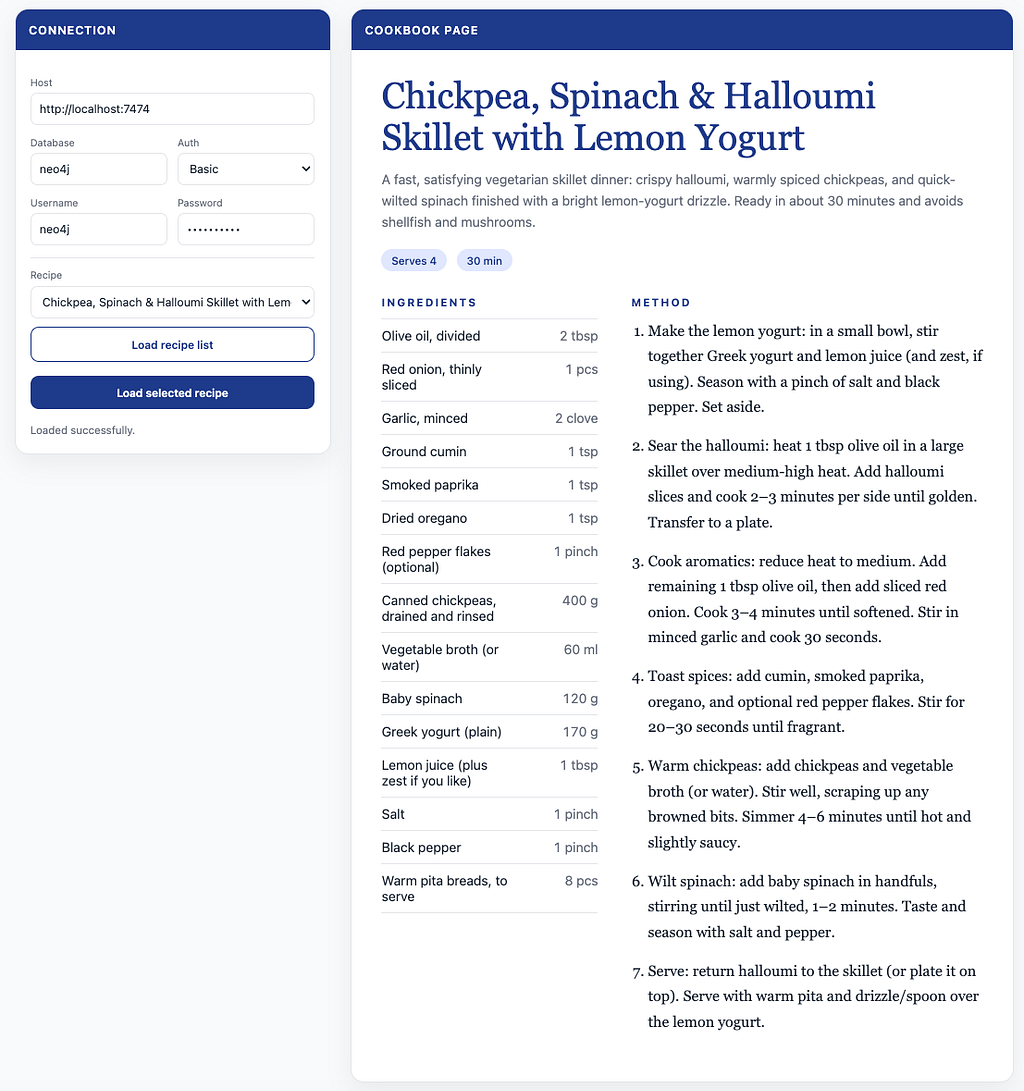
You can find this ChatGPT-generated code and the prompt used here:
GitHub – ChristofferBergman/recipe-viewer
And with the products separated out, we can also build a shopping list for the week:
MATCH (:User {id: $userId})-[d:DINNER]->(:Recipe)-[:INGREDIENT]->(i:Ingredient)
WHERE date("2026-03-23") <= d.date <= date("2026-03-27")
MATCH (u:Unit)<-[a:AMOUNT]-(i)-[:IS_TYPE]->(p:Product)
WITH p, u, sum(a.amount) AS amount
RETURN p.name AS Grocery, amount AS Amount, u.name AS Unit ORDER BY toLower(p.name)
Grocery Amount Unit Arugula 1 pcs asparagus 400 g Baby potatoes 700 g Black pepper 1 pinch Black pepper 1 tsp black pepper 1 pinch Brandy 60 ml Brown sugar 1 tbsp Butter 3 tbsp Capers 2 tbsp Carrot 2 pcs Chicken 450 g Chicken stock 1070 ml Chickpeas 400 g chili flakes 1 pinch Chives 1 tbsp Cilantro 15 g Coconut milk 400 ml Couscous 240 g Dijon mustard 3 tbsp Dijon mustard 1 tsp Dried oregano 1 tsp fresh dill 2 tbsp Garlic 9 clove garlic 2 clove Ginger 20 g Greek yogurt 370 g Green beans 450 g Ground cumin 1 tsp Heavy cream 200 ml Honey 1 tsp Lemon 1 pcs lemon 1 pcs Lemon juice 1 tsp Lemon juice 1 tbsp Lime 1 pcs Olive oil 6 tbsp olive oil 1 tbsp Paprika 1 tsp Parsley 3 tbsp peas 200 g Pita bread 8 pcs radishes 150 g Red bell pepper 1 pcs Red onion 1 pcs Red pepper flakes 2 pinch salad leaves 100 g Salt 2 pinch Salt 2.5 tsp salt 1 pinch Smoked paprika 2 tsp Soy sauce 2 tbsp Spinach 220 g Spring onion 2 pcs Thai red curry paste 30 g Thyme 1 tsp Vegetable broth 60 ml Water 300 ml White wine 60 ml white wine vinegar 1 tbsp
Here we see that we have some room for improvement. We have two entries for Lemon, because one has capital L and the other not. We also have two entries for Lemon juice because they have different units. And we have an entry for Water even though it isn’t normally something we buy at the store (for cooking).
The capitalisation is easy to solve, we can normalise that already when we generate our recipes.
The units are trickier. One solution would be to add a conversion property on each :Unit node that converts from that unit to liters, and then that can be used in the shopping list. But it is a bit weird to buy black pepper by liters. And also pcs doesn’t convert well to liters. Another option could be to have master-units that would represent the form you normally buy that product in (and there we could also indicate that it is a product that doesn’t have to be on the grocery list). Yet another option (though a bit riskier) could be to make another AI call to have it revise the raw shopping list into something that makes sense at a store.
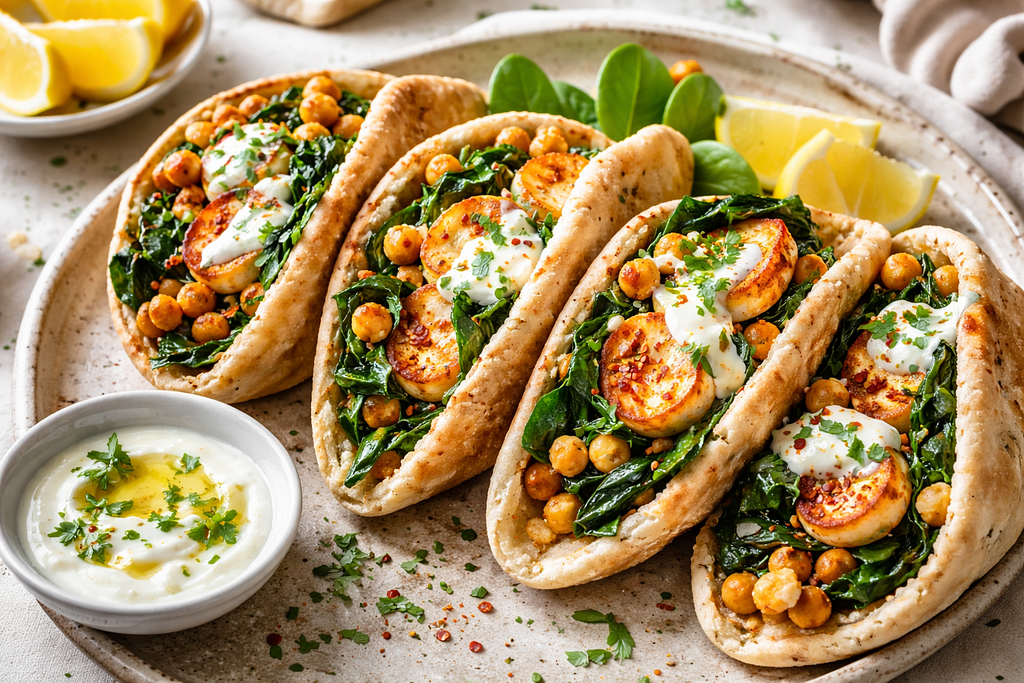
And finally, since we now have it as a graph, and we also have vector embeddings, we have a world of opportunities of things to build on top of our data. Why not a dating app? I love creamy chicken stew with sun-dried tomatoes. Let’s find someone else who seems to like that. And we want the one that is the closest to our friend-network:
WITH "A creamy chicken stew with sundried tomatoes" AS description
WITH ai.text.embed(description, "OpenAI",
  {token: $apiKey, model: "text-embedding-3-small"}) AS embedding
MATCH (u:User {id: $userId})
MATCH (r:Recipe)
  SEARCH r IN (
    VECTOR INDEX recipe_embeddings
    FOR embedding
    LIMIT 3
  )
MATCH (other:User)-[:DINNER]->(r)
WHERE other <> u
WITH DISTINCT u, other
MATCH p = SHORTEST 1 (u)(()-[:FRIEND_WITH]-())*(other)
RETURN other AS Match ORDER BY length(p) LIMIT 1
Note the new syntax for vector search (which differs from my previous blogs). This new pure Cypher format was introduced in 2026.01.0.
There you go, we can now generate our weekly dinner plans and find our future soul mates, all in the same app. Happy cooking!
Cypher 25
All Cypher queries in this blog use the CYPHER 25 syntax. You can check your default language with:
SHOW DATABASES YIELD name, defaultLanguage
If your database (e.g., neo4j) is running CYPHER 5, you can change it with:
ALTER DATABASE neo4j SET DEFAULT LANGUAGE CYPHER 25
If you don’t want to change the default for all queries, you can prefix the queries with CYPHER 25:
CYPHER 25
MATCH ...
Disclaimer/Warning

If you decide to go beyond just reading this as a blog, and actually decide to try this for real for your dinner planning, be aware that standard food products can be poisonous in certain quantities, and there is no guarantee that an LLM wouldn’t hallucinate and give you a recipe that isn’t healthy. Please review the recipe and make sure it is safe, and that it doesn’t contain things like one table spoon of nutmeg or uncooked bitter almonds.

Structured AI with Neo4j was originally published in Neo4j Developer Blog on Medium, where people are continuing the conversation by highlighting and responding to this story.
This article first appeared on Read More