

Overusing AI is ruining UX — here’s how to avoid the trap
The growth of AI, especially generative AI-related innovations, has introduced a promising way to automate manual activities in every computer-related field, including programming, technical writing, and even UI/UX design. The generative AI core has a predictive, probabilistic nature and high dependence on human-created data inputs, so AI can’t ever be trusted to be used beyond human-reviewed automation. But professionals, including product designers, began to overuse AI and ruin their own professional fields.
Now we have intelligent, AI-powered tools to generate product ideas, do UX research, create prototypes, and turn prototypes into real products in record time — AI has given everyone a new way to build digital products, skipping the traditional, well-structured UX process. This futuristic AI-backed product design and development methodology looks attractive, so it started attracting modern product designers, but this AI-based product creation is actually an AI-overusing trap that could ruin the growth of the user-centric, creative, evolving UX design field.
In this article, we’ll discuss how overusing AI, especially generative AI-based product design tools, becomes a trap for designers, what designers shouldn’t do to avoid this trap, and how to get benefits from AI without letting it negatively affect the UX aspects of your digital products.
Why using AI creates issues
AI isn’t solely bad, but it can create several negative side effects if we try to overuse it, try to automate a manual activity that it can’t optimally automate, or strive to get rid of human intervention mindlessly. If properly used, designers can use AI tools to boost productivity in every phase of the UX design process without sacrificing the quality of UX. AI can make ideation more interesting, assist user research, and help us design faster, under human-centered control.
Here are the hidden negative effects that AI creates if designers don’t understand how to limit AI involvement with UI/UX design properly:
Limits innovation, creates just adjusted generalized designs
The fact is that AI mimics innovation — generative AI tools create beautiful designs for your imagination when you describe using prompts, but in reality, AI design tools assemble UI elements for your prompts using pre-trained designs, lacking true innovation.
AIs’ tools don’t innovate suitable interaction mechanisms, use optimal, effective UI segments (e.g., signifiers) by understanding a design requirement — what it does is just answer your prompt with a design with good generalized UX:

If you just use it and continue the product design process, you’ll deliver a usable product faster, but not an innovative one that’ll go an extra mile for serving users better and boosting the organization’s revenue.
The same issue happens in ideation and research — your product becomes just a digital product lacking innovation under AI-based design, compared to innovative solutions that real UX designers create.
Lacks creativity, no UX empathy
If we ask several designers to solve a specific design requirement. We’ll get different creative solutions with various pros and cons. We’ll brainstorm, experiment, and collaborate with available ideas to find the optimal solution — that’s how designers build better designs collaboratively. This process doesn’t happen with AI-backed design — AI uses the existing creative setup from training data and never creates its own creative solutions.
UX empathy is a core fundamental idea behind user-centric designs. Designers should think like users and feel users’ intentions to create good UX, but AI is fundamentally a conditional computer algorithm, so expecting empathetic designs from AI is unthinkable.
Prompt engineering won’t work for UX
How do you describe your unique product to AI using a prompt? That’s not possible. AIs fundamentally understand words using mathematical values, and AIs understand word relations using the calculated mathematical value of each term. We could use prompt engineering tricks to optimize a prompt that describes a generalized product (e.g., a travel app) to let AI understand better, but feeding AI the big picture of your unique product idea is impossible.
With this idea-to-prompt barrier and creativity/innovativeness issues, AIs will treat your product so generically without unique ideas that only exist in your mind. Under AI-based design, you’ll most likely end up with yet another general product, missing all your unique expectations:

Redefines digital product design
Building a better, highly usable digital product undoubtedly requires going through a strict, streamlined UX process with human creativity and innovativeness. Human-centered UX process with a well-experienced UX team under a fair timeline delivers user-centric products through UX empathy. The traditional product design is about building innovative products for humans with human empathy.
An AI-based digital product design approach doesn’t create digital products — it manufactures products using predefined rulesets, mimicking human-like innovation. Under AI’s involvement, the world is moving toward a new digital product design concept that manufactures products that lack user empathy with AI hyperautomation.
What you shouldn’t do with AI in UI/UX design
The following “don’ts” guide you to minimize negative effects while using AI tools in UI/UX design:
Don’t use AI to ideate
Ideation is the first UX process step that puts a better foundation for the whole product by creating the strategy UX layer. Ideation usually involves idea brainstorming and collaborative problem-solving with human creativity and innovation. Anyone nowadays can ask modern AIs to generate product ideas for a specific product domain or instantly create sketches and skip the whole ideation phase, but with a lack of creativity and innovative skills, AI often mimics new ideas by using pre-trained knowledge. AI brings you already posted ideas on the internet, or makes sketches from pre-trained sketches, so AI-based ideation doesn’t generate new ideas.
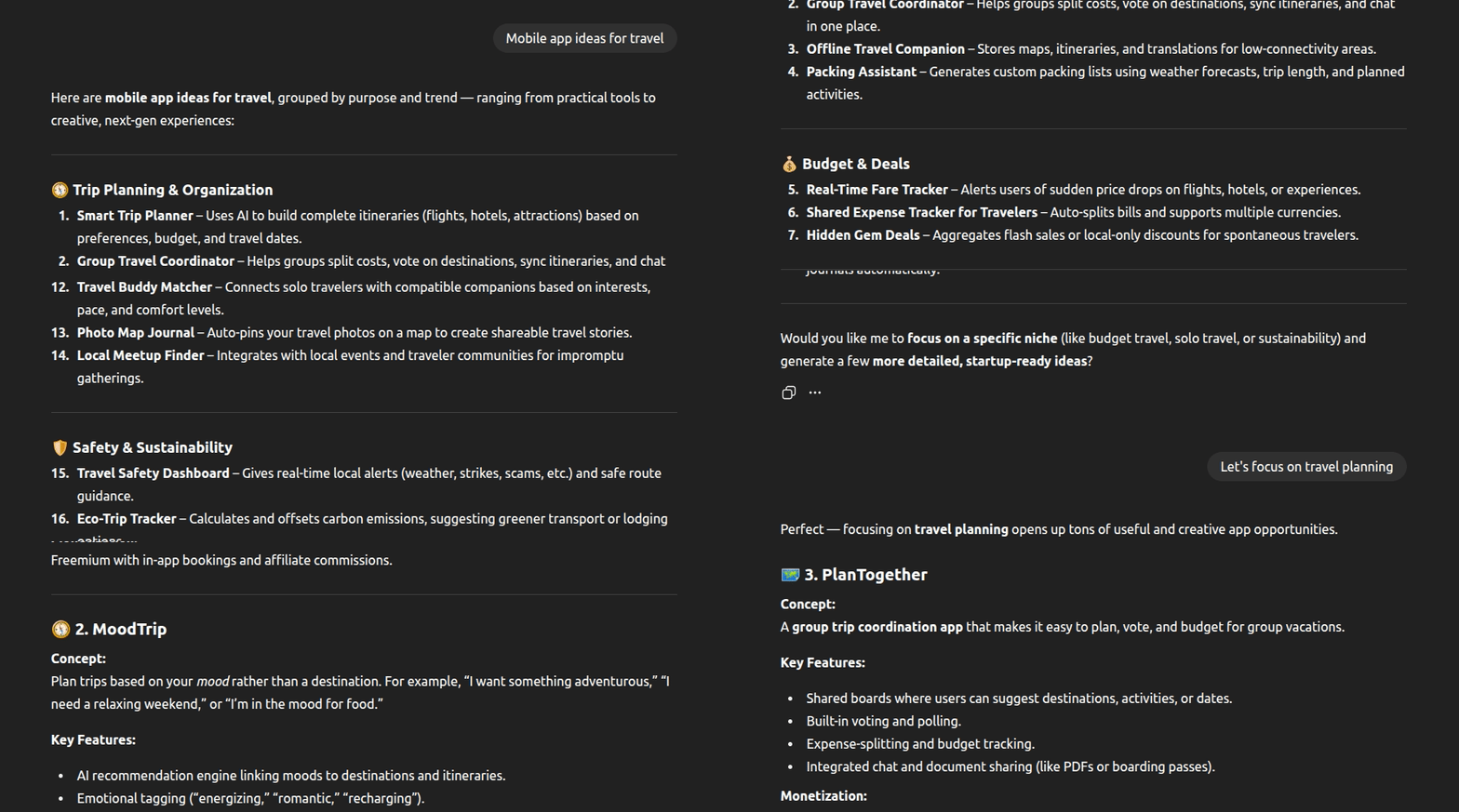
Instead of trying to get product ideas or interface design ideas directly from generative AI agents, you use them to be aware of already known product concepts to direct your manual brainstorming processes to unique ideas, or improve AI-generated ideas with your innovative skills to save time in the ideation phase:
Don’t use it to skip the user research
Without proper user research, we’ll never understand how users actually behave and what they expect from the planned digital product. UX research helps us finalize the strategy layer and lay the foundation for the skeleton and all other upper UX layers. Intelligent AI assistants know about generic products, but they don’t understand what your unique product idea is, and the user base’s practices (i.e., how they do tasks manually before your product) to provide effective UX research analysis. So, skimping out on real research with AI summaries will build a product with AI’s generalized assumptions, not based on real user needs, considering real user pain points.
Don’t skip the user research because of AI . Use AI to improve the user research:
- Using AI-powered summaries on detailed user interviews and recordings with AI note-taking tools or video/audio conferencing tools
- Using AI form creation (with a manual review and adjustments) to boost the initial UX research productivity, and using AI-powered survey analysis to speed up the UX research analysis
- Using AI agents to add generic user survey questions under manual review, along with your unique, manually-written questions that target specific points

Don’t use it for UX automation
A simple sketch, low-fidelity design, or high-fidelity design visually appears like a collection of UI elements that can be fully automatically generated with AI with proper prompts, but in reality, these UI designs have UX factors that AI tools never consider for making designs, and prompts can’t be narrowed down to let AI understand all UX aspects of your user base. Letting AI generate whole designs, including inner UX layers or fundamental early UX process sketches, allows AI to decide your digital product’s foundation under its generalized, algorithmic knowledge. AI-driven UX without UX empathy creates products, but never satisfies all users.
The optimal solution is to avoid using prompt-based designs for UX design, but in this evolved UI/UX design era, avoiding AI makes us outdated and makes survival difficult in the evolving UI/UX design industry. So, alternatively, we can either use AI tools that only automate UI (e.g., generating interfaces under a pre-defined (or easily adjustable) design system/style guide or converting low-fidelity designs to high-fidelity ones) or use AI-generated designs with proper UX enhancements, redesigning selected UX layers of auto-generated product designs. For better productivity, most AI design tools offer an AI agent to modify generated designs quickly using AI prompts:

Don’t use it to take over cross-functional collaboration
With modern AI-powered design-to-code tools, designers can now hand over auto-generated code to developers, skipping the traditional design handoff process. AI tools can convert any high-fidelity prototype into a real product interface implementation using a pre-selected UI design technology (i.e., React) in record time, but they create the following issues silently in the product development:
- Low-quality code — No AI-code generator generates optimized, clean, well-thought-out code as experienced developers do, so developers often have to restructure, improve, and even re-write AI-generated code segments before integrating them into the original codebase
- Missed elements and behavioral factors — Design-to-code solutions sometimes drop some UI elements and UX-related behavior (i.e., animations, effects, and actions) since they can’t visually understand some unique UI segments that designers made. As a result, the original design and auto-generated UI implementation can be significantly different
- Overrides developer preferences — Development teams follow various design practices for interface implementation, also carefully considering their backend integrations. Auto-generated code may use some suboptimal design patterns that developers don’t like, resulting in using the generated project implementation as a prototype to start a fresh UI project under developer preferences
Instead of trying to replace design handoff with design-to-code solutions, product teams can improve the existing design handoff first with design handoff tools like Figma Dev Mode or Zeplin. Then, developers can use AI features to generate code snippets or styling definitions for selected UI elements, rather than starting with an unknown, auto-generated, context-unaware project codebase.
Rather than handing off just a prototype, using dedicated design handoff tools is more beneficial since they offer more developer-focused features, such as better version handling, interface searching, interface groping, and designer-developer communication tools.

Don’t integrate it just because it’s the trend
Trends come and go. Some people use trends effectively for their situations and enhance their work. Meanwhile, some people just run after trends and make their work unstable and low-quality. AI is trending, but it’s not a magical tool that solves all your manual activities.
Suppose your current UX process and UI design workflow work effectively and deliver high-quality products that highly satisfy users on time. In that case, you don’t need to make your design process AI-dependent, especially in this era of AI evolution, where AI lacks creativity and innovativeness. If your competitor uses a specific AI design tool, you don’t need to bring it to your process mindlessly.
AI is trending, and everyone is trying to overuse it, but that doesn’t mean you should do the same. Applying it if you foresee its benefits within a specific UX design phase (e.g., UX research) by maintaining a stable but evolving, strict, foundational, human-centered UX process is the right way to use it.
Don’t ever let it make the final result
Considering aspects like the fundamental probabilistic nature of AI and the current stage of AI evolution, AI cannot be fully trusted. AI works better with generalized problems and poorly handles unique problems because it lacks human-like problem-solving skills. So, we always have to use it under human verification.
You can boost your UI/UX design productivity by generating product ideas, UX survey questions, and interface designs, but you’ll have to review them manually before moving to the next step. Due to idea-to-prompt barriers and AI’s own issues, 99% time, you’ll probably need to spend a significant amount of time to adjust AI-generated results or to rethink AI-generated content if you review AI-generated results with UX empathy perspectives.
You are the creator of your product; you should decide what your product would be, not AI tools. Use AI-generated results, but don’t let them be the final results.
Don’t fall for the AI overautomation trap
The modern AI-powered product design approach surprised everyone by delivering beautiful product designs instantly by skipping the traditional design process. Now, the AI-based design trend has started gradually taking the traditional, human-centered, collaborative UI/UX design process into a product manufacturing process. AI tools can create generalized usable products, but they can’t create exactly the product you imagined, along with user-centricity. Fully automated, AI-based design strategy eventually creates a generalized version of your product idea, deducing all crucial unique factors that possibly bring you more revenue in the future.
UI design can be automated with AI under pre-defined UX rulesets, but UX design aspects can’t be effectively automated since AIs don’t have UX empathy and lack the major skills of human UX design experts, such as creativity, innovativeness, and problem-solving skills. Automating UX aspects is a form of an AI automation trap that ruins your final product and the future of the UX design as well.
Don’t fall for this trap. Get the benefits of AI tools by automating the atomic tasks of the UX process under a mandatory human review. Use AI to assist your UX process and automate UI design, but don’t try to overuse AI by trying to automate the whole UX process.
Conclusion
The current era of AI evolution has brought us generative AI that could automate manual activities in various fields under human review. Generative AI is not an invention to automate every professional field — it’s an intelligent automation tool for professionals to boost their productivity in human-centered processes. However, people started building AI tools for everything and using AI agents even for professional decision-making, overusing AI, without understanding the negative consequences of using an algorithm to replace human skills.
UI/UX design is evolving; the current design era is not the final one — the next UI/UX design era will come with many usability, user-centricity, and interaction enhancements. UI/UX evolution requires human innovation and creativity — not pre-recorded knowledge that AI models hold. If designers fall for the AI automation trap, they’ll not only ruin the UX of their products, but they’ll also freeze the UI/UX evolution.
Use AI to assist your UX design process, and use AI tools to automate UI designs under a manual review, but don’t try to hand over your job role to AI — it’s a trap.
The post Overusing AI is ruining UX — here’s how to avoid the trap appeared first on LogRocket Blog.
This post first appeared on Read More