

The 10 best React Native UI libraries of 2026
Editor’s note: This blog was updated by Clara Ekekenta in December 2025 to reflect the latest React Native UI library landscape, including performance and bundle-size considerations, accessibility best practices, and Expo SDK 54 compatibility.

When building a React Native app, choosing the right UI components can dramatically speed up development and ensure a polished, platform‐consistent design. This is where React Native UI libraries come in — they provide pre-built, ready-to-use UI elements like buttons, input fields, and modals, helping developers create beautiful and functional interfaces without starting from scratch.
Unlike general component libraries, which may include utilities for animations, forms, or other functionalities, UI libraries focus specifically on visual components that align with platform design guidelines. Popular options like gluestack (formerly NativeBase) and React Native UI Kitten offer customizable, production-ready UI kits that streamline the development process.
In this article, we’ll explore the 10 best React Native UI libraries — comparing features, theming support, and use cases — to help you choose the right tools for your next project.
Why use a UI library in React Native?
React Native UI libraries offer predeveloped components that help accelerate project delivery. For example, developers can create icon buttons with react-native-vector-icons. Using a UI library with a complete UI kit eliminates the need to write custom styles for built-in UI elements or install multiple third-party components. UI libraries typically provide a collection of customizable UI elements for building modern apps.
With so many great options available, choosing the right React Native UI library can be challenging. However, understanding each library’s components, features, limitations, and developer support makes it easier to select one based on your design goals.
The best React Native UI libraries
The following open source React Native UI libraries can enhance your development process by improving efficiency and ensuring a consistent user experience across platforms like iOS and Android.
Below is a quick comparison table of the libraries covered in this article:
| Library | Best for | Theming support | Web support | Live example | Unique features |
|---|---|---|---|---|---|
| gluestack UI | Headless accessible components | NativeWind v2 / Tailwind | Yes | Yes | High (compiler-optimized) |
| Tamagui | High-performance universal apps | Custom tokens & headless themes | Yes | Yes | Optimizing compiler that flattens view trees |
| React Native Paper | Material Design-based UI components | Material theming | Yes (React Native Web) | Yes | Strict adherence to Material Design 3 guidelines |
| React Native Elements | Quick MVP / general use | ThemeProvider | Yes (React Native Web) | Yes | Massive component set reducing boilerplate |
| React Native UI Kitten | Legacy projects / Eva Design | Eva Design System | Yes (React Native Web) | Yes | Runtime theming (switch themes instantly) |
| RNUIlib | Modern, animated UI components | Supports theming | Yes | Yes | Animated components, modern UI elements |
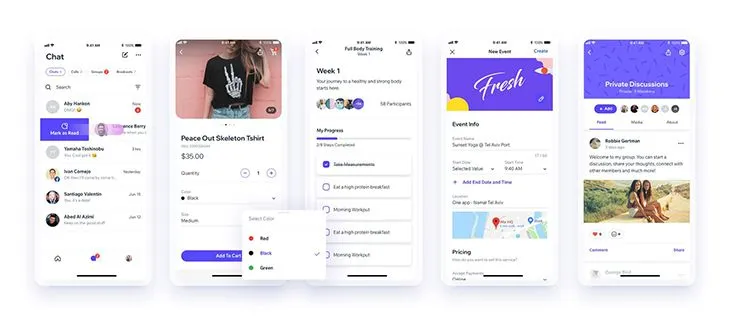
| Shoutem UI | Composable UI with predefined styles | Shoutem themes | Yes | Yes | CSS-like styling and animation components |
| Lottie for React Native | Smooth animations | N/A | N/A | Yes | JSON-based animations using Airbnb’s Lottie |
| React Native Maps | Customizable maps | N/A | N/A | Yes | MapView, polygons, polylines, animated maps |
| React Native Gifted Chat | Pre-built chat UI | Customizable UI | N/A | Yes | Chat UI with quick replies and extensibility |
| NativeWind | Tailwind users, fast iteration | Tailwind CSS classes | Yes | Yes | Compile-time styling with zero runtime cost |
| Dripsy | Responsive, universal apps | sx prop / Theme UI |
Yes | Yes | Mobile-first responsive styling |
| Shopify Restyle | Enterprise design systems | TypeScript-enforced theming | N/A | Yes | Strict type-safety for design tokens |
gluestack UI
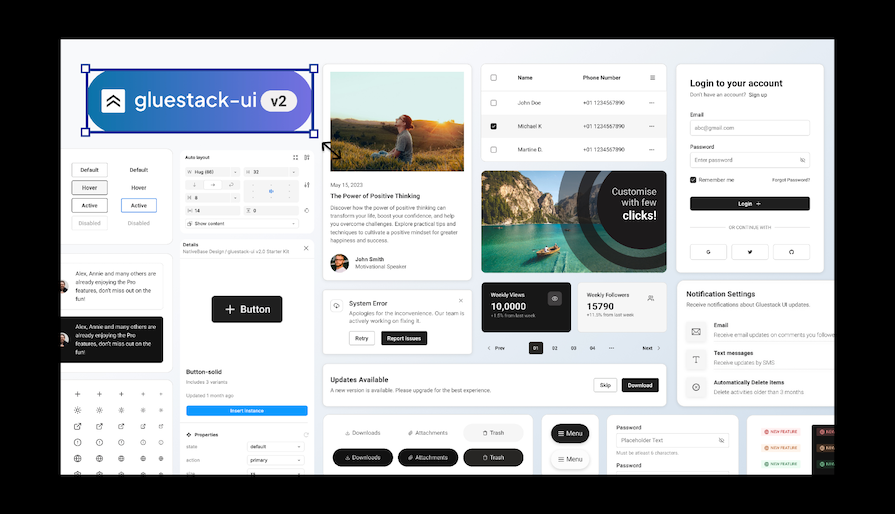
It offers a collection of 30+ pre-built, customizable components along with styling utilities that accelerate development while ensuring design consistency.
The launch of gluestack UI v3 in 2025 established its modular, unbundled component structure. This change offers unstyled, accessible elements that you can style using Tailwind CSS utility classes along with NativeWind’s styling engine. This method provides great flexibility, high performance, and strong accessibility. It is fully optimized for the new Expo SDK 54 and the latest React Native architecture.
gluestack UI is easy to use – simply copy and paste components or use the CLI tool into your app – yet still allows full control to tailor each UI element to your specifications using Tailwind CSS classes.
Version 3 of gluestack UI uses Tailwind CSS utility classes in conjunction with NativeWind’s styling engine for unparalleled flexibility across web and mobile platforms.
TL;DR: gluestack UI
NativeWind
Shopify Restyle
Dripsy
Tamagui
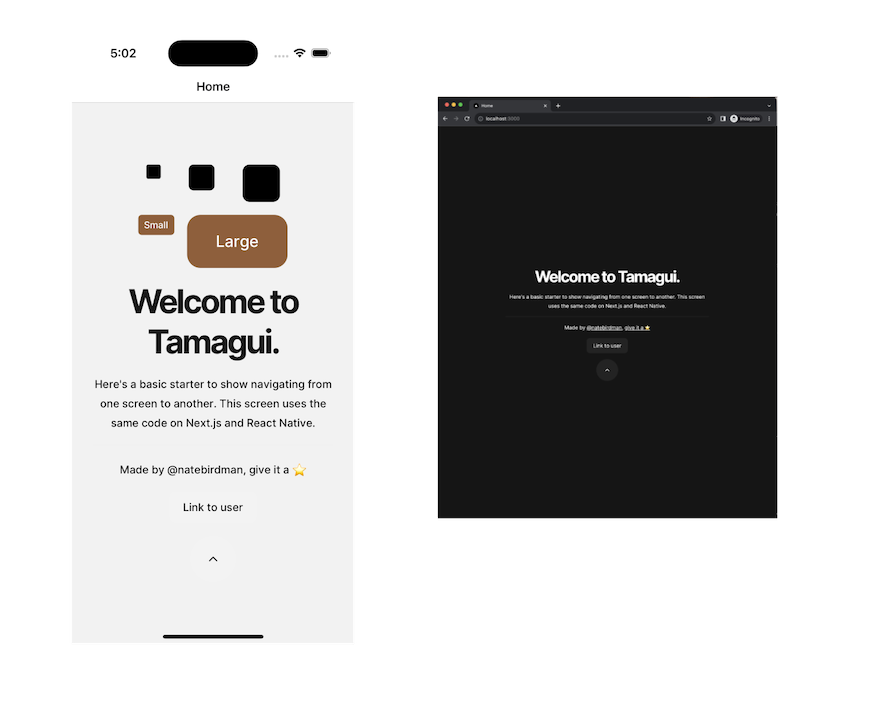
Tamagui is a performance-focused, customizable React Native component library and styling solution that offers a unique approach to building performant and scalable React Native applications.
TL;DR: Tamagui
React Native paper
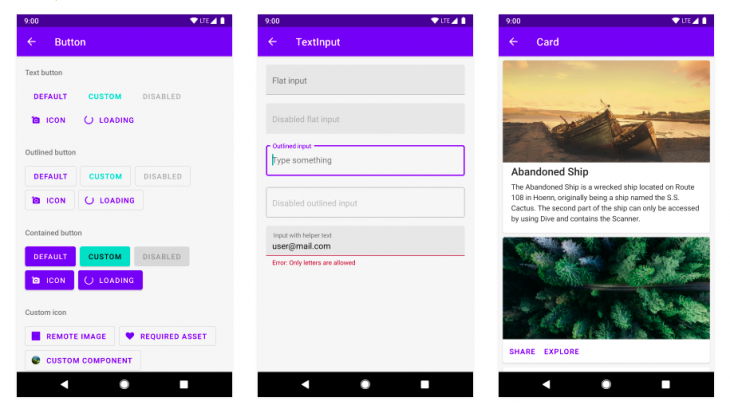
When using this React Native UI library, you can reduce its bundle size by using a Babel plugin that allows you to optionally require modules. This will exclude all the modules that your app doesn’t use and rewrite the import statements to include only those that are imported in the app’s component files. React Native Paper also supports web using React Native Web.
How do you use React Native Paper themes? Applying themes to a particular component is easy; React Native Paper comes with two default themes, namely light and dark, which you can extend. It uses the react-native-vector-icons library to support and use icons correctly in buttons, floating action buttons, lists, and more.
How do you use React Native paper themes?
Applying themes to a particular component is easy; React Native Paper comes with two default themes, namely light and dark, which you can extend. It uses the react-native-vector-icons library to support and use icons correctly in buttons, floating action buttons, lists, and more.
TL;DR: React Native paper
- Documentation
- Includes support for Expo
- GitHub repository
- Live example
React Native elements
One of the oldest and easiest libraries to start with, React Native Elements is a cross-platform UI library that implements Material Design. Instead of following an opinionated design system, this toolkit offers a more basic structure through its generalized inbuilt components, meaning you’ll have more control over how you want to customize components. Customization of any component in this library will include a mixture of some custom props, as well as props from the React Native core API.
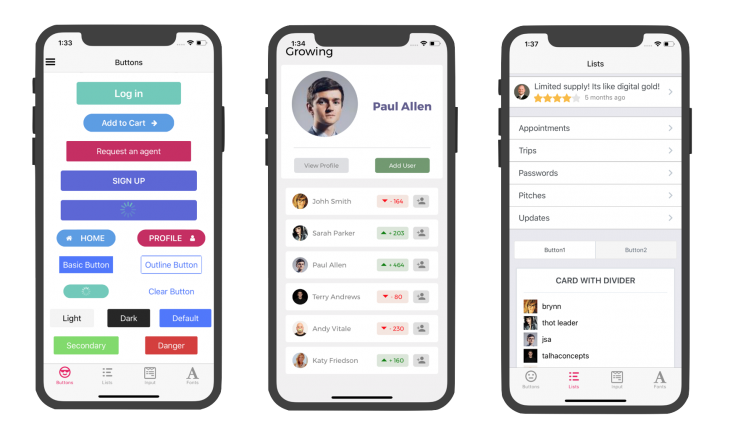
That being said, when using this React Native UI library, I’ve found that I can write much less boilerplate code than I do when using some of the other libraries covered in this post. The applications built using this UI toolkit also look and feel universal across both iOS and Android platforms.
ThemeProvider offers support for theming. Unlike some of the other libraries, which give you both light and dark themes, you’ll have to define your themes to make them work with React Native Elements. You can also use React Native Elements in web projects by using React Native Web.
TL;DR: React Native elements
- Documentation
- Includes support for Expo
- GitHub repository
- Live example
React Native UI Kitten
RNUIlib: React Native UI Library
Shoutem UI
Lottie for React Native
Lottie React Native is an excellent open-source animated graphic library developed by Airbnb for creating beautiful animations:

React Native Maps
React Native Maps is another useful library that provides customizable map components for your iOS and Android apps:
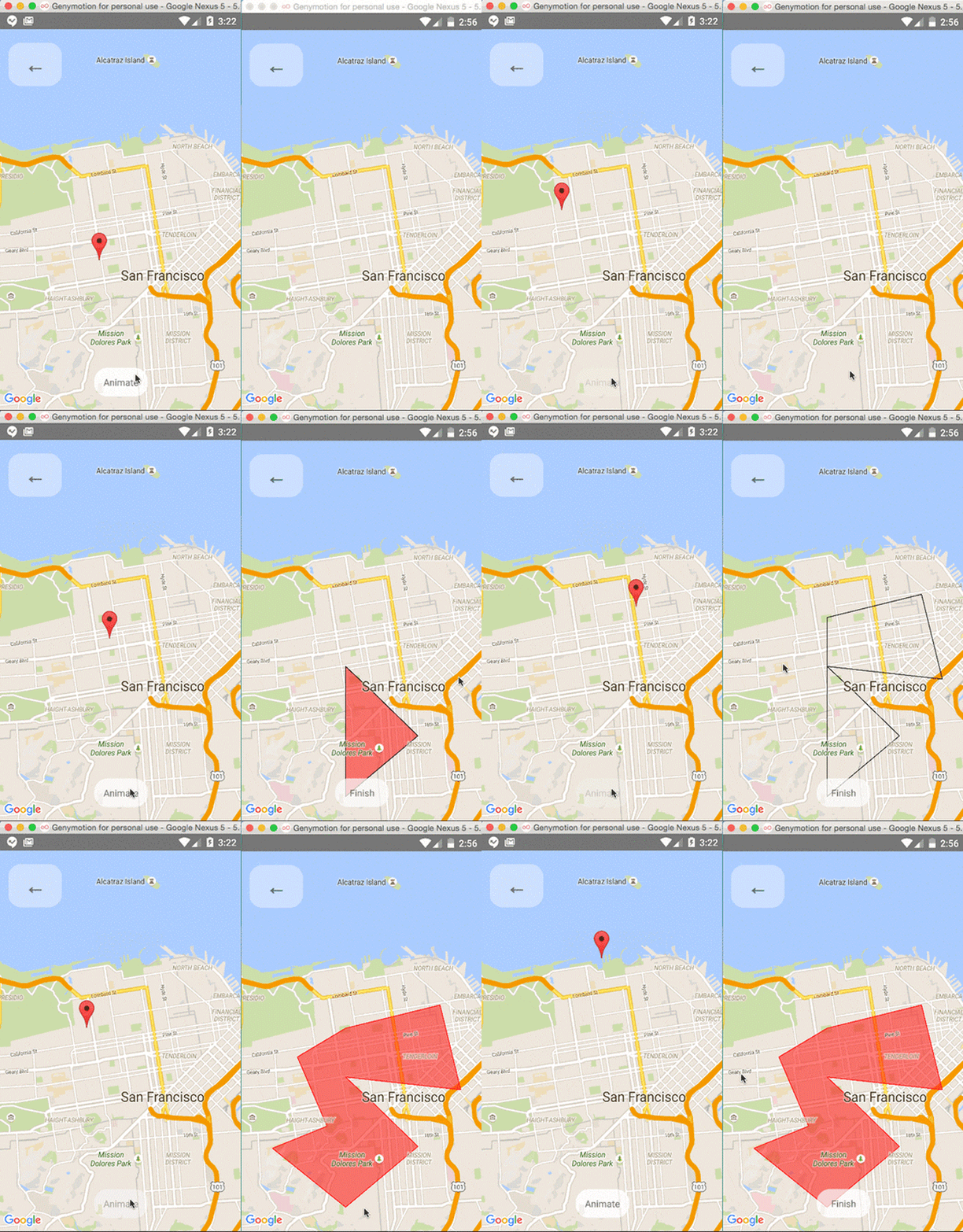 Its components include:
MapViewMarkerPolygonPolylineCalloutCircleHeatMapGeojsonOverlay
With these components, you can offer your users many different experiences on the map. Additionally, you can combine the components with the Animated API to give an animated effect to the components. For example, you can animate the zoom, marker views, and marker coordinates, and also render polygons and polylines on the map.
Keep in mind that React Native Maps v1.14.0 and above require React Native ≥v0.74, while versions below 1.14.0 are compatible only with React Native ≥v0.64.3. Be sure to update your React Native version if you plan to use React Native Maps with an older project.
TL;DR: React Native Maps
- Documentation
- Includes support for Expo
- GitHub repository
- LogRocket’s Introduction to React Native Maps
React Native Gifted Chat
In some development scenarios, React Native developers add chat screens to their mobile apps. For example, integrating a chatbot or implementing an inter-user chat system requires a chat component that includes incoming and outgoing messages with avatars, a text input for typing, and a send button.
The React Native Gifted Chat library offers a pre-developed, customizable chat component that you can use without having to build one from scratch:

This chat component library comes with features like a highly customizable UI, useful event handlers such as onPressAvatar and onInputTextChanged, a typing indicator, quick reply options, and composer actions for attaching photos.
TL;DR: React Native Gifted Chat
- Includes support for Expo
- GitHub repository
- Live example
UI library vs. component library: What’s the difference?
What is the best React Native component library?
Performance & bundle size
Today, performance is the main differentiator between React Native UI libraries. We evaluated each library based on startup time (TTR, Time to Render) and how much work they push onto the main thread.
Top tier (compiler-optimized):
Tamagui extracts styles to CSS on the web and optimizes native views on mobile, often performing on par with vanilla React Native.
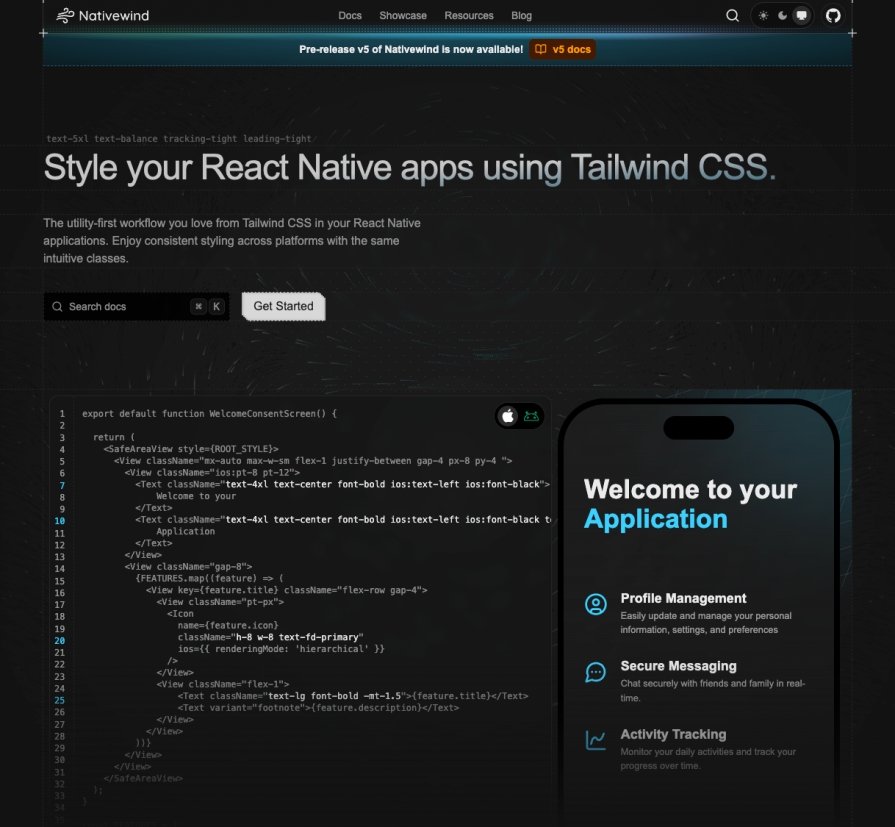
NativeWind compiles Tailwind-style utilities ahead of time, avoiding the runtime cost of passing large style objects across the bridge.
Mid-tier (runtime-styled):
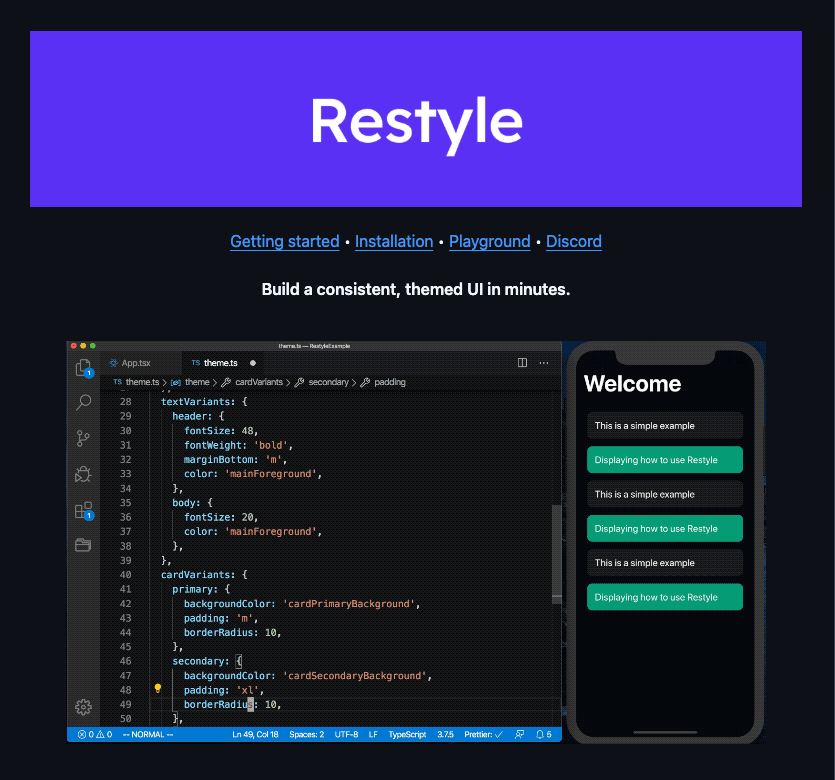
Shopify Restyle remains efficient but relies on lightweight runtime calculations for theming and layout.
React Native Paper performs reliably, but its full Material Design bundle can inflate app size unless you enable the Babel plugin for effective tree-shaking.
Low tier (legacy):
NativeBase and UI Kitten compute styles during every render cycle, which can introduce jank and dropped frames in animation-heavy screens.
Note: Tree-shaking is now standard in libraries like Tamagui and Gluestack UI. Older kits, such as React Native Elements, often ship unused components by default, increasing bundle size and startup cost.
Design system readiness matrix
How well does each library support a strict design system, including Figma tokens and theming?
| Feature | Shopify Restyle | Tamagui | React Native Paper |
|---|---|---|---|
| Type-safe tokens | Best (strict TypeScript enforcement) | High (typed configuration) | Moderate |
| Figma handoff | Manual | Plugin available (Tamagui Takeout) | N/A |
| Dark mode | Native support | Native support | Native support |
| Scaling | Enterprise-ready | Scalable | Rigid (Material-only) |
Accessibility
A polished UI that isn’t accessible is still broken.
React Native Paper continues to set the bar for accessibility. It closely follows Google’s Material Design guidelines, handling essentials like 48×48dp touch targets and screen reader labels out of the box.
Gluestack UI builds on @react-native-aria, allowing complex components such as accordions and modals to correctly implement focus trapping. This keeps keyboard and screen reader focus contained within modals for VoiceOver and TalkBack users.
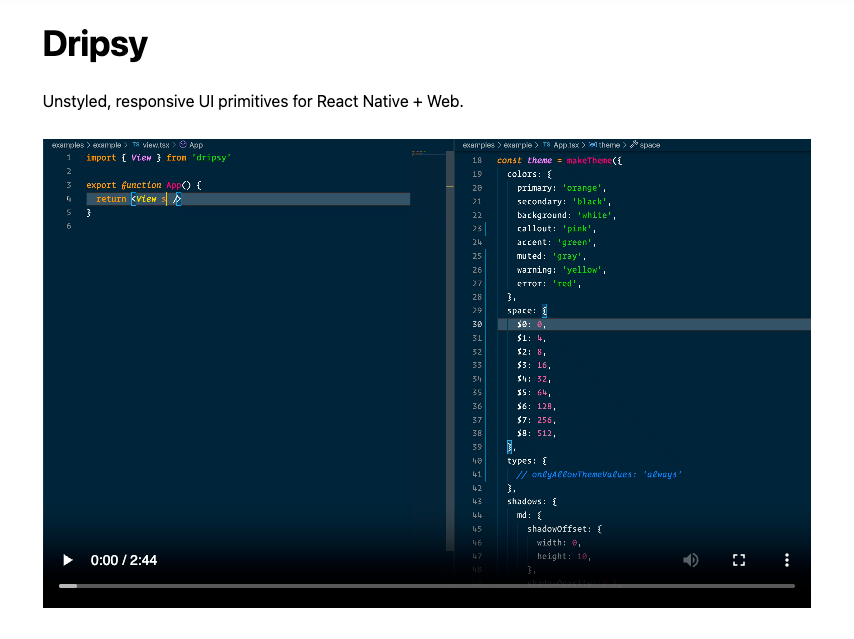
Dripsy and React Native Elements focus primarily on visual styling. While usable, they often require developers to manually add accessibilityRole and accessibilityLabel props to achieve full accessibility compliance.
Web & expo compatibility
With the release of Expo SDK 54, the gap between web and native continues to narrow, but not every UI library has kept pace.
Gluestack UI and Tamagui are built with universal development in mind. On the web, they render semantic <div> elements for better SEO and accessibility, while using View on mobile. Both are fully compatible with Expo’s new architecture, including Fabric and TurboModules.
React Native Elements and UI Kitten can run on the web, but their output often relies on Canvas-based or poorly optimized views. This results in a less native-feeling experience on desktop browsers compared to newer, web-first libraries.
Community health stats
Decision framework
The post The 10 best React Native UI libraries of 2026 appeared first on LogRocket Blog.
This post first appeared on Read More