

How PMs can use session replay without violating user privacy
From spotting rage-clicks to onboarding struggles, session replay has become a standard tool for understanding how users experience your product. Traditional analytics often miss the why behind user behavior. Video-like replays of real interactions can surface UX issues that metrics alone can’t explain.

But implementing session replay comes with hurdles beyond legality. Product teams need to balance insight with user trust, while also addressing concerns from leadership, legal, and engineering.
As a product manager, you need more than a compliance checklist to launch session replay responsibly. This guide provides practical frameworks, an implementation playbook, and a rollout checklist to help teams adopt session replay without compromising privacy.
What data session replay tools collect and why it matters for privacy
Session replay tools capture different types of user actions. Some tools focus on DOM-level signals like clicks, scrolls, and heatmaps. Others provide full video-style replays of user sessions.
Because capabilities vary so widely, you need to understand exactly what data a tool collects and the privacy risk that comes with it. As a rule of thumb, the more sensitive the data, the higher the risk.
High-risk data elements include:
- Personally identifiable information (PII) — Names, email addresses, and physical addresses collected through user profiles
- Authenticated views — User dashboards that display balances or other personal information
- Form inputs — Login credentials, payment information, and health data entered into forms
- Admin dashboards — Internal tools containing employee data, customer lists, or operational details
Session replay is inappropriate for high-risk data. Non-eligible actions include financial transactions, medical workflows, and identity verification flows. In these cases, the risk of exposure outweighs the value of UX insight.
A privacy-safe session replay framework for product managers
As a product manager, your goal is to roll out session replay without increasing privacy risks. This section outlines a practical decision framework for integrating session replay into your product workflow responsibly.
Assessing data sensitivity across pages and workflows
Start by classifying pages, workflows, and data classes by sensitivity level:
- Low risk — Public information with no confidentiality needed
- Medium risk — Private information with a moderate impact if exposed
- High risk — Highly sensitive information with a severe impact if exposed
Session replay is inappropriate for high-risk activities such as financial transactions, medical workflows, and identity verification flows. In these cases, the risk of data exposure outweighs the value of UX insight.
Balancing replay fidelity against privacy risk
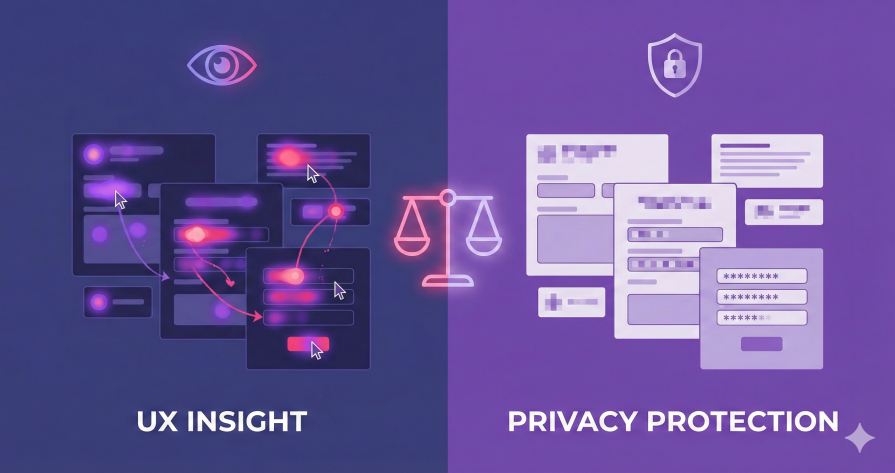
You must determine how much data you actually need. The goal should be minimal viable capture, which reduces overall risk while still enabling useful insights.
High-fidelity tools, such as DOM capture with form inputs, provide rich context but increase the likelihood of collecting sensitive data. Low-fidelity options like heatmaps or event logs often surface the same usability issues with far less risk.
For example, if users aren’t completing a form, event logs may reveal where drop-off occurs but not why. That approach is safer but limits your level of insight. A middle ground is session replay with masked inputs, which reveals user behavior and friction without meaningfully increasing data risk.
You should explicitly weigh the value of deeper insight against privacy exposure. Documenting the expected ROI helps justify these tradeoffs to stakeholders.
Defining product, engineering, and legal responsibilities
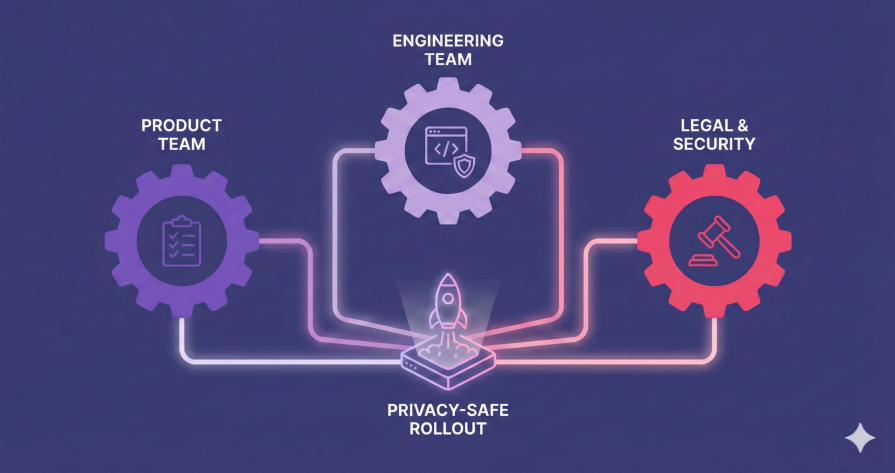
Privacy-safe session replay requires clear ownership across teams. Responsibilities typically break down as follows:
Product managers
- Scope and prioritize eligible pages and workflows
- Align stakeholders
- Define success metrics and KPIs
Engineering
- Install and configure SDK integrations
- Implement exclusions and masking
- Run validation and testing
Legal or security
- Review high-risk flags
- Establish data retention policies
- Map compliance requirements
You should establish multiple sign-off checkpoints throughout implementation to maintain alignment and trust. Common checkpoints include:
- Approval of initial project scope
- Code review
- QA results
- PM-led demo
- Monthly or quarterly reviews
How to configure session replay safely in production
Implementing session replay involves many moving parts. This playbook outlines what to configure, what to avoid, and how to validate your setup before launch.
Privacy-safe default configurations
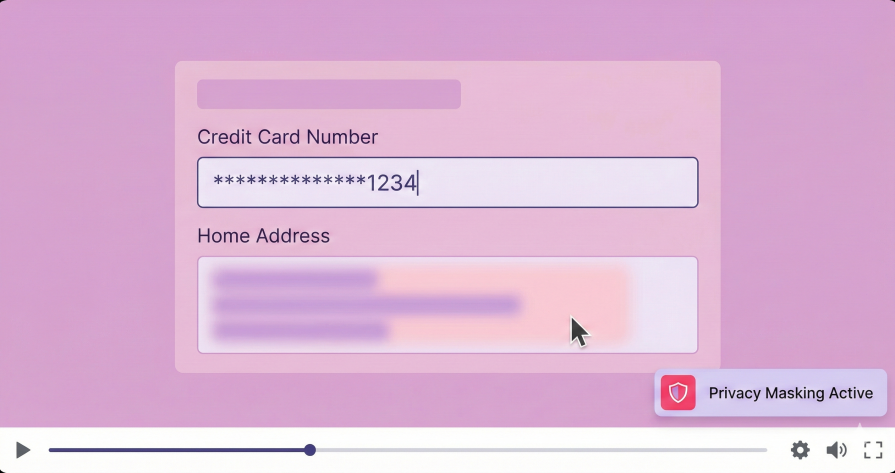
Privacy protections should be enforced from day one. Common safe defaults include:
- Automatic PII masking — Enable masking to hide sensitive user information
- Redaction levels — Choose appropriate approach. Inline masking replaces characters with symbols (for example, * or #), while blurred masking obscures entire sections
- Sensitive route disabling — Exclude routes and URLs that may expose sensitive data
- Authenticated sessions and tokens — Strip session identifiers and authentication tokens to prevent unintended exposure
What goes wrong when session replay is misconfigured
Misconfigured session replay can introduce risk instead of reducing it. Avoid these common anti-patterns like:
- Overboard DOM capture — Don’t record everything by default. Limit capture to specific pages or elements to reduce the chance of collecting sensitive data
- Inconsistent form masking — Mask sensitive fields by default, then explicitly allow low-risk fields where insight is valuable. For example, unmasking search inputs can help teams understand intent and improve relevance without exposing personal data
- Recording internal admin activity without role-based controls — Follow the principle of least privilege. Role-based access ensures only appropriate teams can view sensitive replays, while others receive masked versions
Testing session replay configurations before production
Before launching, test privacy configurations to ensure they behave as intended. Create a checklist for what should happen and the results. For example:
| Test case | Expected result | Pass / fail |
| PII form submit | Fields show “****” | |
| Admin route | No replay generated | |
| Authentication token | Token stripped from network requests | |
| Rage click error | Interaction captured with masking applied | |
| Mobile view | Gestures captured, no text recorded |
QA testing typically involves using test accounts with synthetic data. A common workflow includes:
- Create test accounts with fake PII
- Run QA scripts to validate masking, route exclusions, and error states
- Test workflows repeatedly across multiple accounts
- Confirm key use cases behave as expected
- Troubleshoot and resolve any failures
These results also give you a concrete way to demonstrate both the value and safety of session replay during stakeholder demos.
How PMs should communicate session replay privacy tradeoffs
Different teams will have different concerns about adopting session replay. As a PM, your role is to address those concerns directly while clearly articulating the value session replays provide.
Addressing privacy concerns from legal and security
Legal or security teams focus on compliance, risk, and adherence to industry standards. Session replay tools may initially be viewed as unnecessary exposure rather than added value.
Gaining approval involves demonstrating that privacy safeguards are built into both the tooling and the process. You should be prepared to discuss privacy-first features and policies in concrete terms. Legal teams typically want clarity on:
- Data retention periods
- PII masking and redaction approaches
- Error rates and edge cases
- Data classification and sensitivity levels
- Audit trails that support regulatory requirements
Getting engineering buy-in for session replay
Engineering buy-in comes from framing session replay in terms of architecture, effort, and impact. Be clear about how replays integrate with the existing stack and set realistic expectations for implementation.
For example:
- Virtual DOM sampling for SPAs like React
- Route and field exclusions for server-rendered PII in Next.js SSRs
- Per-module rules for microfrontends
- Geohashed locations for mobile apps via SDKs like Firebase
Position session replay as a practical enabler for UX improvements, not a monitoring layer. Replays make it easier to tie usability issues to measurable outcomes like reduced drop-off or fewer support tickets, helping teams prioritize the work without friction.
Explaining session replay value to leadership
Leadership may view session replay as an added cost or potential privacy risk. Proactively address both concerns by explaining the safeguards in place and the business value of responsible data collection.
Privacy-focused session replay helps teams diagnose issues faster, understand real user behavior, and resolve bugs more effectively. These insights directly improve engagement and retention by showing exactly where experiences break down.
Over time, this ability to make better, faster, data-informed decisions becomes a competitive advantage that justifies the investment.
Common session replay privacy failures and how to prevent them
Even well-intentioned teams can ship misconfigured session replays. Below are common scenarios that lead to preventable privacy incidents.
Ecommerce checkout data leak
An ecommerce site launched session replay without excluding checkout forms. Real credit card numbers appeared in roughly two percent of recorded sessions and were only discovered during a security audit. Basic pre-launch QA testing would’ve surfaced the issue before production.
Configuration drift after feature launches
A SaaS platform introduced a new identity verification flow but failed to update its session replay configuration. User IDs and uploaded documents were captured through unmasked file inputs. A configuration review tied to feature deployment would likely have prevented the exposure.
A post-launch plan helps prevent these common failure modes. It ensures replay configurations remain accurate as the product evolves. PMs should monitor:
- Weekly sample audits — Review a subset of sessions to confirm masking and exclusions still behave as expected
- New routes and fields alerts — Monitor for new URLs, form fields, or 404s that may bypass existing rules
- Edge-case reviews — Test incognito mode, VPNs, and mobile devices to validate consistent behavior
A privacy-first session replay rollout checklist for PMs
Use this step-by-step checklist to roll out session replay responsibly and with confidence:
- Sensitivity audit completed — Pages and workflows are classified for sensitivity.
- Routes classified — High-risk paths are identified and excluded in code
- Masking configured and validated — Test with synthetic data to confirm PII redaction and input blurring
- QA verification passed — Check multiple sessions to verify no data leaks or replay errors
- Stakeholders sign-off secured — A one-pager is approved by legal, engineering, and leadership
- Documentation updated — Configuration files, runbooks, and internal docs reflect the final setup
- Monitoring in place — Alerts are configured for drift, with weekly audits scheduled to ensure ongoing compliance
Building trust-centered product insights with session replay
Session replay only works when privacy is treated as a first-order requirement from day one. With the right configurations and guardrails in place, replay tools can deliver meaningful insight into UX and user behavior without compromising user trust.
As a product manager, you play a critical role in making that balance work. By setting clear boundaries, enforcing privacy-safe defaults, and aligning teams early, you can turn session replay into a trust-preserving analytics capability rather than a liability.
Use this guide to launch session replay responsibly, address stakeholder concerns with confidence, and build product insights that earn and retain user trust.
Featured image source: IconScout
The post How PMs can use session replay without violating user privacy appeared first on LogRocket Blog.
This post first appeared on Read More